
What is RecCloud?
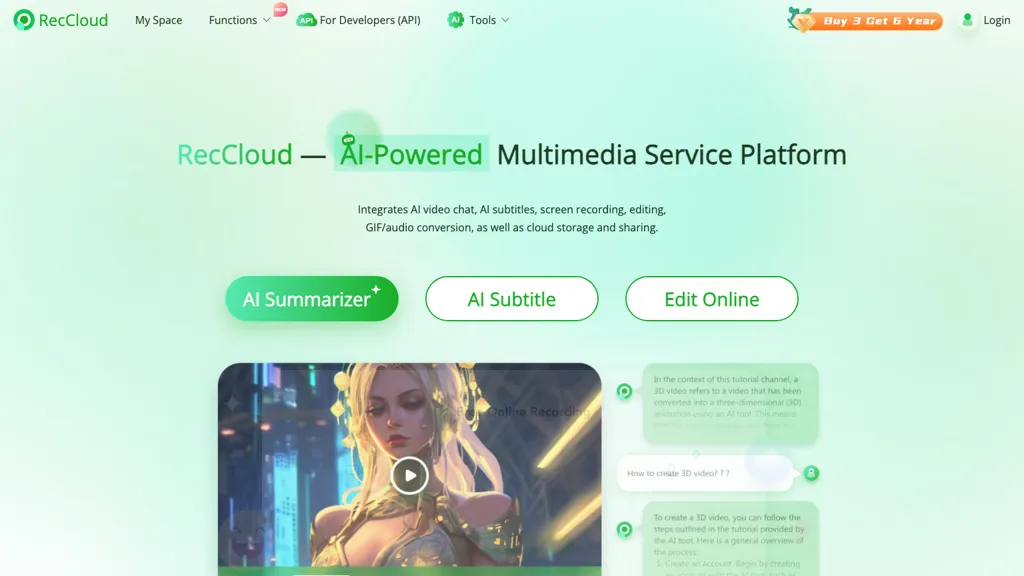
RecCloud converts spoken audio into accurate text, providing automatic polishing and summarizing for meetings, lectures, and transcription tasks.
It auto‑generates subtitles in the original language and offers multilingual translations, benefiting creators and educators targeting a global audience.
The voice generator turns text into natural‑sounding speech in multiple voices and languages, suitable for content creators, marketers and accessibility solutions.
Video summarizer extracts key highlights from long videos and allows interaction with AI about video content, serving educators, social media managers and presenters.
The AI video generator produces videos from text or images, while the vocal remover isolates instrumentals from tracks.
Additional editing tools trim, crop, merge, and remove watermarks from videos online, and the platform supports screen recording, audio translation, medical transcription, Zoom transcription, and YouTube transcription.
RecCloud details
- Company
- Shenzhen Wangxu Technology Co., Ltd.
- Jurisdiction
- People's Republic of China
- Built for
- Developers
- Stated compliance
- GDPR, ISO 27001
Compliance as stated in RecCloud's own published documentation.
RecCloud tech specs
- Works with
- OpenAI / GPT
RecCloud pricing
Paid- Refund window
- 7 days
- Auto-renewal
- Yes
Verify on the official pricing page.
View plansRecCloud's key features
-
AI speech-to-text, 100+ languages
-
Real-time transcription with speaker detection
-
Audio/video summarization and key points
-
Video translation with AI dubbing
-
Text-to-speech in 100+ languages
-
Automatic subtitle and caption generation
-
AI watermark and object removal
RecCloud use cases
-
Generate a concise meeting summary with action items from a recorded Zoom call, enabling team members to quickly review decisions without watching the full video
-
Create multilingual subtitles for YouTube lectures, automatically translating key points and ensuring accessibility for non-native speakers
-
Edit and polish recorded interviews by removing filler words, adding voice cloning narration, and exporting a clean video for publishing
RecCloud user reviews
Based on 18 reviews, 72% of users recommend RecCloud, rated highly for value for money.
Liked for
Disliked for
Would you recommend RecCloud?
Who is RecCloud for?
-
Content creators
-
Marketing strategists
-
Video editors
-
Business owners
-
Digital marketers
RecCloud FAQ
How much does RecCloud cost?
RecCloud is a paid product with no free plan. Plans include My api key at $369/year, My api key at $59.9/year, My api key at $1099/year and My api key at $2969/year.
Is RecCloud safe to use?
RecCloud states GDPR and ISO 27001 compliance in its own published documentation. RecCloud is operated by Shenzhen Wangxu Technology Co., Ltd., registered in People's Republic of China. RecCloud carries the TopAI.tools verified mark, which we award after a manual review of pricing transparency, published terms, public following and working functionality.
Is RecCloud good?
RecCloud has a 72% recommendation rate from 18 reviewers on TopAI.tools. Reviewers rate it highest on value for money and quality of results.
What are the best alternatives to RecCloud?
The closest alternatives to RecCloud are Audioconverter, TurboScribe, Audiotype, AudioConvert and Transkriptor. You can compare them side by side in the alternatives section further down this page.
What does RecCloud do with my data?
Its privacy policy states that personal data is not sold or shared for marketing purposes. Data may be shared with third-party service providers that help run the product.
Does RecCloud auto-renew or offer refunds?
RecCloud subscriptions renew automatically until you cancel. It states a 7-day refund window.
Does RecCloud have an API?
Yes. RecCloud offers an API, so you can call it from your own applications instead of using the interface directly.
Who made RecCloud?
RecCloud is built and operated by Shenzhen Wangxu Technology Co., Ltd., a company registered in People's Republic of China.
Which AI models does RecCloud use?
RecCloud is built on OpenAI / GPT. Which models you can reach may depend on your plan.
Compliance, privacy and billing terms are as stated in each product's own published documentation and have not been independently verified by TopAI.tools.


