
What is ToolLab.AI?
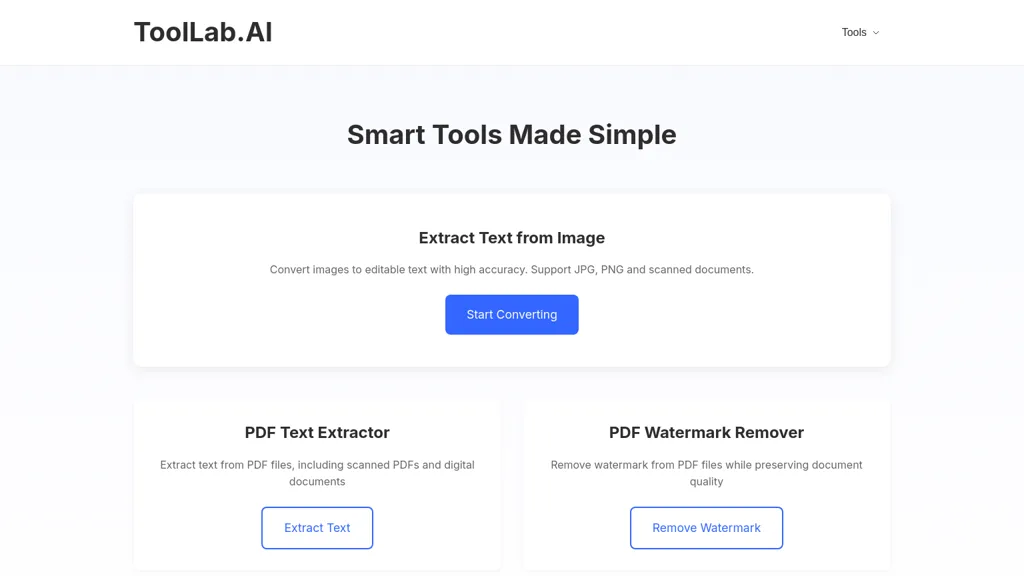
Extract Text Image is a versatile tool from ToolLab.ai designed to transform images and PDFs into editable text formats. This tool supports formats such as JPG, PNG, GIF, and BMP, making it suitable for various scanned documents. Users can quickly convert images into text with high accuracy, ensuring precise results for clear and well-formatted files.
In addition to text extraction, it offers watermark removal capabilities, allowing users to maintain document quality while eliminating unwanted watermarks. ToolLab.ai emphasizes secure processing, keeping user files protected throughout the conversion tasks.
ToolLab.AI pricing
FreemiumToolLab.AI offers a free plan with paid upgrades available.
Verify on the official pricing page.
View plansToolLab.AI's key features
-
Image to text conversion
-
Supports multiple image formats (JPG, PNG, GIF, BMP)
-
High accuracy text extraction
-
Watermark removal capabilities
-
Secure file processing
ToolLab.AI use cases
-
Quickly convert scanned class notes or textbooks into editable text documents using Extract Text Image, allowing students to study more efficiently and avoid manual typing errors
-
Effortlessly extract and edit important text from meetings or conference documents by converting PDF files into text formats, helping professionals save time and stay organized
-
Remove watermarks from presentation slides while retaining high-quality text extraction, allowing users to create polished materials for their projects or reports with ease
ToolLab.AI user reviews
Based on 1 review, 100% of users recommend ToolLab.AI, rated highly for quality results.
Liked for
Would you recommend ToolLab.AI?
Who is ToolLab.AI for?
-
Document editors
-
Data researchers
-
Information architects
-
System administrators
-
Digital archivists
ToolLab.AI FAQ
Is ToolLab.AI free?
Partly. ToolLab.AI has a free plan with usage limits, and paid plans unlock the full feature set.
What are the best alternatives to ToolLab.AI?
The closest alternatives to ToolLab.AI are imgtotext.ai, ScantextAI, AIImagetoText, Canva AI and Watermark Remover. You can compare them side by side in the alternatives section further down this page.


