
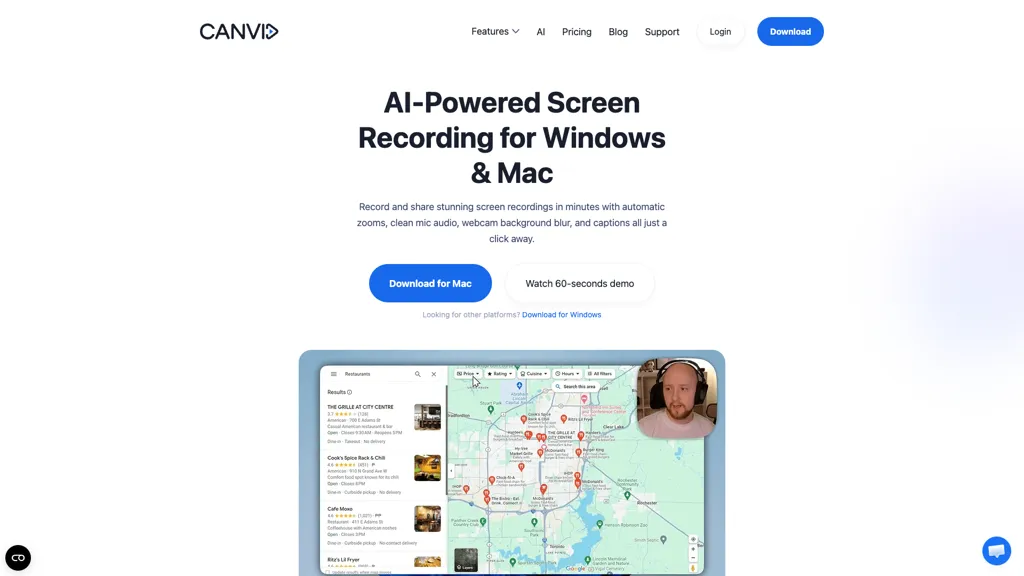
What is Canvid?
Canvid is an AI screen recorder for Windows and Mac that captures 4K screen recordings with automatic zooms, click-aware framing, and smooth zoom transitions.It includes webcam effects and background blur/removal, editable auto-generated transcripts and subtitles, and one-click voice cleanup to remove hum and echo.
The app records system audio and microphone separately, supports hardware-accelerated encoding, and provides keyboard shortcuts and platform-native cursor styles.An edit-while-record workflow converts clicks into keyframes for quick trimming and zoom adjustments without external editors.
Instant share links and cloud rendering streamline distribution to Slack, LinkedIn, or support systems.Common use cases include product demos, tutorials, course creation, bug reproduction, and internal handoffs where clear visuals, captions, and clean audio reduce editing time.
Canvid details
- Company
- VideoCom.com Inc.
- Jurisdiction
- Delaware
- Built for
- Individuals
- Stated compliance
- GDPR
Compliance as stated in Canvid's own published documentation.
Canvid tech specs
- Integrations
- Slack
Canvid pricing
SubscriptionPricing details aren't listed here — check the official pricing page below.
Verify on the official pricing page.
View plansCanvid's key features
-
4K screen recording with automatic zooms, click-aware framing, and smooth zoom transitions
-
Edit-while-record workflow that converts clicks into keyframes for quick trimming and zoom adjustments without external editors
-
Editable auto-generated transcripts and subtitles
-
One-click voice cleanup to remove hum and echo; records system audio and microphone separately
-
Webcam effects with background blur and removal
Canvid use cases
-
Create polished 4K software tutorials with click-aware framing and automatic zooms, use edit-while-record keyframes to highlight UI flows, add webcam/background effects and one-click voice cleanup, then publish accessible content with editable auto-generated transcripts
-
Record high-quality product demos and onboarding videos using 4K capture, webcam overlays and background effects, clean audio with one-click voice cleanup, fine-tune pacing with edit-while-record keyframes and instantly share via cloud links for sales and customer success
-
Produce captioned marketing and social videos quickly by leveraging editable auto transcripts for SEO-friendly subtitles, apply automatic zooms and click-aware framing for clearer visuals, enhance presence with webcam effects and distribute immediately through instant cloud sharing
Canvid user reviews
Based on 1 review, 0% of users recommend Canvid.
Disliked for
Would you recommend Canvid?
Who is Canvid for?
-
Product designers
-
E-commerce sellers
-
Content creators
-
Software developers
-
Qa engineers / testers
Canvid FAQ
Is Canvid free?
No. Canvid is a paid product and requires a paid plan to use.
Is Canvid safe to use?
Canvid states GDPR compliance in its own published documentation. Canvid is operated by VideoCom.com Inc., registered in Delaware. It has a substantial audience that is independently measured month to month.
What are the best alternatives to Canvid?
The closest alternatives to Canvid are Tella, Video Transcriber AI, ScreenApp, wondershare.net and guidde. You can compare them side by side in the alternatives section further down this page.
What does Canvid do with my data?
Its privacy policy states that personal data is not sold or shared for marketing purposes. Data may be shared with third-party service providers that help run the product.
Who made Canvid?
Canvid is built and operated by VideoCom.com Inc., a company registered in Delaware.
What does Canvid integrate with?
Canvid connects with Slack.
Compliance, privacy and billing terms are as stated in each product's own published documentation and have not been independently verified by TopAI.tools.


