
What is Winxvideo?
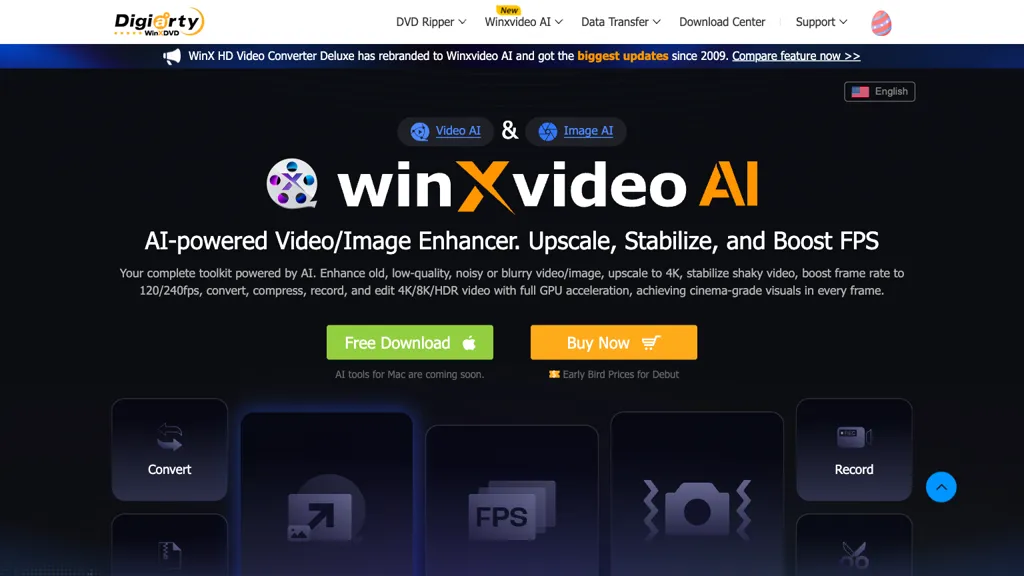
Winxvideo AI is an all‑in‑one AI video enhancer that upscales, stabilizes, and interpolates frames to 4K/8K/HDR quality while preserving audio integrity. The software applies AI‑driven noise reduction, background‑noise suppression, and vocal isolation for clearer soundtracks.
GPU acceleration enables fast batch conversion and compression of high‑resolution files into popular formats such as MP4, MOV, and HEVC. Integrated editing tools allow trimming, merging, cropping, and adding subtitles or watermarks, making the workflow efficient for vloggers, marketers, and content creators.
A screen‑recording feature captures 4K video at 60 fps, supporting webcam, game, and desktop capture for gamers, educators, and remote workers. The platform supports batch processing of images, videos, and audio, and includes AI image enhancement for photo restoration, colorization, and face sharpening.
Winxvideo details
- Built for
- Individuals
- Stated compliance
- PCI DSS
Compliance as stated in Winxvideo's own published documentation.
Winxvideo tech specs
- Payment Processors
- 2Checkout
- Integrations
- Discord
Winxvideo pricing
Freemium- Refund window
- 30 days
Verify on the official pricing page.
View plansWinxvideo's key features
-
Upscale 4K/8K/HDR videos
-
Stabilize shaky footage
-
Compress video files efficiently
-
Convert between video formats
-
Record screen activity
-
AI image restoration
-
GPU accelerated processing
Winxvideo use cases
-
Upscale and clean up legacy home videos to 4K/8K quality in bulk, preserving details while reducing noise and restoring color for nostalgic sharing
-
Generate polished e‑learning videos by stabilizing shaky recordings, applying noise reduction, and sharpening audio, all through batch GPU‑accelerated processing
-
Create cinematic HDR reels from event footage, interpolating to 60 fps for smooth slow‑motion and applying HDR conversion for vivid visuals
Winxvideo user reviews
Based on 29 reviews, 69% of users recommend Winxvideo, rated highly for value for money.
Liked for
Disliked for
Would you recommend Winxvideo?
Winxvideo playbooks
1Step-by-step guides to get the most out of Winxvideo
Who is Winxvideo for?
-
Video editors
-
Content creators
-
Independent filmmakers
-
Digital marketers
-
Creative teams
Winxvideo FAQ
Is Winxvideo free?
Partly. Winxvideo has a free plan with usage limits, and paid plans unlock the full feature set. Plans include Aiarty image matting at $75, Aiarty image enhancer at $99, Winx dvd copy pro at $32.95 and Winx mediatrans at $39.95.
Is Winxvideo safe to use?
Winxvideo states PCI DSS compliance in its own published documentation. Winxvideo carries the TopAI.tools verified mark, which we award after a manual review of pricing transparency, published terms, public following and working functionality.
Is Winxvideo good?
Winxvideo has a 69% recommendation rate from 29 reviewers on TopAI.tools. Reviewers rate it highest on value for money and quality of results.
What are the best alternatives to Winxvideo?
The closest alternatives to Winxvideo are Vmake Video Enhancer, UniFab AI, Smart Upscaler, anvsoft.com and bigmp4. You can compare them side by side in the alternatives section further down this page.
What does Winxvideo do with my data?
Its privacy policy states that personal data is not sold or shared for marketing purposes. Data may be shared with third-party service providers that help run the product.
Does Winxvideo auto-renew or offer refunds?
Winxvideo states a 30-day refund window.
What does Winxvideo integrate with?
Winxvideo connects with Discord.
Compliance, privacy and billing terms are as stated in each product's own published documentation and have not been independently verified by TopAI.tools.


