
What is Edit Videos Online?
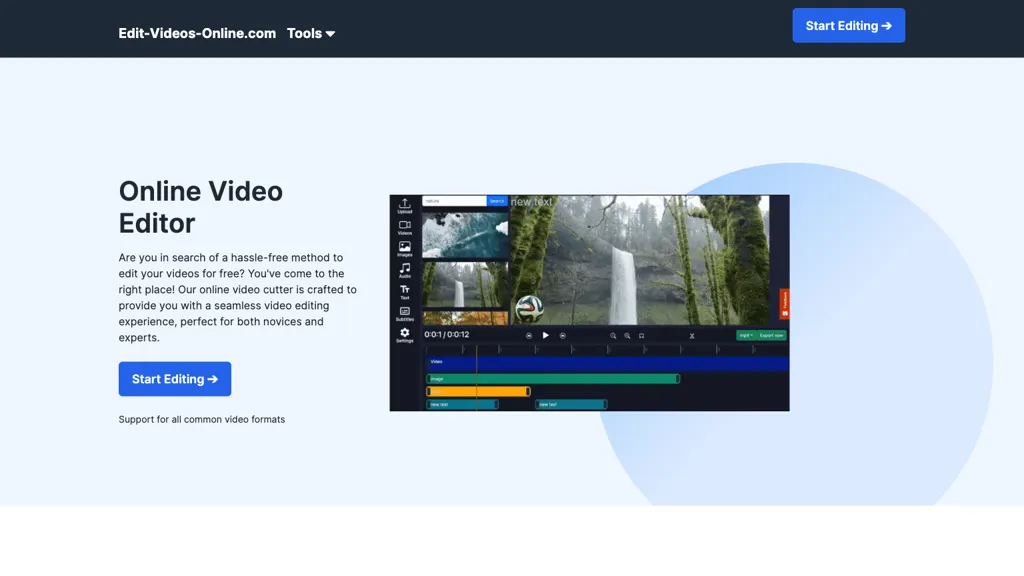
Online Video Editor is a browser‑based editing platform that enables users to cut, trim, and enhance video clips without installing software or creating an account. It supports major file types such as MP4, MOV, AVI, WMV, FLV, and MKV, and lets you export to HD 720p, Full HD 1080p, vertical 9,16, square 1,1, widescreen 16,9, or custom dimensions.
AI background removal automatically deletes non‑green‑screen backgrounds, while AI caption generation creates accurate subtitles that can be styled or omitted. Dynamic text overlays allow precise placement and animation of titles, callouts, and annotations.
The editor includes built‑in audio tools for uploading tracks, in‑browser voice recording, or AI text‑to‑speech voiceovers. Users can add brand watermarks with adjustable size, position, and opacity. All edits are processed in the cloud, and finished videos are downloaded free of watermarks, ensuring privacy and quick rendering.
Edit Videos Online pricing Subscription
Verify on the official pricing page.
View plansEdit Videos Online user reviews
Would you recommend Edit Videos Online?
Edit Videos Online's key features
-
AI background removal
-
Automatic caption generation
-
AI voiceover generation
-
Dynamic text overlay controls
-
Multi-format video import/export
-
Browser-based editing
Edit Videos Online use cases
-
Produce a high‑impact product launch video by removing backgrounds, adding subtitles, dynamic text, and voiceover—all within a single browser session and without any local software
-
Generate engaging e‑learning tutorials by auto‑generating subtitles, applying dynamic overlays, and adding AI voiceovers, then publishing the finished clip directly to the cloud
-
Turn raw vlog footage into a clean, branded reel by removing watermarks, generating captions, and layering dynamic text—all edited online and ready for instant sharing
Who is it for?
-
Content creators
-
Product designers
-
Video editors
-
E-commerce sellers
-
Digital marketers


