
What is Hitpaw Video Converter?
HitPaw Univd – AI Video Converter, Compressor and Enhancer
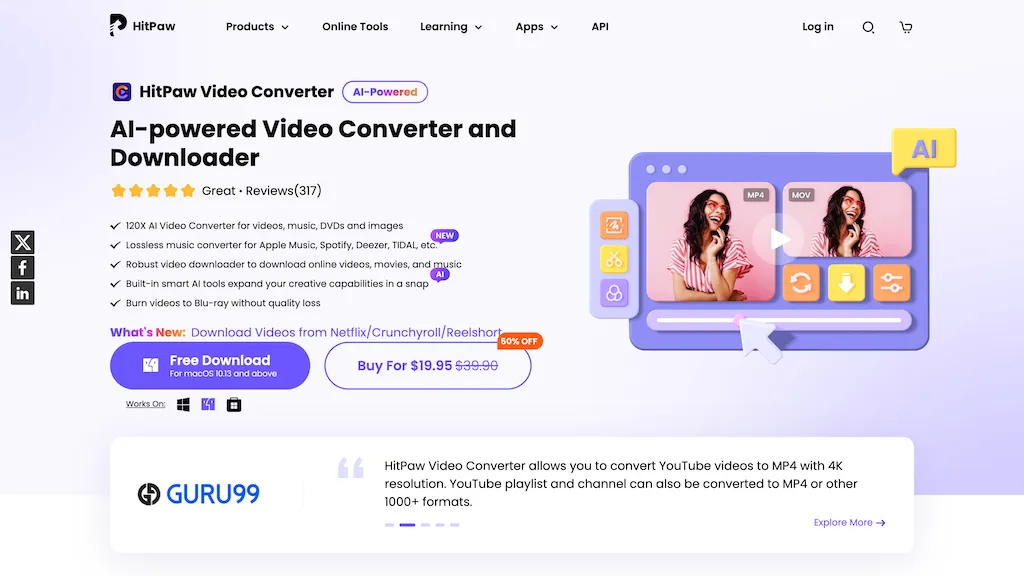
Converts over 1,000 video, audio, and image formats with zero quality loss and supports batch processing.
Accelerates conversions up to 170× faster using GPU hardware acceleration on Windows and macOS.
Includes AI‑driven features such as upscaling low‑resolution footage to HD/4K, background noise removal, vocal and noise removal, and face blurring for privacy.
Offers integrated editing tools—cut, merge, crop, add effects—and a speech‑to‑text engine for transcribing spoken content.
Hitpaw Video Converter details
- Company
- HitPaw CO., LIMITED
- Jurisdiction
- Hong Kong Special Administrative Region of the People's Republic of China
- Built for
- Businesses and teams
- Data residency
- outside the country/region where data was initially collected
Hitpaw Video Converter pricing
Paid- Free trial
- 7 days
- Auto-renewal
- Yes
Verify on the official pricing page.
View plansHitpaw Video Converter's key features
-
Enhance videos up to 8K resolution
-
Remove unwanted objects from videos
-
Convert videos to GIF format
-
Convert audio to MP3
-
Change voice in real-time
-
Enhance photos with AI
Hitpaw Video Converter use cases
-
Convert large batches of raw footage from multiple cameras to web‑ready MP4 while preserving 4K quality using GPU‑accelerated transcoding, enabling faster upload for live‑streaming platforms
-
Enhance archival video content by upscaling 720p recordings to 1080p or 4K with AI noise removal, preserving detail for museum exhibitions
-
Transcribe hours of meeting recordings into searchable text, automatically adding speaker labels and timestamps for easy reference in project documentation
Hitpaw Video Converter user reviews
Based on 4 reviews, 50% of users recommend Hitpaw Video Converter, rated highly for quality results.
Liked for
Disliked for
Would you recommend Hitpaw Video Converter?
Who is Hitpaw Video Converter for?
-
Video editors
-
Marketing managers
-
Content creators
-
Software developers
-
Digital designers
Hitpaw Video Converter FAQ
How much does Hitpaw Video Converter cost?
Hitpaw Video Converter is a paid product with no free plan. Plans include 1-month license at $19.95, 1 month plan at $19.95, 1 year license at $39.95 and 1 year plan at $39.95.
Is Hitpaw Video Converter safe to use?
Hitpaw Video Converter is operated by HitPaw CO., LIMITED, registered in Hong Kong Special Administrative Region of the People's Republic of China.
What are the best alternatives to Hitpaw Video Converter?
The closest alternatives to Hitpaw Video Converter are UniFab AI, Vmake Video Enhancer, VidAU, anvsoft.com and Vidux AI. You can compare them side by side in the alternatives section further down this page.
What does Hitpaw Video Converter do with my data?
Hitpaw Video Converter states that customer content is not used to train its models. Its privacy policy states that personal data is not sold or shared for marketing purposes. Data may be shared with third-party service providers that help run the product. Customer data is held in outside the country/region where data was initially collected.
Does Hitpaw Video Converter auto-renew or offer refunds?
Hitpaw Video Converter subscriptions renew automatically until you cancel.
Does Hitpaw Video Converter have an API?
Yes. Hitpaw Video Converter offers an API, so you can call it from your own applications instead of using the interface directly.
Who made Hitpaw Video Converter?
Hitpaw Video Converter is built and operated by HitPaw CO., LIMITED, a company registered in Hong Kong Special Administrative Region of the People's Republic of China.
Compliance, privacy and billing terms are as stated in each product's own published documentation and have not been independently verified by TopAI.tools.


