
Best Audio AI tools
Explore the top AI app list for Audio and compare them for use cases, features and pricing. You will find Applications focused on sound processing, editing, synthesis, or enhancement. Utilize audio tools for tasks like music composition, audio recording, noise cancellation, or speech-to-text conversion.
See all 210 AI Tools for: Audio

Suno is an AI music generator that enables users to create, remix, and share high-quality songs. It supports audio uploads, lyric rewrites, and provides commercial rights, making it ideal for musicians and content creators.
27 9
5
Freemium
- $8/mo
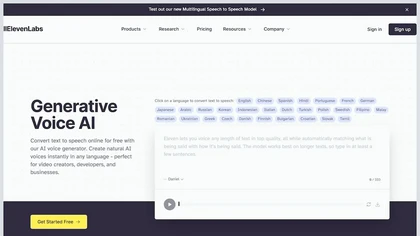
ElevenCreative is an AI tool that generates ultra-realistic speech, videos, music, and sound effects, offering text-to-speech, voice cloning, and a library of pre-recorded voices for creating personalized content for various applications.
19 3
1
Freemium
- $5/mo

MusicAI generates high‑quality cover tracks across pop, rock, hip‑hop, country, jazz, and more, using 3,000+ voice models. Features vocal isolation, text‑to‑song, AI composition, and audio enhancement for creators on Windows.
21 7
Paid
- $9.99 $14.99

Epidemic Sound offers a royalty‑free music library available by subscription or track purchase. AI suggestions align tracks with video frames or tonal requests. Plugins for Creative Cloud, DaVinci Resolve, and mobile apps integrate smoothly, ensuring copyright‑free use across media.
6 4
Freemium

Mureka uses AI to create original music from text prompts, allowing users to specify genre, mood, tempo, key, and instruments, with optional lyric or vocal generation. It outputs MP3, WAV, or stems exportable to DAWs, all with full commercial rights.

Hydra by Rightsify is an advanced AI music generator with a vast multilingual song and instrument library. It facilitates easy creation of instrumental tracks, samples, and vocals for content production, streaming platforms, and events, empowering users with versatile customization options.
1 0
Freemium
- $39/mo

Browser-based Online Audio Converter converts 300+ audio/video formats to MP3, WAV, M4A, FLAC, OGG, etc., extracts audio from video, offers bitrate/sample rate/channel controls, fade/reverse/voice removal, batch conversion, metadata editing, and cloud export.

LALAL.AI isolates vocals, drums, bass, piano, guitar, synth, and other stems from audio files. It provides vocal removal, noise suppression, echo removal, lead/back splits, voice change, cloning, batch processing, API, and VST integration for producers and engineers.
21 4
Freemium
- $18

LANDR is an all-in-one online music software for creators that offers various features such as music mastering, digital music distribution, curated plugins, free sample packs, collaboration tools, music promotion, and more. Try it out for free.
18 3
Freemium

Brain.fm is a web platform offering science‑based audio tracks that modulate brainwaves to enhance focus, reduce distractions, and maintain flow during work or study. Tracks are categorized into focus, relaxation, and sleep modes, with progress tracking.
21 6
Freemium

Karaoke Maker uses browser-based AI vocal isolation to turn MP3, WAV, FLAC, or M4A tracks into downloadable instrumentals. Adjust vocal bleed and transpose pitch via sliders for practice, covers, performances, or video soundtracks.
0 1
Free
- $4/mo

MusicCreator.AI is an AI-powered music generator that crafts royalty-free tracks in multiple genres, featuring lyrics generation, vocal removal, and mastering tools. Its intuitive interface enables personalized playlists and professional-quality audio for creative projects.
4 1
Freemium
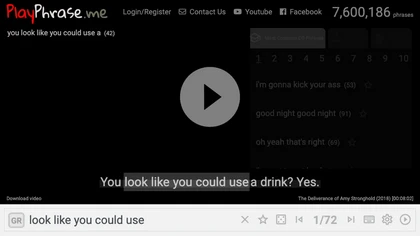
AI tool for searching and playing movie/TV dialogue clips using keywords. Includes login, favorites, and download options.
11 4

Kits AI offers studio‑quality audio tools for musicians and voice artists, including AI voice cloning, vocal isolation, stem splitting, and an instrument library. Accessible via web or API, it supports rapid iteration and collaborative remote demos.
13 7
Freemium
- $10/mo

Somio AI is a browser-based karaoke maker that instantly removes vocals and splits stems (drums, bass, piano, guitar) from any audio file, allowing users to adjust pitch, tempo, and trim tracks for ready-to-sing practice or content creation.
2 0
Free
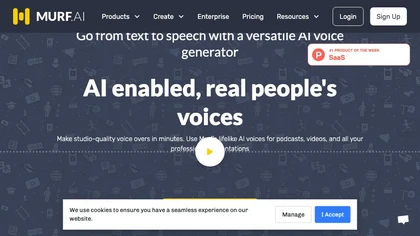
Murf AI offers a text‑to‑speech API featuring 200+ natural voices in 35 languages, Studio controls for pitch and speed, and a Voice Cloner for accurate duplication. It supports multilingual dubbing and integrates with Canva, PowerPoint, and Adobe.
20 6
Freemium
- $19/mo

SoundBoost.ai offers rapid, prompt-driven online mastering with genre-aware AI profiles, stem splitting, LUFS/loudness analysis, true-peak limiting, analog-modeled saturation, A/B comparison and metadata editing, accepting major formats and returning masters under a minute.

Audimee is an AI‑driven audio platform that transforms vocal recordings into studio‑quality covers or new takes. It offers pre‑trained voice personas, custom model training, vocal isolation, stem splitting, and seamless DAW integration for streamlined production.
16 8
Subscription
- $9/mo

FreeMusic AI is an AI music generator that creates original, royalty-free tracks from text prompts or lyrics. It also includes tools for mastering audio, removing vocals, and splitting tracks into stems for creative control.
2 3
Free trial
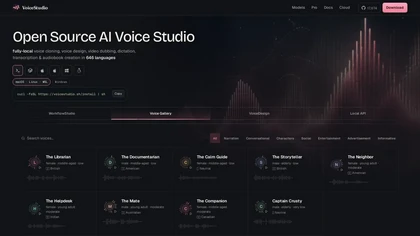
voicestudio.sh is a local, open-source voice AI suite for voice cloning, synthesis, dubbing, transcription, and audiobook creation—all processed offline for privacy. It bundles a desktop app, local API, and workflow tools for creating, translating, and casting voices with multi-language and real-time or batch support.
3 0
1
Free
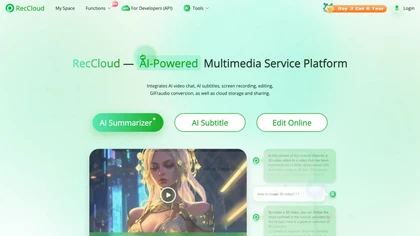

MakeBestMusic generates up to 8‑minute royalty‑free tracks from text or lyrics, supporting instrumental and vocal styles, voice cloning, remixing, and stem separation. It exports MP3/WAV, offers watermark protection, and integrates with social platforms for creators.
1 0
Free trial
- $14.9/mo

pollinations.ai offers a single‑endpoint API for text, image, audio, and video generation. It supports OpenAI‑compatible SDKs, real‑time streaming, structured output, vision, web search, embeddings, and a self‑hostable open‑source stack with built‑in auth.
0 1
Free

AI Dubbing.io is a free online tool that uses AI to generate natural voiceovers and translate audio in over 20 languages. It allows you to dub videos with a library of 100+ voice tones or clone your own voice from a short recording.
5 2
Free trial

TwoShot Coproducer is an AI assistant for music and audio production that generates tracks from text, isolates stems, cleans and restores recordings, creates voices and sound effects, and offers an in-browser DAW, sample library, API and collaboration tools.

Voicedub 2.0 is an AI tool featuring a vast collection of AI voices for producing exceptional voice covers. It combines voice cloning and text-to-speech technologies, enabling users to create professional vocals and replace existing song vocals seamlessly. Its intuitive interface and active Discord community enhance the voice dubbing and storytelling experience.
1 0
Freemium
- $2.99

Audio Cut is a browser-based tool for trimming and cutting audio files without installation. It supports multiple formats, processes files securely in your browser, and allows for lossless export.
5 2
Free

Wondera Home Community is an AI tool that transforms your singing into AI voices, offering a unique musical experience. Explore various voices, compose songs, and showcase your AI singing skills to the world.
4 1
Freemium
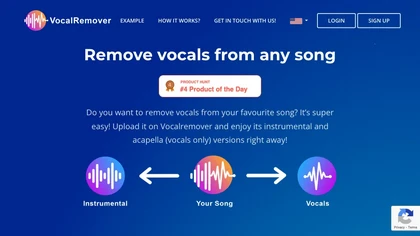
VocalRemover separates vocals from music in audio or video files up to 10 GB, supporting .wav, .mp3, .flac, .ogg, .opus, .mp4, .mkv, .avi, and .mov. Outputs include karaoke, vocals‑only, and individual instruments, with quick batch processing and temporary storage.
Create audio faster than you think
We track 210 Audio tools.
What it costs
$9.99
median starting price
Most start between $7.24 and $18.0.
How concentrated
The top 5 take 84.0% of the traffic here.
The top 10 take 91.1%.


Fastest growing
 Voice Isolator
+135%
 AI Song Creator
+214%
 VoiceStudio
+434%
 Audo AI
+74%
 AirMusic
+30%
Built on
Models these tools say they run on
GPT 16
Suno 9
ElevenLabs 7
Whisper 6
Gemini 4
Kling 4
Claude 3
Veo 3
Use cases
Generate:Text>Audio
Compose:Text>Audio
Enhance:Audio>Audio
Convert:Text>Audio
Edit:Audio>Audio
Remove:Audio>Audio
Extract:Audio>Audio
Convert:Audio>Audio
Transcribe:Audio>Text
Generate:Audio>Audio
Figures updated 14 November 2026
 Murf AI
 Epidemic Sound
 Brain.fm