
Top 29 Voice Anywhere Alternatives in 2026
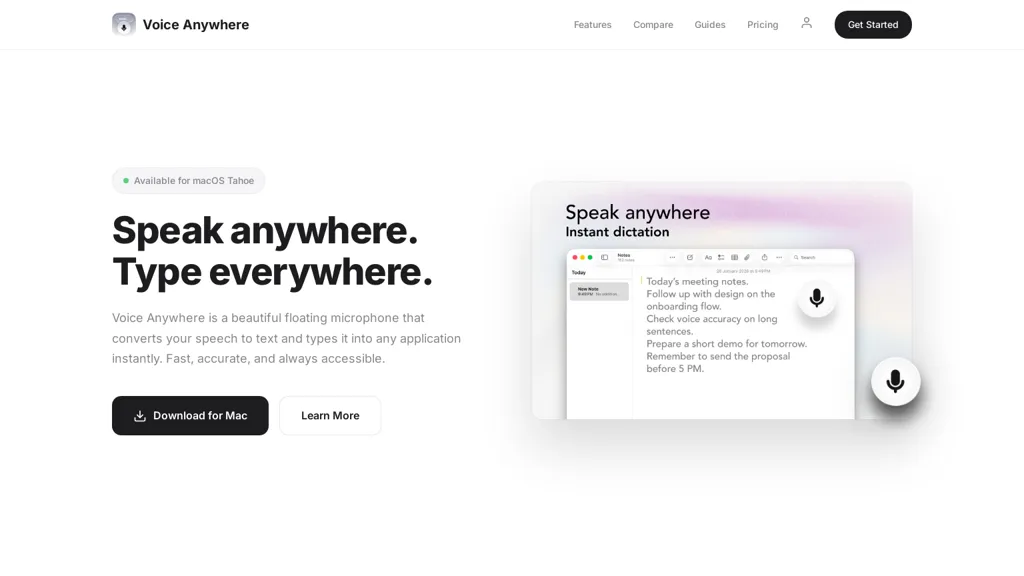
No user reviews yet FreemiumVoice Anywhere is a macOS instant-dictation app with a persistent floating microphone that converts speech to text across applications, using on-device Apple recognition (with encrypted cloud fallback), supporting 70+ languages and one-click multilingual switching.
We've ranked 29 Voice Anywhere alternatives, including 22 with a free plan. Rankings are based on feature coverage and user feedbacks.
Top-rated alternatives include TalkTastic, Fluid, and SpeakType.
29 Voice Anywhere Alternatives & Competitors, Ranked by User Reviews
Click Compare on any tool to compare it side-by-side with Voice Anywhere.
 #1
TalkTastic
#1
TalkTastic
TalkTastic lets users dictate and edit text in macOS apps with accurate transcription. By capturing a snapshot of the active window when a note starts, it supplies context, tone, and proper‑noun recognition for smart rewriting, keeping data local and auto‑deleted.
 #2
Fluid
#2
Fluid
FluidVoice is an open-source macOS voice-to-text dictation app running local speech models and an optional on-device post-processor (Fluid-1) for context-aware formatting and capitalization. It offers system-wide hotkey input, multi-engine, multilingual transcription, and local-first privacy.
 #3
SpeakType
#3
SpeakType
speaktype is a macOS app offering on-device, real-time Apple Silicon–optimized speech-to-text. It keeps audio and transcripts locally, integrates across apps via a keyboard shortcut, supports long-form dictation and contextual prompts, and is open-source.
 #4
Speechly
#4
Speechly
Speechly is a speech-to-text tool for Mac that converts voice into text efficiently, supporting 150+ languages. It streamlines communication tasks, offers smart modes for various needs, and allows customizable voice commands to enhance productivity.
 #5
LazyTyper
#5
LazyTyper
LazyTyper is a lightweight voice-typing app for Windows, macOS and Linux offering real-time speech-to-text with 12 AI models (five on-device), mixed English/Chinese/Japanese dictation, technical/code-aware transcription, model switching, and offline support.
 #6
EasyDictation.app
#6
EasyDictation.app
EasyDictation.app converts YouTube videos into interactive learning modules, auto‑generating multilingual transcripts, auto‑pausing per sentence, offering repeat practice, instant accuracy feedback, real‑time shadowing pronunciation scoring, and tracking vocabulary and progress for learners and educators.
- Catch deals before they expire
- Unlock tools matched to you
- Show off your AI stacks
Already a member? Sign in
 #7
Speechify
#7
Speechify
Speechify converts PDFs, DOCX, EPUB, web pages, and more into natural‑sounding audio on iOS, Android, macOS, Windows, and Chrome. It offers an AI assistant that summarizes documents while you listen, supports voice typing, and allows offline access.
 #8
Dictanote
#8
Dictanote
Dictanote is a voice‑to‑text note‑taking app that supports over 50 languages and 80 dialects, letting users add punctuation, smileys, and technical terms via speech. It syncs notes across Windows, Linux, macOS, Android, iPhone, encrypts data, retains no audio recordings.
 #9
superwhisper
#9
superwhisper
Superwhisper converts spoken language into polished text for any app, works offline, supports 100+ languages with English translation, offers customizable tone and formatting, includes AI meeting assistant, and allows video/audio transcription with GPT/Claude/Llama models.
 #10
Smart Dictate
#10
Smart Dictate
Smart Dictate is a context-aware dictation tool that ensures accurate transcription with real-time recognition of technical terms. It integrates with various platforms and enhances dictation speed and accuracy, streamlining workflows for professionals in demanding fields.
 #11
SpeechPulse
#11
SpeechPulse
SpeechPulse is an innovative AI tool for seamless voice typing. It provides real-time speech-to-text conversion across multiple languages, including translation services. Key features include offline usage, audio transcription, subtitle generation, and ultra-fast recognition. Revolutionizing voice typing experience.
 #12
VoiceType
#12
VoiceType
VoiceType AI converts speech into formatted text across web and desktop apps for email, meeting summaries, notes, documentation and code. It offers context-aware transcription, tone matching, auto-formatting, multilingual support, high-throughput capture, integrations and encrypted storage.
 #13
Wispr Flow
#13
Wispr Flow
Wispr Flow enhances voice dictation, allowing users to write three times faster across various applications. With support for over 100 languages, context-aware accuracy, and a whispering mode, it ensures efficient and discreet document control and natural expression of ideas.
 #14
Voicetapp
#14
Voicetapp
Voicetapp is a cloud-based AI-powered software that provides real-time transcription in multiple languages with speaker identification and supports various input formats.
 #15
Wiz Write
#15
Wiz Write
On‑device voice transcription keeps recordings private. A global hotkey captures spoken text across apps, auto‑formatting it for use. 50+ AI actions convert speech to emails, summaries, or structured data, and can route to Notion, Slack, or webhooks.
 #16
Theoasis
#16
Theoasis
OASIS is a macOS app that converts spoken words to editable text, offers AI‑driven rewrites for clarity and style, multiple format options, review transcript, and writing history management, and quick toggling between recording, editing, and rewriting functions.
 #17
Fixkey
#17
Fixkey
Fixkey is a native macOS app offering real‑time voice‑to‑text transcription and AI‑powered editing across all apps. Supporting 180+ languages, it delivers low‑latency, context‑aware text refinement and customizable shortcuts for seamless workflow integration.
 #18
Voicepen
#18
Voicepen
VoicePen turns spoken audio into editable text on iPhone, iPad, Watch, and Mac. Record or upload up to two hours; transcriptions appear in 30 seconds, support 80+ languages, auto‑label speakers, offer 25 rewrite styles, summaries, and PDF/DOCX exports, syncing via iCloud.
 #19
Glotera AI
#19
Glotera AI
Glotera AI provides real-time, in-place macOS translation across apps and browsers with inline triggers and shortcuts, OCR-based image/screenshot translation, selection/floating window modes, and automatic WhatsApp chat translation supporting 100+ languages.
 #20
Mumble AI
#20
Mumble AI
Mumble AI is a voice-first tool for Mac that captures meetings and dictation with real-time transcription and speaker labels. It generates structured summaries and action items, offering both secure on-device processing and a cloud mode for multi-language support.
 #21
Whisper Memos
#21
Whisper Memos
Whisper Memos lets iPhone and Apple Watch users record one‑tap voice memos that auto‑transcribe with Whisper or ElevenLabs, format into clean emails with paragraph breaks and summaries, and export to Notion, Trello, Evernote, or task apps via built‑in integrations.
 #22
OpenTypeless
#22
OpenTypeless
opentypeless.com is a voice input app that types your speech wherever your cursor is, with real-time AI polishing for grammar and punctuation. It supports streaming dictation in 99+ languages, customizable hotkeys, and integrates with providers like Whisper and Gemini.
 #23
Whisper Wizard
#23
Whisper Wizard
WhisperWizard records spoken language on macOS and transcribes it with OpenAI’s Whisper model. It supports custom ChatGPT prompts, shortcut‑enabled templates for emails and translations, local session storage, instant replay, and adjustable transcription settings.
 #24
Swiftink
#24
Swiftink
Swiftink turns spoken audio into written text with high‑speed, hardware‑accelerated speech‑to‑text models. It supports multi‑hour recordings, 95+ languages, domain‑aware terminology, and offers API and plugin integrations, enabling swift turnaround for large media files.
 #25
InfinipilotAI
#25
InfinipilotAI
InfinipilotAI is a macOS AI co‑pilot that provides autocomplete, style and grammar fixes, real‑time translation, and code review. It supports OpenAI, Claude, Gemini, and local models with optional local processing, text‑to‑speech, and speech‑to‑text.
 #26
Utter.to
#26
Utter.to
Utter is an AI-powered tool that instantly converts spoken words into polished text across apps like Slack, Gmail, and documents. It offers 4x faster dictation speeds, supports over 50 languages, and provides customizable modes for various writing tasks.
 #27
Omnipilot
#27
Omnipilot
Omnipilot is a macOS AI copilot that provides context‑aware typing assistance in any application. It auto‑completes emails, generates Bash commands, offers code suggestions, drafts documents, and creates meeting summaries, reducing typing and context switching.
 #28
VoiceToText
#28
VoiceToText
Voice to Text offers real‑time multilingual transcription of audio and video files, automatically punctuating and adding emojis. It includes inline editing, formatting options, and exports to TXT, DOCX, and more, supporting all major browsers for seamless workflow integration.
 #29
TaterTalk
#29
TaterTalk
Tater Talk is a free, cross-platform web app that provides real-time speech-to-text dictation with 99.5% accuracy. It supports multiple devices and includes upcoming voice command features for hands-free control, making it accessible for various users.