
Top 29 InfinipilotAI Alternatives in 2026
50% positive · 4 user reviews PaidInfinipilotAI is a macOS AI co‑pilot that provides autocomplete, style and grammar fixes, real‑time translation, and code review. It supports OpenAI, Claude, Gemini, and local models with optional local processing, text‑to‑speech, and speech‑to‑text.
We've ranked 29 InfinipilotAI alternatives, including 22 with a free plan. Rankings are based on feature coverage and user feedbacks.
Top-rated alternatives include Omnipilot, Omnipilot, and MindMac.
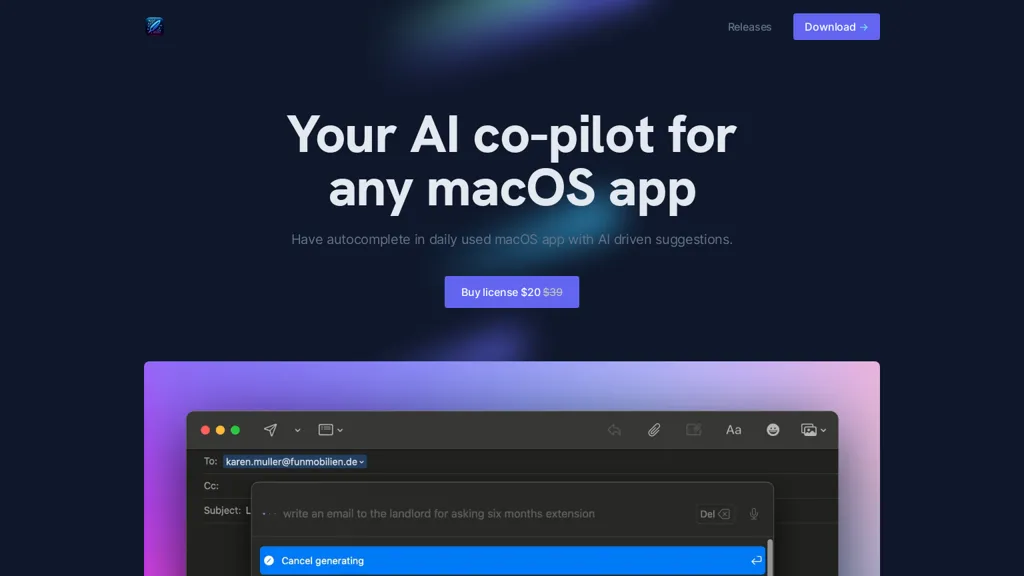
29 InfinipilotAI Alternatives & Competitors, Ranked by User Reviews
Click Compare on any tool to compare it side-by-side with InfinipilotAI.
 #1
Omnipilot
#1
Omnipilot
Omnipilot is a macOS AI copilot that provides context‑aware typing assistance in any application. It auto‑completes emails, generates Bash commands, offers code suggestions, drafts documents, and creates meeting summaries, reducing typing and context switching.
 #2
Omnipilot
#2
Omnipilot
Omnipilot is a macOS AI copilot that types in any app, offering context‑aware email drafting, Bash assistance, and streamlined updates. It supports coding, writing, and data tasks without extra software for developers, writers, and business professionals.
 #3
MindMac
#3
MindMac
MindMac is a native macOS client that integrates ChatGPT, Azure OpenAI, Gemini, and Claude on the desktop. It offers inline prompts, a 150‑template library, customizable context modes, shortcuts, keychain storage, and 15 UI languages for developers, researchers, and teams.

Copilot allows users to ask questions, receive complete answers, research topics, and create content.
 #5
AI Actions
#5
AI Actions
AI Actions is a powerful tool that provides additional AI-related actions and shortcuts on macOS, including the ability to interact with the ChatGPT API. It requires macOS 13 or higher and is not available in China.
 #6
IntelliBar
#6
IntelliBar
IntelliBar is a macOS‑native AI assistant that consolidates GPT‑4o, Claude 3.5, Gemini, and local models into a single interface. It lets you run identical prompts across multiple models simultaneously and compare results side‑by‑side, while keeping conversations local and private.
- Catch deals before they expire
- Unlock tools matched to you
- Show off your AI stacks
Already a member? Sign in
 #7
Alice App
#7
Alice App
Alice is an AI assistant for macOS, Windows, and Linux that launches via hotkey, stores context locally, supports multiple LLMs through API keys, offers keyboard shortcuts, custom commands via Zapier/Make, and handles files, web, images, and visuals for reliable responses.
 #8
Alex
#8
Alex
Alex is an AI coding assistant for Xcode, providing smart code completion, real-time error fixes, codebase searches, and voice input. It also features an image-to-code generator for Swift UI, ensuring secure, local code operation.
 #9
CopilotKit
#9
CopilotKit
Copilotkit accelerates copilot creation with AI features for knowledge retrieval, context understanding, and text editing enhancements. Integrate production-ready copilots swiftly for increased productivity and engagement in your projects.
 #10
boltai.com
#10
boltai.com
BoltAI is a native macOS app that lets users switch between 300+ AI models, including OpenAI, Anthropic, Google Gemini, and local Ollama. It supports multimodal analysis, fine‑grained controls, project management, local storage, and secure cloud sync.
 #11
AI Perfect Assistant
#11
AI Perfect Assistant
AI Perfect Assistant adds ChatGPT, Gemini, Claude, and 60+ LLMs to Office 365 apps, delivering real‑time grammar, style checks, drafting, summarization, translation, and formula generation to streamline writing, analysis, and teamwork across Word, Excel, PowerPoint, Outlook, Teams, and OneNote.
 #12
Theoasis
#12
Theoasis
OASIS is a macOS app that converts spoken words to editable text, offers AI‑driven rewrites for clarity and style, multiple format options, review transcript, and writing history management, and quick toggling between recording, editing, and rewriting functions.
 #13
Kerlig™
#13
Kerlig™
Kerlig is a macOS‑native AI assistant that edits, proofreads, summarizes, and generates content across apps via a hotkey. It supports 350+ cloud and local models, custom presets, and works with PDFs, Word, and web pages.
 #14
Compose
#14
Compose
Compose AI is a Chrome extension that auto‑completes text in any web editor, learning the user’s style to suggest personalized phrases. It runs locally, preserves privacy, and cuts typing time for professionals, students, and creators.
 #15
ParagraphAI
#15
ParagraphAI
ParagraphAI offers real‑time grammar correction, one‑tap email drafting, and instant summarization of web pages and PDFs. It provides multilingual translation, customizable tone filters, a template library, and an instruction engine for repetitive tasks across mobile, desktop, and Chrome.
 #16
Enclave AI
#16
Enclave AI
Enclave AI runs large language models on Mac and iPhone, keeping all text, voice, and document processing offline. It supports on‑device speech recognition, synthesis, and custom assistants, with local, encrypted conversation history and PDF summarization, ensuring privacy.
 #17
Trae AI
#17
Trae AI
Trae is an adaptive AI-powered IDE that boosts coding efficiency through dynamic task allocation, real-time previews, multimodal understanding of images, tailored code generation, and smart autocompletion, enhancing developer collaboration and workflow.
 #18
Helper.im
#18
Helper.im
Ai Helper is a cross‑platform desktop client that brings ChatGPT, GPT‑4, and other AI engines to macOS, Windows, and Linux. It lets users chat on webpages, PDFs, or videos via shortcuts and generate content, code, or emails within native apps.
 #19
Amazing AI
#19
Amazing AI
The Amaz AI tool generates text descriptions into images using stable diffusion deep learning on macOS 13.1 or later with Silicon Apple chips, follows Creative ML Openrail-m licensing restrictions, and is currently available in English.
 #20
Blackbox AI
#20
Blackbox AI
Blackbox AI is an AI-powered tool for developers that searches and autocompletes code snippets across multiple programming languages and repositories, extracts code from videos and PDFs, and converts queries into code.
 #21
Pronounce
#21
Pronounce
Pronounce AI delivers instant grammar, pronunciation, and fluency feedback during recorded or live sessions. It supports American and British accents, tracks specific sounds, offers AI conversational practice, and integrates with Google Meet, Zoom, and other collaboration tools.
 #22
Word Up
#22
Word Up
AI Keyboard Assistant enhances communication by offering real-time translation, grammar correction, tone refinement, and content generation across platforms. It integrates with popular apps, improving both personal and professional communication efficiency.
 #23
MaxAI.me
#23
MaxAI.me
MaxAI is a Chrome/Edge extension and web app that adds an AI sidebar for instant on‑page queries, delivering responses with cited sources. It supports writing assistance, translation, and summarization of PDFs, videos, and images for research, coding, and marketing.
 #24
Sidekiiick
#24
Sidekiiick
Sidekick AI tool is a conversational AI tool that provides easy access to ChatGPT on macOS.
 #25
InstaText
#25
InstaText
InstaText is an AI editing assistant that highlights suggestions for clarity, flow, word choice, and grammar. Users can accept or reject each change, select dialect, formality, or add custom terms. It works on Chrome, Gmail, Slack, Docs, Overleaf, and Word.
 #26
Heynds
#26
Heynds
ChatGPT Mac is a macOS-native AI writing assistant that enhances productivity with voice-to-text capabilities, quick text editing, support for over 100 languages, and customizable commands, all while ensuring user privacy and easy accessibility through keyboard shortcuts.
 #27
OpenCraft AI
#27
OpenCraft AI
OpenCraft AI is a secure, multi‑model copilot that unifies GPT‑4, Claude, and Gemini. It preserves context across model switches, keeps uploaded files accessible, auto‑formats chats into reports or decks, and generates images with consistent voice tone for streamlined workflows.
 #28
Copilotly
#28
Copilotly
CoPilot is an AI writing and research assistant that can help with various tasks such as research, writing, and searching. It integrates with Gmail, Twitter, and LinkedIn and boosts productivity up to 20 times.
 #29
Auri.AI
#29
Auri.AI
Auri.AI is an AI keyboard that offers real‑time grammar and style correction and instant translation in over 80 languages. It includes a smart chat for ideas and drafting, voice transcription, and summarizing across iPhone, iPad, Mac, and Apple Watch.
Frequently Asked Questions
Why look for InfinipilotAI alternatives?
Common reasons users switch from InfinipilotAI:
- Cost: InfinipilotAI is a Paid tool starting from $20 — users often look for more affordable or free options.
- User satisfaction: InfinipilotAI holds a 50% positive rating — some users report unmet expectations.
- Feature gaps: teams needing specific capabilities like enhance text may find a more focused alternative better suited to their workflow.
- Flexibility: exploring alternatives helps find tools that better match your team size, integrations, and budget.
What is the best alternative to InfinipilotAI?
Based on 1 user review, Omnipilot (100% positive) ranks as the top InfinipilotAI alternative. Omnipilot is a macOS AI copilot that provides context‑aware typing assistance in any application. It auto‑completes emails, generates Bash commands, o It is available on a Freemium plan.
How do the top InfinipilotAI alternatives compare?
| Tool | Pricing | Starting Price | User Rating |
|---|---|---|---|
| InfinipilotAI this tool | Paid | $20 | 50% (4) |
| Omnipilot | Freemium | — | 100% (1) |
| Omnipilot | Freemium | — | 100% (1) |
| MindMac | Paid | $29 | — |
| Microsoft Copilot | Free | — | 82.8% (29) |
| AI Actions | Free | — | — |
Are there free InfinipilotAI alternatives?
Yes, 22 free alternatives found in our list: Omnipilot, Omnipilot, Microsoft Copilot. and 19 more — use the pricing filter above to see them all.
What should I look for in a InfinipilotAI alternative?
- Core capabilities: confirm the tool supports enhance text, translate texts, Generate Code.
- Pricing transparency: look for clear free plan, trial period, or tiered pricing — avoid tools that hide costs.
- User reviews: check both the satisfaction percentage and the number of reviews; a high score from few users is less reliable.
- Integrations: verify it connects with your existing stack before committing.
- Support and updates: active development and responsive support are strong signals of a maintained product.
Which InfinipilotAI alternative has the highest user rating?
Omnipilot has the highest satisfaction score among InfinipilotAI alternatives, with 100% positive from 1 user review. It is available on a Freemium plan.
What are InfinipilotAI alternatives used for?
- enhance text
- translate texts
- Generate Code
- Optimize Documents
- generate text