
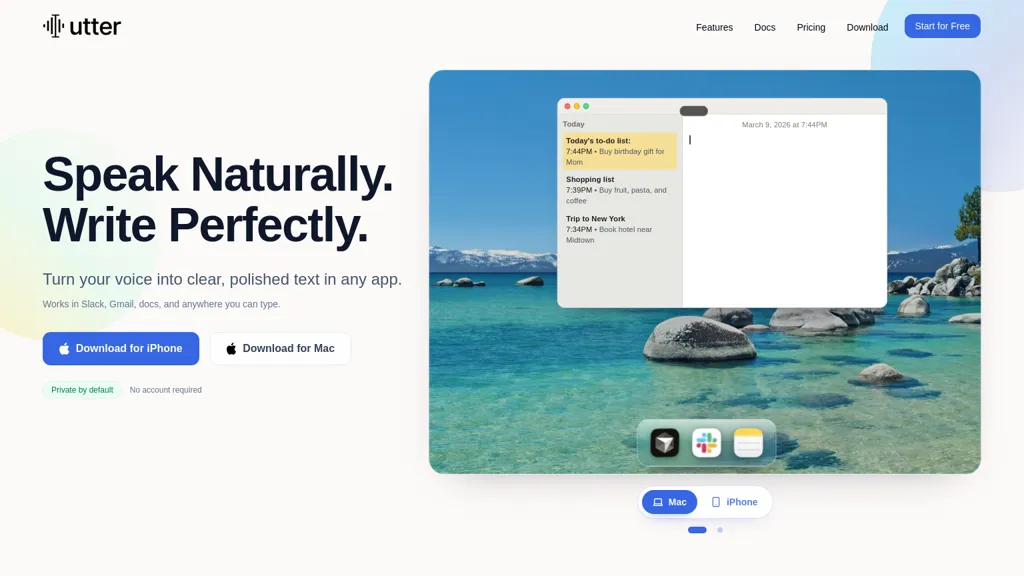
What is Utter.to?
Utter is an AI-powered tool that instantly converts your spoken words into polished text across various apps like Slack, Gmail, and documents.It boasts 4x faster dictation speeds compared to typing, allowing for effortless writing and idea capture.
Key features include working offline with on-device processing, supporting over 50 languages, and automatic speaker separation in meeting transcripts.Utter offers customizable modes (email, notes, summaries) that tailor the output’s tone and structure.
You can create custom replacement words for personalized accuracy, and automatically transcribe audio/video files.The tool also provides features like summarizing content from links and generating formatted text for emails, to-do lists, and project updates.
It offers seamless syncing across Mac and iPhone devices.Utter supports Markdown, text, subtitles, and more, providing flexible export options.Finally, it allows you to teach the system your preferred wording through custom replacements.
Utter.to details
- Jurisdiction
- California
- Built for
- Individuals
Utter.to tech specs
- Works with
- OpenAI / GPT Google / Gemini
- Integrations
- Slack Notion Google Workspace Figma Jira
Utter.to pricing
FreemiumUtter.to offers a free plan with paid upgrades available.
Verify on the official pricing page.
View plansUtter.to's key features
-
4x Faster Dictation
-
Offline Transcription (On-Device AI)
-
50+ Languages Supported
-
Automatic Speaker Separation (Meetings)
-
Customizable Writing Modes (Email, Notes, Summaries)
-
Custom Replacement Words
-
Audio/Video File Transcription
-
Content Summarization from Links (YouTube, PDFs)
-
Markdown, Text, Subtitle Export Formats
-
Sync Across Mac & iPhone
-
Keyboard Shortcut Activation
-
Hold to Talk / Cancel Instantly
-
Flexible Formatting Options
Utter.to use cases
-
Creating drafts of emails and documents quickly with voice input.
-
Transcribing meeting notes and recordings for accurate record-keeping.
-
Generating content for social media posts or blog articles through dictation.
Utter.to user reviews
Would you recommend Utter.to?
Who is Utter.to for?
-
Content marketers
-
Copywriters
-
Social media managers
-
Bloggers
-
Freelance writers
-
E-commerce/product teams
-
Marketing agencies
-
Editorial and publishing teams
-
Localization/multilingual content teams
-
Small business owners and communications teams
Utter.to FAQ
Is Utter.to free?
Partly. Utter.to has a free plan with usage limits, and paid plans unlock the full feature set.
What are the best alternatives to Utter.to?
The closest alternatives to Utter.to are Voice to Text, TurboScribe, AudioNotes, VoiceType and BlabbyAI. You can compare them side by side in the alternatives section further down this page.
What does Utter.to do with my data?
Utter.to states that customer content is not used to train its models. Its privacy policy states that personal data is not sold or shared for marketing purposes. Data may be shared with third-party service providers that help run the product.
Which AI models does Utter.to use?
Utter.to is built on OpenAI / GPT and Google / Gemini. Which models you can reach may depend on your plan.
What does Utter.to integrate with?
Utter.to connects with Slack, Notion, Google Workspace, Figma and Jira.
Compliance, privacy and billing terms are as stated in each product's own published documentation and have not been independently verified by TopAI.tools.


