Best Tight Studio Alternatives in 2026
No user reviews yet FreemiumTight Studio is a screen recording tool that enables users to create professional videos quickly. Features include smart zoom, captioning, background music, AI narration, and dynamic text overlays, making it ideal for tutorials, demos, and presentations.
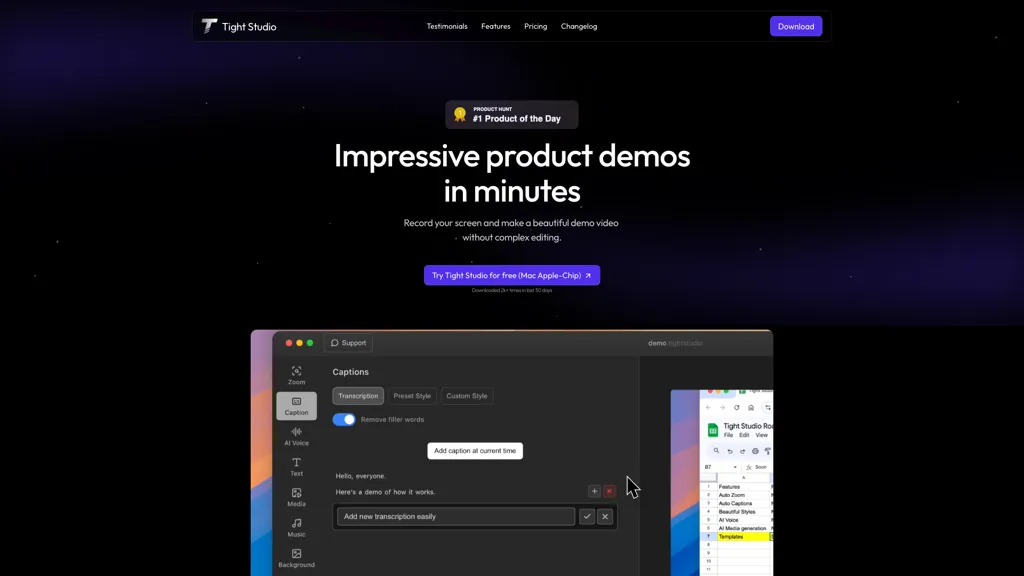
We've ranked 29 Tight Studio alternatives, including 24 with a free plan. Rankings are based on feature coverage and user feedbacks.
29 Tight Studio Alternatives & Competitors, Ranked by User Reviews
Click Compare on any tool to compare it side-by-side with Tight Studio.
#1
Canvid
Canvid is an AI screen recorder for Windows and Mac that captures 4K video with automatic zooms, click-aware framing, webcam/background effects, editable auto-generated transcripts and one-click voice cleanup, plus edit-while-record keyframes and instant cloud sharing.
#2
InShot
InShot is a mobile video editor that lets users cut, trim, and layer clips, auto‑generate multilingual captions, add music, intros/outros, and apply AI‑driven, 3D, glitch, and lens transitions, text, stickers, and picture‑in‑picture overlays.
#3
guidde
Guidde records screen activity, auto‑generates step‑by‑step video guides with AI narration and captions, editable and embeddable into platforms like Salesforce. Supports export, multilingual translation, and enterprise security for teams and knowledge bases.
#4
ZapCap
Zapcap is an AI-driven video creation tool that automates caption generation, adds trendy templates and sound effects, and selects b-rolls. It simplifies the video editing process to enhance viewer engagement and maximize social media discoverability.
#5
ScreenApp
ScreenApp records and transcribes audio/video meetings, extracts key points and action items, and delivers searchable summaries and exports. It integrates with Zoom, Google Meet, YouTube and supports real‑time translation, helping teams quickly locate information.
#6
Wondershare Filmora ES
Wondershare Filmora® is an AI-driven video editing software that offers intuitive drag-and-drop editing, automatic scene detection, and audio synchronization, alongside templates and effects, making it suitable for beginners and experienced editors alike.
- Personalized recommendations
- Custom collections
- Save favorites
Already a member? Sign in
#7
Wave.Video
Wave.video is an all-in-one AI video editing and creation platform that allows users to create, edit, and distribute videos, offering features such as online editing, live streaming, thumbnail maker, and customizable live streaming studios.
#8
Trupeer.ai
Trupeer turns browser screen recordings into product videos with AI‑generated scripts, voiceovers, and annotations. It supports 65+ languages, brand assets, avatars, and templates, and outputs videos, PDFs, or embed code. Centralized asset storage, searchable knowledge base, analytics, and security.
#9
Kapwing
Kapwing is an online video platform offering drag‑and‑drop editing for trimming, layering, overlays, and team collaboration. Its audio tools record, edit, and clean tracks; subtitler auto‑generates captions in 40+ languages.
#10
Videoleap
Videoleap is a cross‑platform editor with AI background removal, infinite‑zoom, text‑to‑video, audio cutting, subtitles, and built‑in filters. It offers templates for TikTok, Reels, Shorts, and ads, plus a drag‑and‑drop interface for quick professional videos on web or mobile.
CapCut is an AI-powered video editor & design tool with social media templates, background removal, upscaling, color correction, portrait generation, text-to-speech, voice changers, and team collaboration support - accessible online and for Mac download.
#12
Vidio
Vidio's Conversational Video Editor simplifies video editing via AI assistance, allowing users to verbally describe desired edits. It offers advanced features like auto-captioning and noise removal, completing the process in just three steps.
#13
wondershare.net
Wondershare AI delivers end‑to‑end media creation: it turns scripts into spokesperson videos with multiple voices, generates music, offers real‑time transcription, AI audio cleanup, talking‑photo synthesis, PDF markup, text‑to‑image, multilingual video, object removal, and batch conversion.
#14
Vizard
Vizard.ai automatically transcribes footage, spots highlights, and creates TikTok, Reels, and Shorts‑ready clips with one click. It provides text trimming, timeline precision, vertical resizing, multilingual captions, brand templates, collaborative workspaces, and API integration.
#15
Zubtitle
Zubtitle automatically captions videos, offers brand‑style templates and editing tools, and outputs ready‑to‑post formats for TikTok, YouTube, and LinkedIn. It adds subtitles, chapter timestamps, watermarks, and AI‑generated post copy.
#16
SmartEdit
SmartEdit transforms full videos into trend‑aligned short clips in under 30 s, adding AI captions, emoji, keyword highlights, and auto‑zoom/B‑roll. It offers 15‑language transcription, multilingual translation, customizable branding, and exports full‑HD 60‑fps or directly to Premiere Pro and DaVinci Resolve.
#17
InVideo
Invideo AI transforms text into high-quality, cinematic videos with AI-generated visuals, voiceovers, and subtitles. It offers flexible workflow templates, editing options, and features like AI avatars and voice-cloning for personalized content creation.
#18
Zeemo
Zeemo.ai is an automatic video captioning tool with features such as dynamic captioning, subtitle translation, batch-edit captioning, and video editing tools to create customized videos in 17 languages with a 98% accuracy rate.
#19
FlexClip
FlexClip is an online video editor with templates, resources, and powerful tools to create and edit videos for various purposes, as well as integration with royalty-free stock media providers and easy social media sharing.
#20
Descript
Descript is a comprehensive video and podcast editing tool with transcription, podcasting, screen recording, clip creation, and publishing features, offering collaboration and sharing capabilities, with a free plan and paid options starting at $12 per month.
#21
TurboScribe
TurboScribe is an AI-powered transcription tool offering ultra-fast conversion of audio and video files to text. It supports over 98 languages, handles uploads up to 10 hours long, and features speaker recognition for meetings, interviews, and podcasts.
#22
Fathom AI
Fathom.video is a free AI-powered tool that automatically transcribes, highlights, summarizes, generates call notes and integrates with various communication and organization platforms for Zoom calls.
#23
Smartrazor
Smartrazor automates video editing by removing mistakes and pauses, adding English captions, and zooming to highlight speakers. It accepts uploads or live feeds, lets users fine‑tune edits via a transcript editor, and exports to YouTube or downloads.
#24
TopView.ai
AI Video Agent converts text, product images or URLs, and reference clips into full‑scripted, brand‑aligned videos, automatically planning scenes, adding visual effects, and allowing prompt‑based refinement for fast marketing and social content creation.
#25
Apowersoft
Apowersoft delivers cross‑platform screen, audio, and video capture with high‑fidelity recording, along with versatile media conversion, editing, and PDF OCR. It also offers background removal, data recovery for mobile/desktop, HEIC conversion, and multi‑monitor support for creators and businesses.
#26
Submagic
Submagic automates short‑form video editing, offering multilingual captions, text‑based trimming, AI‑powered features like auto‑zoom and eye‑contact correction, and direct multi‑platform publishing up to 4K@60fps, cutting editing time by up to 90%.
#27
Captions App
Captions App is an AI tool that simplifies adding subtitles and captions to videos with auto-generation, translation, and customization options. It also offers AI dubbing in over 100 languages, enabling creators to enhance accessibility and engage a broader audience effortlessly.
#28
Unscreen.com
Unscreen is a cloud video editor that removes backgrounds from clips and exports them instantly, with format conversion and resizing. It offers plugins for After Effects and Premiere Pro and integrates with Canva for AI‑enhanced features.
#29
WonderShare ToMoviee AI
WonderShare ToMoviee AI is an AI-powered creative suite for video, image, and audio content creation, offering tools like text-to-video, scene extension, and AI soundtracks. Designed for filmmakers and marketers, it provides precision control over visuals, sound, and composition.
Frequently Asked Questions
Why look for Tight Studio alternatives?
Common reasons users switch from Tight Studio:
- Feature gaps: teams needing specific capabilities like Create videos may find a more focused alternative better suited to their workflow.
- Flexibility: exploring alternatives helps find tools that better match your team size, integrations, and budget.
What is the best alternative to Tight Studio?
Based on 1 user review, Canvid (50% positive) ranks as the top Tight Studio alternative. Canvid is an AI screen recorder for Windows and Mac that captures 4K video with automatic zooms, click-aware framing, webcam/background effects, edita It is available on a Subscription plan.
How do the top Tight Studio alternatives compare?
Are there free Tight Studio alternatives?
Yes, 24 free alternatives found in our list: InShot, guidde, ZapCap. and 21 more — use the pricing filter above to see them all.
What should I look for in a Tight Studio alternative?
- Core capabilities: confirm the tool supports Create videos, Add captions, Enhance audio.
- Pricing transparency: look for clear free plan, trial period, or tiered pricing — avoid tools that hide costs.
- User reviews: check both the satisfaction percentage and the number of reviews; a high score from few users is less reliable.
- Integrations: verify it connects with your existing stack before committing.
- Support and updates: active development and responsive support are strong signals of a maintained product.
Which Tight Studio alternative has the highest user rating?
ZapCap has the highest satisfaction score among Tight Studio alternatives, with 100% positive from 2 user reviews. It is available on a Free trial plan.
What are Tight Studio alternatives used for?
- Create videos
- Add captions
- Enhance audio
- Overlay text
- Record screens