
What is Kapwing?
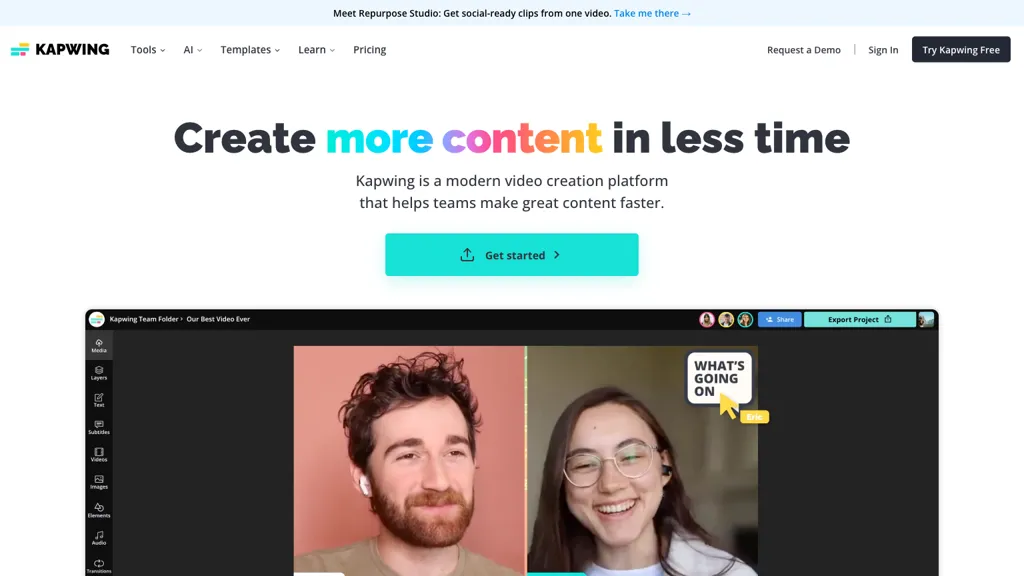
Kapwing is an online video platform that offers a drag‑and‑drop Video Editor for trimming, layering clips, adding overlays, and collaborating with teams. Its Audio Editor lets users record, edit, and clean soundtracks, while the Subtitler automatically generates captions and translates dialogue into 40+ languages.
The Speaker Focus tool auto‑resizes videos to center on speakers. AI‑powered features include the Video Generator, which creates videos from text prompts, and Smart Cut, which removes silences automatically. Text‑to‑Speech, Dubbing, and Clean Audio tools enable realistic voiceovers and background‑noise removal.
Kapwing details
- Jurisdiction
- California
- Built for
- Businesses and teams
Kapwing pricing
Freemium- Auto-renewal
- Yes
Verify on the official pricing page.
View plansKapwing's key features
-
Video Editing Tool
-
Add Subtitles and Captions
-
Auto-Resizing Speaker Focus
-
Record, Edit, Clean Audio
-
Convert Text to Voice
-
Generate Video from Prompt
-
Auto-Remove Video Silences
Kapwing use cases
-
Produce eye‑catching short‑form videos for TikTok and Instagram Reels by trimming clips, layering graphics, and auto‑generating subtitles in 40+ languages using Kapwing’s drag‑and‑drop editor
-
Collaborate in real‑time on product demo videos with team members, leveraging Kapwing’s audio cleanup tools and smart video cut feature to deliver crisp, brand‑consistent content
-
Repurpose a long webinar into shareable, SEO‑friendly snippets for YouTube Shorts and Facebook, adding auto captions, branded overlays, and publishing directly from Kapwing’s platform
Kapwing user reviews
Based on 20 reviews, 75% of users recommend Kapwing, rated highly for ease of use.
Liked for
Disliked for
Would you recommend Kapwing?
Kapwing playbooks
1Step-by-step guides to get the most out of Kapwing
Who is Kapwing for?
-
Content creators
-
Video editors
-
Creative teams
-
Digital marketers
-
Marketing teams
Kapwing FAQ
Is Kapwing free?
Partly. Kapwing has a free plan with usage limits, and paid plans unlock the full feature set. Plans include Pro at $16 per member/mobilled annually/$24 billed mo and Business at $50 per member/mobilled annually/$64 billed mo.
Is Kapwing safe to use?
Kapwing carries the TopAI.tools verified mark, which we award after a manual review of pricing transparency, published terms, public following and working functionality. It has a substantial audience that is independently measured month to month.
Is Kapwing good?
Kapwing has a 75% recommendation rate from 20 reviewers on TopAI.tools. Reviewers rate it highest on ease of use and value for money.
What are the best alternatives to Kapwing?
The closest alternatives to Kapwing are VEED, VideoGen.io, ChatCut, FlexClip and Clipfly AI Video Generator. You can compare them side by side in the alternatives section further down this page.
What does Kapwing do with my data?
Kapwing states that customer content is not used to train its models. Its privacy policy states that personal data is sold or shared for marketing purposes. Data may be shared with third-party service providers that help run the product.
Does Kapwing auto-renew or offer refunds?
Kapwing subscriptions renew automatically until you cancel.
Compliance, privacy and billing terms are as stated in each product's own published documentation and have not been independently verified by TopAI.tools.


