
Top 29 TalkToDesign Alternatives in 2026
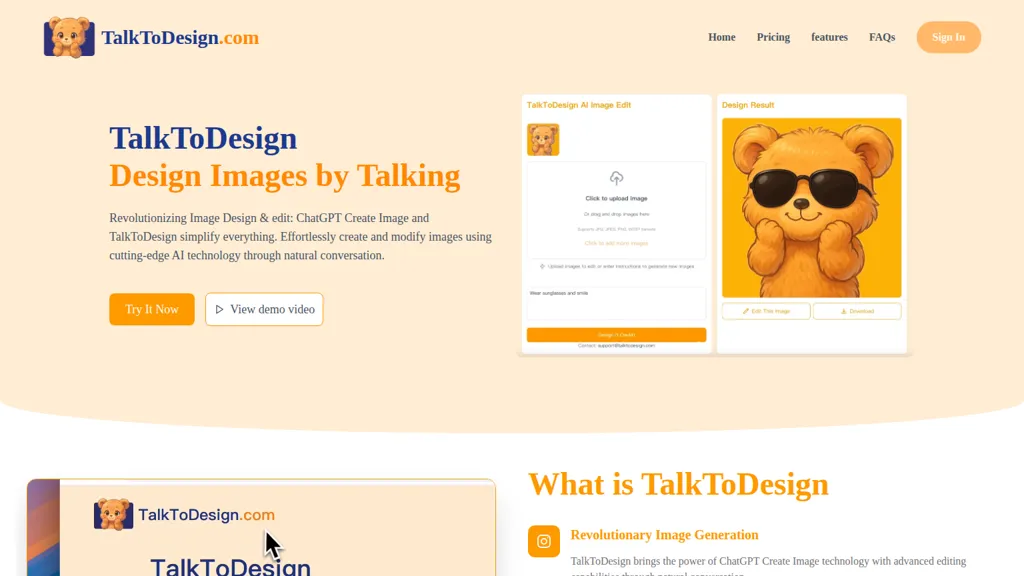
100% positive · 1 user review SubscriptionTalkToDesign is a conversational AI image editor that applies natural-language prompts to modify existing images—cropping, color correction, object removal, background replacement and retouching—while recording edit history and supporting iterative revisions for consistent, collaborative outputs.
We've ranked 29 TalkToDesign alternatives, including 22 with a free plan. Rankings are based on feature coverage and user feedbacks.
Top-rated alternatives include Image Editor Online, SnapEdit, and ImagetoImage AI.
29 TalkToDesign Alternatives & Competitors, Ranked by User Reviews
Click Compare on any tool to compare it side-by-side with TalkToDesign.

Image Editor Online is an AI-powered tool that edits your photos using simple text prompts. It allows you to remove backgrounds, adjust poses, transfer styles, and continuously refine your images in one place.

SnapEdit is an AI‑driven photo editor that removes objects, backgrounds, and text, provides 100+ background templates, upsamples images to HD/4K, and offers skin retouching, all accessible via web, iOS, and Android.
 #3
ImagetoImage AI
#3
ImagetoImage AI
Image to Image AI is a versatile photo editor that transforms images using text prompts, enabling style transfer, background replacement, and object removal. It supports multi-image uploads and fast generation for creators and designers needing high-resolution, watermark-free results.
 #4
AI Photo Editor
#4
AI Photo Editor
AI Photo Editor lets users upload up to ten images or generate new ones from text prompts, instantly editing or converting images into short videos. All processing runs client‑side, supporting face completion and consistent character edits for design and work.

DeepAI offers browser‑based AI tools for text‑to‑image, photo editing, background removal, super‑resolution, and video/musical generation, plus APIs for integration. It prioritizes user ownership, privacy, fast processing, and supports conservation research via object detection and habitat mapping.

Pixlr is a browser‑based photo editor that uses AI for background removal, generative fill, and object deletion. It offers cropping, color correction, collages, templates, and social media layouts across desktop, tablet, and mobile.
- Catch deals before they expire
- Unlock tools matched to you
- Show off your AI stacks
Already a member? Sign in
 #7
123RF
#7
123RF
123rf Image Editor is a comprehensive AI tool for effortless photo editing, offering features like image scaling, background removal, object removal, and seamless background remixing. It also includes an AI writer for content creation and an image enlarger for ratio adjustments. Efficiently enhance and edit your visuals with this user-friendly tool.
 #8
Imageeditor
#8
Imageeditor
ImageEditor.ai is an AI-powered image editor used for interior design projects and can be controlled using verbal commands.
 #9
ClipDrop
#9
ClipDrop
Clipdrop uses deep learning to remove backgrounds, objects, and text, upscale images, adjust lighting, uncrop, and resize. It also offers text‑to‑image generation and an API for developers, supporting design, marketing, and app workflows.
 #10
PhotoEditor.ai
#10
PhotoEditor.ai
PhotoEditor.ai edits JPG, PNG, HEIC, and WEBP images up to 15 MB in a browser or mobile app. It offers portrait transformation, background removal, detail enhancement, and 4K upscaling, delivering instant downloads for photographers, marketers, and designers.
 #11
AI Image Editor-
#11
AI Image Editor-
AI Image Editor is an online tool for editing and enhancing images with pixel-level precision. It supports various formats, offers text editing, artistic style transfers, and allows quick generation of image variations for efficient workflow.
 #12
Remaker AI
#12
Remaker AI
remaker ai offers web and mobile AI image and video editing for creators and teams, including upscaling, background removal, object erasing, face swap, text-to-image, lip-sync, batch processing and templates for short-form social content.
 #13
Picsman.AI
#13
Picsman.AI
Picsman is an AI‑powered editor that removes or replaces backgrounds, ups image resolution, and applies styles like Ghibli or cartoon. It also offers text‑prompt editing, video generation, image extending, and watermark removal for quick, high‑definition results.
 #14
PixPretty AI Photo Editor
#14
PixPretty AI Photo Editor
PixPretty AI Photo Editor is a free tool that uses AI to remove or replace backgrounds in seconds. It also supports batch editing for bulk transformations, retouching, and format conversion.
 #15
Photo Eraser
#15
Photo Eraser
Photo Eraser uses AI to delete objects, people, backgrounds, or blemishes, replace skies, and swap faces. It supports HEIC, PNG, JPG, and offers automatic context‑aware erasing, cropping, and photo enhancement via a drag‑and‑drop interface.
 #16
imagewith.ai
#16
imagewith.ai
Imagewith.AI offers web‑based AI tools for image enhancement, background removal, object deletion, upscaling, photo restoration, and portrait improvement. Deep‑learning algorithms increase resolution, reduce noise, clean artifacts, and preserve fine detail for designers, photographers, and archivists.
 #17
NanoBanana.im
#17
NanoBanana.im
NanoBanana.im is a natural language image editor powered by Google's Gemini. Simply upload an image and describe your edits in plain text to modify, fuse, or analyze your visuals.
 #18
editaimg.com
#18
editaimg.com
editaimg.com is an AI-powered image editor for professionals, offering background removal, object editing, and style transforms for retouching and composition. It also provides upscaling, text translation, and creative effects to streamline workflows for e-commerce, design, and content creation.
 #19
PicWish
#19
PicWish
PicWish AI Photo Editor automates image enhancement, background removal, and watermark deletion. It processes batches of up to 30 files, offering resizing, lighting, upscaling, AI Designer prompts, Face Cutout, and single‑click unblur/sharpen. Available on Windows, macOS, iOS, Android, and browser.
 #20
NanoBanana.io
#20
NanoBanana.io
Nano-Banana.io is a free AI image editor that uses natural language for precise edits. It maintains character consistency and original scene details while supporting batch editing for high-resolution results.
 #21
Retoucher
#21
Retoucher
Retoucher Online is an AI background remover handling batch uploads via drag‑and‑drop, camera, or file selection. It isolates foregrounds, lets users keep transparent backgrounds, replace with white or custom images, add shadows, fine‑tune edges, and download PNG/JPG at various resolutions.
 #22
ai image editor-1
#22
ai image editor-1
AI Image Editor is an image editing and generation platform offering background removal, retouching, color correction, resizing, batch processing, templates, style transfer and an API for automating pipelines, plus export options, asset management and analytics.

Photoroom is an AI-powered tool for creating professional product visuals at scale, featuring automatic background removal, image generation, virtual staging, and batch editing capabilities for efficient high-quality output.
 #24
AILab Tools
#24
AILab Tools
The AI Lab provides an advanced tool with image and facial enhancements features such as photo colorization, object and background removal, cartoon creation, retouching portraits, adjusting facial expressions, and API and platform for developers.
 #25
iFoto
#25
iFoto
AI Photo Studio automates e‑commerce image editing: background removal, resolution enhancement, lossless compression, profile passport creation, hairstyle preview, object cleanup, old‑photo restoration, colorization, AI fashion model generation, clothing recolor, background changes, and file conversion to PDF/Word/PPT for streamlined product photography.
 #26
BeautyPlus
#26
BeautyPlus
BeautyPlus - Versatile AI tool for effortless photo & video editing; offers face reshaping, filter & sticker additions; perfect for enhancing selfies & videos.
 #27
PhotoGrid
#27
PhotoGrid
PhotoGrid is a browser‑based AI photo editor that offers one‑click enhancement, background removal, and upscaling. It lets users build collages from 20,000 templates, add stickers, text, custom backgrounds, and convert images into short video clips.
 #28
AI Image Editor
#28
AI Image Editor
AI Image Editor.ai is a professional tool for creating and editing images with precise text rendering and multi-image blending. It enables conversational refinements, character consistency, and batch processing for streamlined workflows.
 #29
AppleBanana.pro
#29
AppleBanana.pro
AppleBanana.pro is an AI image editor for realistic, prompt-based photo editing. It enables object manipulation, style changes, and detail enhancement with high-res exports for creators and businesses.