
Top 29 plotsalot.app Alternatives in 2026
No user reviews yet FreePlotsAlot provides AI-assisted data analysis and visualization, turning CSV/Excel/SPSS/JSON/PDF/image uploads into interactive charts and full-stack dashboards via natural-language queries. Features include conversational data chat, predictive analytics, automated reporting, and reusable dashboards.
We've ranked 29 plotsalot.app alternatives, including 23 with a free plan. Rankings are based on feature coverage and user feedbacks.
Top-rated alternatives include ChartGen.ai, Bricks, and Excelmatic.
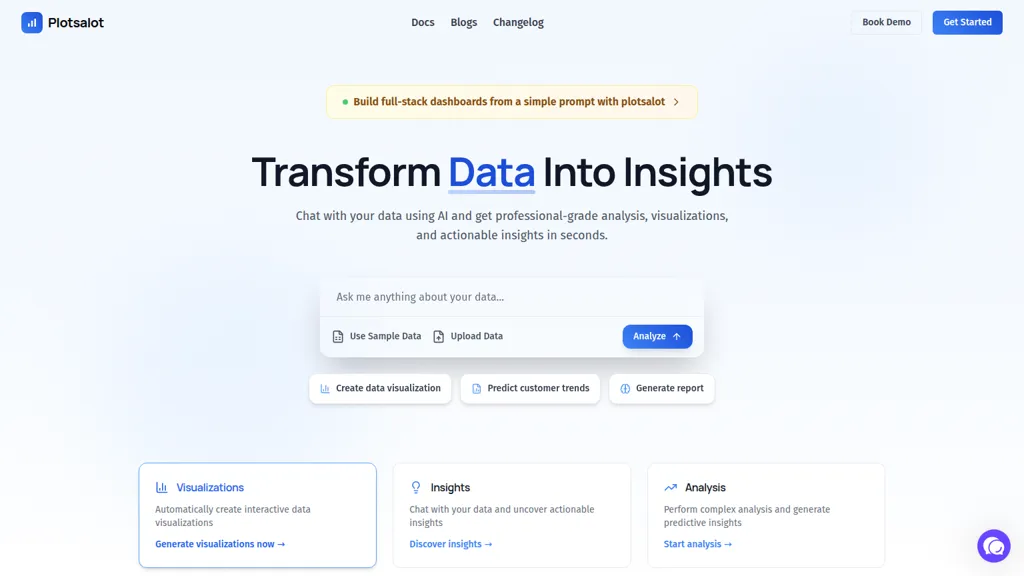
29 plotsalot.app Alternatives & Competitors, Ranked by User Reviews
Click Compare on any tool to compare it side-by-side with plotsalot.app.
 #1
ChartGen.ai
#1
ChartGen.ai
ChartGen.ai is an AI chart generator that converts CSV/Excel data or pasted text into presentation-ready visualizations using plain-English prompts. It supports numerous chart types, offers live data sync, and exports in multiple formats with enterprise-grade security.
 #2
Bricks
#2
Bricks
Bricks AI transforms CSV, Excel, Google Sheets, and database files into instant interactive dashboards and reports. It auto‑creates charts, lets users edit data via natural‑language commands, refreshes with one click, and offers reusable templates with encrypted privacy.
 #3
Excelmatic
#3
Excelmatic
Excelmatic uses AI to analyze and visualize spreadsheet data via natural-language queries, offering one-click charting, KPI extraction, anomaly detection, PDF/image-to-Excel conversion, formula generation from plain English, and batch data-prep for .xlsx/.csv files.
 #4
ChatCSV
#4
ChatCSV
ChatCSV lets users upload CSV files from computer, URL, or clipboard and query data with natural language. It auto‑generates common questions and returns charted answers (bar, pie, custom). Interactions are saved, shareable, used for team collaboration across retail, finance, marketing.
 #5
ChartPixel
#5
ChartPixel
ChartPixel is an AI tool that generates charts and insights from messy data files or webpages using AI algorithms to clean and engineer new features, provide AI-assisted annotations and statistics to explore patterns and quirks in the data.
 #6
Plot
#6
Plot
Plot is a creative hub for social media teams, offering content planning, storage, and sourcing. It includes an AI video listening tool, a content calendar, and trend discovery features to enhance collaboration and optimize engagement.
- Catch deals before they expire
- Unlock tools matched to you
- Show off your AI stacks
Already a member? Sign in

Tableau AI is an intelligent analytics platform that combines AI technologies for enhanced data exploration and decision-making. It offers scalable solutions, trusted by organizations, to boost data-driven insights and promote innovative cultures.
 #8
Equals
#8
Equals
AI Assist is a powerful AI-powered data analysis tool that offers features such as real-time collaboration, formula generation, SQL writing, visual charting, and integrations with popular platforms.
 #9
Quadratic Multiplayer
#9
Quadratic Multiplayer
Quadratic is an AI‑enabled spreadsheet that connects to CSV, Excel, PDFs, and databases like Postgres and Snowflake. It lets users filter, clean, and analyze data in a grid, ask natural‑language queries, and generate editable Python and SQL code for visualizations.
 #10
ChatLLM
#10
ChatLLM
AnalysAI is an AI-driven data analytics platform that integrates data from multiple sources, providing predictive analytics, enhanced customer insights, and interactive dashboards to streamline data analysis and support informed decision-making.
 #11
SciDraw AI
#11
SciDraw AI
SciDraw AI is a scientific illustration and data visualization tool that converts text prompts, sketches, or images into publication-ready figures. It generates editable SVG/PPTX exports, data-driven charts from CSV/Excel, and supports journal style presets and colorblind-friendly palettes for reproducible graphics.
 #12
Piktochart
#12
Piktochart
Piktochart is an AI‑powered visual creation platform that turns text into infographics, charts, and videos within seconds. It offers templates, a brand kit, collaborative editing, interactive graphics, and export options for print and digital use.
 #13
Julius
#13
Julius
Julius AI connects spreadsheets, databases, and cloud storage, letting users ask natural‑language questions. It delivers instant charts, tables, and reports, sharable in Slack or on a schedule, and supports no‑code plus R, Python, or SQL workflows, keeps data private.
 #14
AskCSV
#14
AskCSV
AskCSV lets users upload CSV/TSV files in the browser, query data locally, and receive automatic charts, tables, and insights—such as top products or ROI—while preserving privacy and requiring headers for accurate processing.
 #15
Excel Dashboard Ai
#15
Excel Dashboard Ai
ExcelDashboard AI transforms Excel data into interactive dashboards and reports with minimal effort. Users can generate insights using plain English, automate visualizations, and customize analyses, making it suitable for both beginners and experienced data analysts.
 #16
Pandada AI
#16
Pandada AI
pandada.ai is an AI data analysis tool that converts plain-language queries into charts, tables, and insights. It automates data cleaning, multi-file analysis, and generates report-ready visuals for rapid business and research reporting.
 #17
AlTable.ai
#17
AlTable.ai
AITable.ai is an AI data organization tool that combines database and spreadsheet features for streamlined CRM and project management. It automates tasks, integrates with 6000+ apps, simplifies data entry, and offers AI data analysis for enhanced productivity.
 #18
Aijourney
#18
Aijourney
Julius AI is a data analyst assistant that connects to Excel, Google Sheets, and PostgreSQL to generate bar charts, histograms, heat maps automatically. It offers interactive, customizable visualizations, embeddable into reports, and exports cleaned data for stakeholders.
 #19
Pandas ai
#19
Pandas ai
PandasAI is an open-source tool for conversational data analysis that allows users to query data in natural language. It integrates various data sources, provides real-time insights, and generates detailed reports and visualizations for effective decision-making.
 #20
Storytell.ai
#20
Storytell.ai
Storytell.ai converts messy data into clear narratives using 945 prompts. It accepts files, images, audio, URLs and augments insights with news, social media, and research. Ideal for data scientists, marketers, analysts, it complies with SOC2, GDPR, and HIPAA.
 #21
AI graph maker
#21
AI graph maker
Free AI Graph Maker enables users to create interactive charts and graphs, including bar, pie, and line charts. It supports Gantt charts, flowcharts, and mind maps, facilitating effective data visualization for various sectors like education and finance.
 #22
AI Infographic Generator
#22
AI Infographic Generator
InfographAI converts text, URLs, PDFs, Word docs, and spreadsheets into AI-generated infographics. It extracts key points, auto-places charts and visuals, offers customizable templates and a drag-and-drop editor, and exports PNG or PDF for reports and social media.
 #23
ChartAI
#23
ChartAI
ChartAI auto‑creates diverse visualizations—mind maps, flowcharts, timelines, Gantt charts, ER diagrams, etc.—by converting data into polished diagrams. It offers templates, quick start, and dataset generation, aiding analysts, researchers, educators, and managers.
 #24
vizGPT
#24
vizGPT
vizGPT turns natural‑language queries and drag‑and‑drop into live dashboards and charts, retaining context for follow‑ups. It includes data tables for profiling and transforms, and design tools that generate Lottie JSON and SVG animations, enabling team collaboration.
 #25
Andre
#25
Andre
ANDRE converts survey files (CSV, XLSX, SPSS, Google Forms, Typeform) into clean, visual reports in under 15 minutes, automating data cleaning, missing‑value imputation, narrative analysis, and producing a single‑slide insights deck for rapid decision‑making.
 #26
DropCSV
#26
DropCSV
DropCSV automatically cleans and validates CSV/TSV/Excel uploads, applies AI to detect patterns, anomalies and generate natural-language explanations, builds interactive charts, dashboards and forecasts, exports reports and integrates with APIs and team workflows.
 #27
Tomat.AI
#27
Tomat.AI
Tomat.AI is a desktop app that automates data analysis and enrichment for Excel, CSV, and database files. It loads datasets locally, lets users filter, sort, merge, pivot, and apply AI prompts in bulk, and exports reports to PDF.
 #28
Ajelix AI Excel Tools
#28
Ajelix AI Excel Tools
Ajelix is an AI chatbot that stores up to 1 GB of spreadsheets, PDFs, and documents in a persistent workspace. It generates Excel formulas, VBA scripts, dashboards, and ready‑to‑share PowerPoint decks or web apps.
 #29
Flowtrail ai
#29
Flowtrail ai
Flowtrail AI lets users ask natural‑language questions across databases, spreadsheets, APIs, and files, generating charts, dashboards, and PDFs without writing code. It offers role‑specific assistants, real‑time alerts, automated report scheduling, and one‑click sharing to Slack, Teams, or WhatsApp.
Frequently Asked Questions
Why look for plotsalot.app alternatives?
Common reasons users switch from plotsalot.app:
- Feature gaps: teams needing specific capabilities like Analyze Data may find a more focused alternative better suited to their workflow.
- Flexibility: exploring alternatives helps find tools that better match your team size, integrations, and budget.
What is the best alternative to plotsalot.app?
Based on 5 user reviews, ChartGen.ai (80% positive) ranks as the top plotsalot.app alternative. ChartGen.ai is an AI chart generator that converts CSV/Excel data or pasted text into presentation-ready visualizations using plain-English prompts. I It is available on a Freemium plan.
How do the top plotsalot.app alternatives compare?
| Tool | Pricing | Starting Price | User Rating |
|---|---|---|---|
| plotsalot.app this tool | Free | $10/mo | — |
| ChartGen.ai | Freemium | — | 80% (5) |
| Bricks | Freemium | $25/mo | — |
| Excelmatic | Subscription | — | — |
| ChatCSV | Free | — | 100% (1) |
| ChartPixel | Freemium | — | 100% (5) |
Are there free plotsalot.app alternatives?
Yes, 23 free alternatives found in our list: ChartGen.ai, Bricks, ChatCSV. and 20 more — use the pricing filter above to see them all.
What should I look for in a plotsalot.app alternative?
- Core capabilities: confirm the tool supports Analyze Data, Generate Visualizations, Build Dashboards.
- Pricing transparency: look for clear free plan, trial period, or tiered pricing — avoid tools that hide costs.
- User reviews: check both the satisfaction percentage and the number of reviews; a high score from few users is less reliable.
- Integrations: verify it connects with your existing stack before committing.
- Support and updates: active development and responsive support are strong signals of a maintained product.
Which plotsalot.app alternative has the highest user rating?
ChatCSV has the highest satisfaction score among plotsalot.app alternatives, with 100% positive from 1 user review. It is available on a Free plan.
What are plotsalot.app alternatives used for?
- Analyze Data
- Generate Visualizations
- Build Dashboards
- generate reports
- Optimize Charts