Best AskCSV Alternatives in 2026
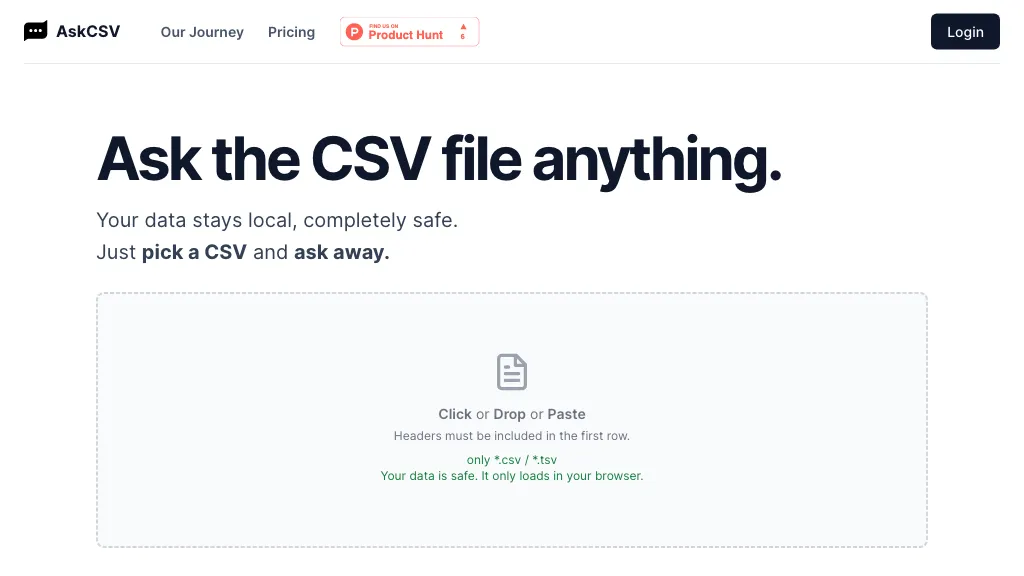
No user reviews yet FreemiumAskCSV lets users upload CSV/TSV files in the browser, query data locally, and receive automatic charts, tables, and insights—such as top products or ROI—while preserving privacy and requiring headers for accurate processing.
We've ranked 29 AskCSV alternatives, including 21 with a free plan. Rankings are based on feature coverage and user feedbacks.
Top-rated alternatives include Graphy.app, Bricks, and Columns.
29 AskCSV Alternatives & Competitors, Ranked by User Reviews
Click Compare on any tool to compare it side-by-side with AskCSV.
#1
Graphy.app
Graphy transforms raw data from Google Sheets, CSV, Excel, or APIs into AI‑generated charts, auto‑highlighting insights. It supports multiple chart types, branding, annotations, real‑time updates, and export/embed options for marketing, finance, and consulting teams.
#2
Bricks
Bricks AI transforms CSV, Excel, Google Sheets, and database files into instant interactive dashboards and reports. It auto‑creates charts, lets users edit data via natural‑language commands, refreshes with one click, and offers reusable templates with encrypted privacy.
#3
Columns
Columns.ai is a data visual storytelling AI tool for creating appealing data visual stories. It uses ChatGPT to generate insightful responses to data-related prompts and offers customization options for interactive visualizations.
#4
Andre
ANDRE converts survey files (CSV, XLSX, SPSS, Google Forms, Typeform) into clean, visual reports in under 15 minutes, automating data cleaning, missing‑value imputation, narrative analysis, and producing a single‑slide insights deck for rapid decision‑making.
#5
ChartPixel
ChartPixel is an AI tool that generates charts and insights from messy data files or webpages using AI algorithms to clean and engineer new features, provide AI-assisted annotations and statistics to explore patterns and quirks in the data.
#6
WhyHive
WhyHive transforms CSV/Excel data into visual insights, automatically extracting themes from open‑ended text, tallying occurrences, and generating rule‑based charts. It combines GPT summarisation with data‑faithful charting, enabling rapid dashboards for research, marketing, and impact evaluation.
- Personalized recommendations
- Custom collections
- Save favorites
Already a member? Sign in
#7
Tomat.AI
Tomat.AI is a desktop app that automates data analysis and enrichment for Excel, CSV, and database files. It loads datasets locally, lets users filter, sort, merge, pivot, and apply AI prompts in bulk, and exports reports to PDF.
#8
Quadratic Multiplayer
Quadratic is an AI‑enabled spreadsheet that connects to CSV, Excel, PDFs, and databases like Postgres and Snowflake. It lets users filter, clean, and analyze data in a grid, ask natural‑language queries, and generate editable Python and SQL code for visualizations.
#9
Rows
ROWS AI is a data analyst tool that integrates AI features such as text classification, sentiment analysis, and marketing campaign planning for teams.
#10
DropCSV
DropCSV automatically cleans and validates CSV/TSV/Excel uploads, applies AI to detect patterns, anomalies and generate natural-language explanations, builds interactive charts, dashboards and forecasts, exports reports and integrates with APIs and team workflows.
#11
Commabot
Commabot lets you upload a CSV and use natural‑language commands to clean, filter, aggregate, reshape data, and generate charts, tables, or text summaries—all locally, eliminating spreadsheets and speeding reporting for teams.
#12
kasipa
Kasipa converts CSV, Excel, and Google Sheets into interactive charts, tables, and statistical summaries using AI-driven natural-language queries. Runs entirely in-browser without sign-up, enabling rapid exploratory visualization, reporting, and dataset exploration with templates and examples.
#13
Excel Dashboard Ai
ExcelDashboard AI transforms Excel data into interactive dashboards and reports with minimal effort. Users can generate insights using plain English, automate visualizations, and customize analyses, making it suitable for both beginners and experienced data analysts.
#14
Equals
AI Assist is a powerful AI-powered data analysis tool that offers features such as real-time collaboration, formula generation, SQL writing, visual charting, and integrations with popular platforms.
#15
AlTable.ai
AITable.ai is an AI data organization tool that combines database and spreadsheet features for streamlined CRM and project management. It automates tasks, integrates with 6000+ apps, simplifies data entry, and offers AI data analysis for enhanced productivity.
#16
Tabula
Tabula transforms unstructured data into structured insights inside a data warehouse, automates contact enrichment via multiple providers for higher find rates and lower bounces, and supports sales, revenue ops, and startups with CSV uploads, clean downloads, and industry‑specific AI parsing.
#17
Baseboard
Baseboard is an AI-powered tool that provides quick and efficient data insights with toggle themes, intuitive design, and high-quality visualizations.
#18
plotsalot.app
PlotsAlot provides AI-assisted data analysis and visualization, turning CSV/Excel/SPSS/JSON/PDF/image uploads into interactive charts and full-stack dashboards via natural-language queries. Features include conversational data chat, predictive analytics, automated reporting, and reusable dashboards.
#19
RTutor
RTutor converts natural‑language prompts into R or Python code for exploratory data analysis. Upload CSV/TSV/Excel, auto‑load into df/df2, generate statistics, plots, and an interactive HTML report, with session context and data privacy.
#20
Datayaki
Datayaki lets users ask plain‑English questions of spreadsheets, CSVs, and cloud databases (Postgres, Supabase, Snowflake, Firebase) directly in the browser. It keeps data local, offers explainable AI, and supports secure, collaborative dashboards.
#21
PrivacyDoc
PrivacyDoc analyzes PDFs, txt, csv, and json files up to 10 MB, delivering AI‑driven summaries, extracts, and structured insights. Users authenticate via Google, and files are deleted after logout, ensuring privacy. Drag‑and‑drop uploads provide instant query responses.
#22
ChartGen.ai
ChartGen.ai is an AI chart generator that converts CSV/Excel data or pasted text into presentation-ready visualizations using plain-English prompts. It supports numerous chart types, offers live data sync, and exports in multiple formats with enterprise-grade security.
#23
Spreadsite
DashGPT turns spreadsheets into interactive dashboards without code. Upload data, use a prompt, and AI generates editable charts, tables, and filterable views. Share, embed, and collaborate across teams, suitable for business analytics.
#24
AskExcel
AskExcel uses AI to generate Excel formulas from natural language, automating data cleaning, formula insertion, and advanced analytics such as correlation, KPI tracking, and sentiment analysis. It supports CSV/XLSX uploads up to 10 MB for efficient spreadsheet workflows.
#25
Chartfast
ChartFast uses GPT‑4o to clean, normalize, and analyze datasets, then instantly generates customizable charts via natural‑language queries. Exportable to CSV/Excel, it supports Python scripts for large‑scale analysis, streamlining workflows for analysts and non‑technical users.
#26
TabTabTab
TabTabTab is a Chrome extension AI agent for Google Sheets that automates web data extraction and cleaning. It performs lead enrichment, company lookups, and uses natural language commands to structure data for financial modeling and analysis.
#27
Dateno
Dateno simplifies data analysis by allowing users to upload datasets for instant AI-driven insights. Its intuitive interface provides detailed answers and visualizations, while analysis history helps track data story evolution for informed decision-making across various industries.
#28
QuickChatbot
QuickChatbot lets users converse with GPT‑3 to answer questions, process PDFs/TXT for keyword searching, summarization, and insight extraction, upload CSVs for on‑the‑go data analysis, and retrieve YouTube video metadata and related content within chat.
#29
Adzviser
Adzviser is an AI‑driven marketing analytics platform that aggregates data from 40+ sources, delivering real‑time campaign analysis via ChatGPT/Claude and dynamic spreadsheets for budgeting, reporting, and KPI dashboards for agencies.
Frequently Asked Questions
Why look for AskCSV alternatives?
Common reasons users switch from AskCSV:
- Feature gaps: teams needing specific capabilities like Analyze Data may find a more focused alternative better suited to their workflow.
- Flexibility: exploring alternatives helps find tools that better match your team size, integrations, and budget.
What is the best alternative to AskCSV?
Graphy.app ranks as the top AskCSV alternative. Graphy transforms raw data from Google Sheets, CSV, Excel, or APIs into AI‑generated charts, auto‑highlighting insights. It supports multiple chart ty It is available on a Freemium plan starting from $16/mo.
How do the top AskCSV alternatives compare?
| Tool | Pricing | Starting Price | User Rating |
|---|---|---|---|
| AskCSV this tool | Freemium | — | — |
| Graphy.app | Freemium | $16/mo | — |
| Bricks | Freemium | $25/mo | — |
| Columns | Freemium | — | 50% (1) |
| Andre | Freemium | — | 100% (1) |
| ChartPixel | Freemium | — | 100% (5) |
Are there free AskCSV alternatives?
Yes, 21 free alternatives found in our list: Graphy.app, Bricks, Columns. and 18 more — use the pricing filter above to see them all.
What should I look for in a AskCSV alternative?
- Core capabilities: confirm the tool supports Analyze Data, Generate Charts, Generate Insights.
- Pricing transparency: look for clear free plan, trial period, or tiered pricing — avoid tools that hide costs.
- User reviews: check both the satisfaction percentage and the number of reviews; a high score from few users is less reliable.
- Integrations: verify it connects with your existing stack before committing.
- Support and updates: active development and responsive support are strong signals of a maintained product.
Which AskCSV alternative has the highest user rating?
Andre has the highest satisfaction score among AskCSV alternatives, with 100% positive from 1 user review. It is available on a Freemium plan.
What are AskCSV alternatives used for?
- Analyze Data
- Generate Charts
- Generate Insights
- Organize Data
- Extract Tables