Best Pandada AI Alternatives in 2026
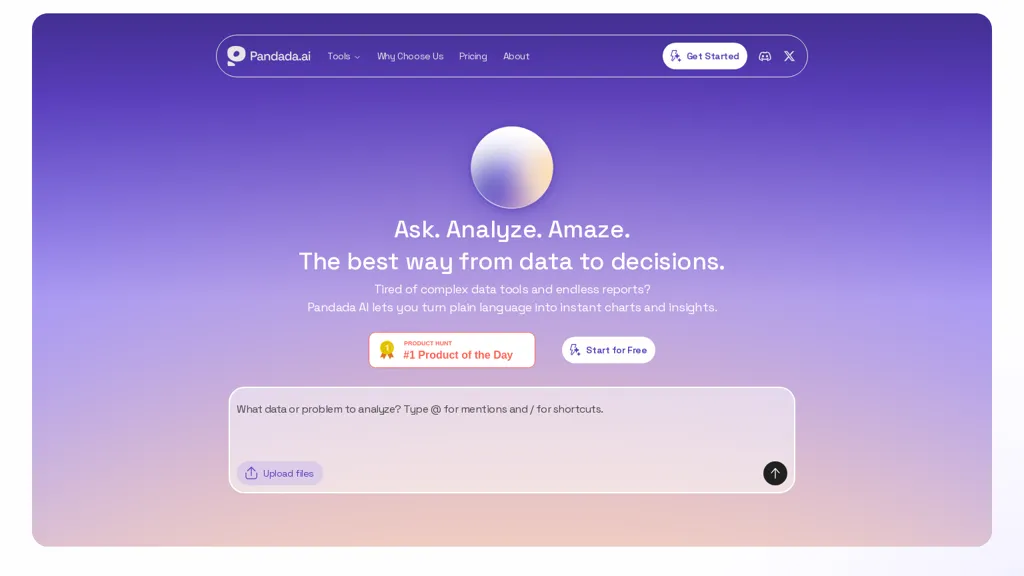
No user reviews yet Free trialpandada.ai is an AI data analysis tool that converts plain-language queries into charts, tables, and insights. It automates data cleaning, multi-file analysis, and generates report-ready visuals for rapid business and research reporting.
We've ranked 29 Pandada AI alternatives, including 23 with a free plan. Rankings are based on feature coverage and user feedbacks.
Top-rated alternatives include Excelmatic, Rath by Kanarie, and ChartPixel.
29 Pandada AI Alternatives & Competitors, Ranked by User Reviews
Click Compare on any tool to compare it side-by-side with Pandada AI.
#1
Excelmatic
Excelmatic uses AI to analyze and visualize spreadsheet data via natural-language queries, offering one-click charting, KPI extraction, anomaly detection, PDF/image-to-Excel conversion, formula generation from plain English, and batch data-prep for .xlsx/.csv files.
#2
Rath by Kanarie
Kanaries transforms raw data into interactive visual insights with AI‑assisted code completion for Pandas, RStudio, and Jupyter. Drag‑and‑drop chart building, natural‑language chat, real‑time collaboration, and offline desktop support streamline the entire exploration workflow across web and desktop platforms.
#3
ChartPixel
ChartPixel is an AI tool that generates charts and insights from messy data files or webpages using AI algorithms to clean and engineer new features, provide AI-assisted annotations and statistics to explore patterns and quirks in the data.
Tableau AI is an intelligent analytics platform that combines AI technologies for enhanced data exploration and decision-making. It offers scalable solutions, trusted by organizations, to boost data-driven insights and promote innovative cultures.
#5
Napkin.ai
Napkin AI automatically converts pasted or uploaded text into diagrams, charts, flowcharts, and mind maps. Users can customize icons, styles, connectors, and colors, then export to PPT, PNG, PDF or SVG. It supports 60+ languages and real‑time collaboration.
#6
Datasquirrel.ai
DataSquirrel.ai automates data cleaning, analysis, and visualization for business users, enabling quick chart creation, KPI dashboards, and custom reports without coding. It supports scheduled refreshes, GDPR compliance, and interactive sharing for teams and consultants.
- Personalized recommendations
- Custom collections
- Save favorites
Already a member? Sign in
#7
Julius
Julius AI connects spreadsheets, databases, and cloud storage, letting users ask natural‑language questions. It delivers instant charts, tables, and reports, sharable in Slack or on a schedule, and supports no‑code plus R, Python, or SQL workflows, keeps data private.
#8
AlTable.ai
AITable.ai is an AI data organization tool that combines database and spreadsheet features for streamlined CRM and project management. It automates tasks, integrates with 6000+ apps, simplifies data entry, and offers AI data analysis for enhanced productivity.
#9
Excel Dashboard Ai
ExcelDashboard AI transforms Excel data into interactive dashboards and reports with minimal effort. Users can generate insights using plain English, automate visualizations, and customize analyses, making it suitable for both beginners and experienced data analysts.
#10
Andre
ANDRE converts survey files (CSV, XLSX, SPSS, Google Forms, Typeform) into clean, visual reports in under 15 minutes, automating data cleaning, missing‑value imputation, narrative analysis, and producing a single‑slide insights deck for rapid decision‑making.
#11
Columns
Columns.ai is a data visual storytelling AI tool for creating appealing data visual stories. It uses ChatGPT to generate insightful responses to data-related prompts and offers customization options for interactive visualizations.
#12
Equals
AI Assist is a powerful AI-powered data analysis tool that offers features such as real-time collaboration, formula generation, SQL writing, visual charting, and integrations with popular platforms.
#13
Client Reports
ClientReports.ai automates report creation from data import to export. It uses natural language generation for full sections, executive summaries, and customizable layouts with charts. Secure collaboration and single‑click export to PDF, Word, or Google Docs support multiple industries.
#14
Promptpanda
PromptPanda centralizes prompt creation, tagging, and storage in a searchable repository. It scores and analyzes prompts, suggests fine‑tuning, lets users set reusable variables, offers a browser extension, and supports secure, collaborative brand‑consistent AI workflows.
#15
Xdash
Xdash AI offers seamless data analysis, in-depth reporting, and task automation. It excels at uncovering crucial insights from intricate datasets, facilitating informed business decisions.
#16
Tomat.AI
Tomat.AI is a desktop app that automates data analysis and enrichment for Excel, CSV, and database files. It loads datasets locally, lets users filter, sort, merge, pivot, and apply AI prompts in bulk, and exports reports to PDF.
#17
Analytics Model
Analytics Model consolidates data from 500+ connectors, supports on‑premises and cloud sources, and offers natural‑language querying to generate charts, pivot tables, and dashboards automatically, enabling non‑coding analysts to obtain instant insights, receive alerts, and integrate via APIs.
#18
Aijourney
Julius AI is a data analyst assistant that connects to Excel, Google Sheets, and PostgreSQL to generate bar charts, histograms, heat maps automatically. It offers interactive, customizable visualizations, embeddable into reports, and exports cleaned data for stakeholders.
#19
PDF.ai
PDF.ai lets users upload PDFs and chat for questions, summaries, and data extraction. It parses documents into structured JSON, detects sections, tables, and figures, and supplies source‑cited answers via a RESTful API for rapid, secure analysis.
#20
OpenDoc AI
OpenDoc AI is an advanced productivity tool that simplifies data science tasks with customizable automation, ready-made workflows, and plain English queries for instant data insights. Streamline tasks, integrate AI tools effortlessly, and boost data analytics efficiency.
#21
Grapha AI
Grapha.ai is an AI-enabled data exploration tool that swiftly reveals hidden trends and provides intuitive visualizations & insights from complex datasets without requiring any coding knowledge.
#22
Fabi.ai
Fabi.ai is an AI-powered data analysis platform that streamlines exploratory data analysis and reporting. It integrates SQL, Python, and AI, facilitating collaboration, automated workflows, and seamless integration with tools like Google Sheets and Slack for efficient data insights.
#23
Findly
Get accurate, actionable data insights in minutes with our user-friendly platform.
#24
ChatLLM
AnalysAI is an AI-driven data analytics platform that integrates data from multiple sources, providing predictive analytics, enhanced customer insights, and interactive dashboards to streamline data analysis and support informed decision-making.
#25
Filepower AI
FilePower AI lets users chat with PDFs, PPTs, Excel, and Word files, summarizing, translating, and organizing them into a searchable library. It uses a large‑language model with extended memory and encryption, speeding information extraction for researchers, educators, and analysts.
#26
PandaChat
PandaChat automates customer support for e‑commerce, integrating with platforms like Shopify, WooCommerce, Magento, and ERP systems. Its reasoning engine cross‑references orders, shipping, and inventory to generate instant replies, while routing complex cases to agents, reducing tickets and response times.
#27
GptPanda
GptPanda embeds GPT‑4o into Slack channels and DMs, enabling instant Q&A, brainstorming, and task help without leaving the workspace. It offers unlimited requests, end‑to‑end encryption, and a two‑click install for quick deployment.
#28
AI Infographics
AI Infographics converts text into customizable visuals, such as roadmaps and timelines, enhancing data presentation for reports and presentations. Its intuitive interface streamlines the creation process, allowing users to download in formats like PNG and SVG for easy sharing.
#29
aiPDF
aiPDF lets users upload PDFs, EPUBs, URLs or YouTube links to extract data, summarize content, and ask context‑specific questions. It returns source‑backed answers, supports any file size, auto‑deletes uploads, and offers response exports.
Frequently Asked Questions
Why look for Pandada AI alternatives?
Common reasons users switch from Pandada AI:
- Cost: Pandada AI is a Free trial tool — users often look for more affordable or free options.
- Feature gaps: teams needing specific capabilities like Analyze Data may find a more focused alternative better suited to their workflow.
- Flexibility: exploring alternatives helps find tools that better match your team size, integrations, and budget.
What is the best alternative to Pandada AI?
Excelmatic ranks as the top Pandada AI alternative. Excelmatic uses AI to analyze and visualize spreadsheet data via natural-language queries, offering one-click charting, KPI extraction, anomaly detect It is available on a Subscription plan.
How do the top Pandada AI alternatives compare?
| Tool | Pricing | Starting Price | User Rating |
|---|---|---|---|
| Pandada AI this tool | Free trial | — | — |
| Excelmatic | Subscription | — | — |
| Rath by Kanarie | Subscription | — | 70.4% (27) |
| ChartPixel | Freemium | — | 100% (5) |
| Tableau | Free trial | $15 | 83.3% (30) |
| Napkin.ai | Freemium | — | 69.2% (13) |
Are there free Pandada AI alternatives?
Yes, 23 free alternatives found in our list: ChartPixel, Tableau, Napkin.ai. and 20 more — use the pricing filter above to see them all.
What should I look for in a Pandada AI alternative?
- Core capabilities: confirm the tool supports Analyze Data, Generate Charts, Generate Tables.
- Pricing transparency: look for clear free plan, trial period, or tiered pricing — avoid tools that hide costs.
- User reviews: check both the satisfaction percentage and the number of reviews; a high score from few users is less reliable.
- Integrations: verify it connects with your existing stack before committing.
- Support and updates: active development and responsive support are strong signals of a maintained product.
Which Pandada AI alternative has the highest user rating?
ChartPixel has the highest satisfaction score among Pandada AI alternatives, with 100% positive from 5 user reviews. It is available on a Freemium plan.
What are Pandada AI alternatives used for?
- Analyze Data
- Generate Charts
- Generate Tables
- Generate Insights
- Merge Files