Best Picbolt Alternatives in 2026
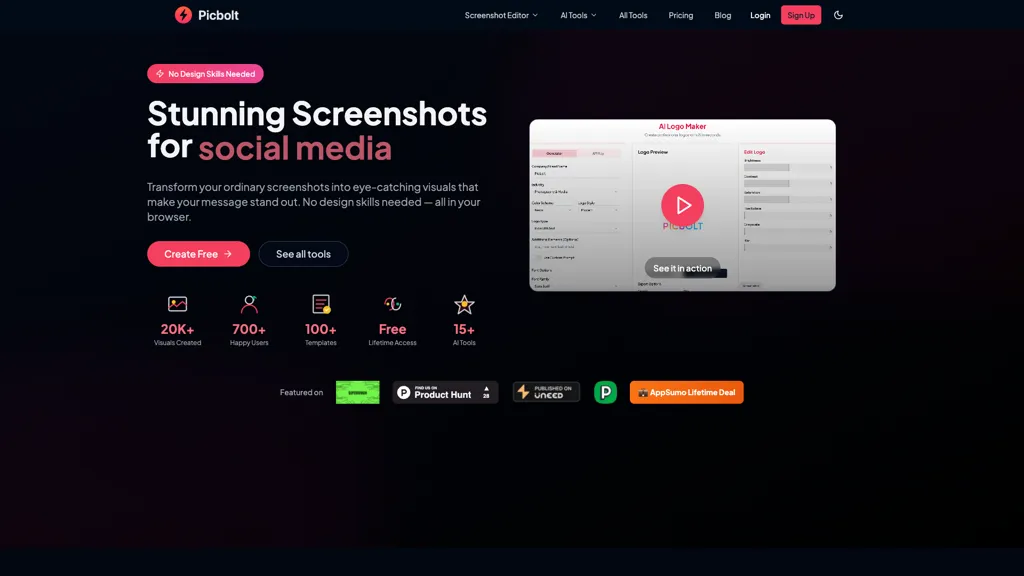
No user reviews yet Free trialPicbolt is a screenshot editor that transforms screenshots into high-quality visuals with one-click presets, smart cropping, and customizable device mockups. It is ideal for educators, content creators, and small business owners, offering tools for annotations and workflow optimization.
We've ranked 27 Picbolt alternatives, including 22 with a free plan. Rankings are based on feature coverage and user feedbacks.
Top-rated alternatives include Code Screenshot, QuickTools by Picsart, and Screenshot Coder.
27 Picbolt Alternatives & Competitors, Ranked by User Reviews
Click Compare on any tool to compare it side-by-side with Picbolt.
#1
Code Screenshot
Code Screenshot allows developers to convert code snippets into visually appealing images with syntax highlighting for various languages. It features customizable themes, keyboard shortcuts for efficiency, and local storage for enhanced privacy in sensitive projects.
An online image tool with features including background removal, image resizing, text addition, color palettes, conversion, and AI-powered social media bios, market slogans, business name ideas, and hashtag generation.
#3
Screenshot Coder
Screenshot Coder transforms visual mockups into production‑ready frontend code in seconds, supporting Tailwind CSS, Bootstrap, and React. It delivers responsive, clean UI code directly from screenshots, accelerating prototyping for designers and developers.
SnapEdit is an AI‑driven photo editor that removes objects, backgrounds, and text, provides 100+ background templates, upsamples images to HD/4K, and offers skin retouching, all accessible via web, iOS, and Android.
#5
PhotoGrid
PhotoGrid is a browser‑based AI photo editor that offers one‑click enhancement, background removal, and upscaling. It lets users build collages from 20,000 templates, add stickers, text, custom backgrounds, and convert images into short video clips.
#6
ls graphics
Mckp.live offers a Figma plugin and online editor with over 4,000 editable mockups, including device, branding, print, animated and illustration templates. Designers can replace artwork, adjust layouts, preview across devices, use presets and download assets.
- Personalized recommendations
- Custom collections
- Save favorites
Already a member? Sign in
#7
Sleek.design
Sleek generates mobile app mockups from text prompts or images, offering templates, style presets, in-app editing, and modular responsive components. Export clean layouts to Figma or production-ready code for rapid prototyping and developer handoff.
#8
ImgTools
ImgTools is a versatile screenshot tool that simplifies capturing, editing, and enhancing images efficiently. It offers features like screenshot beautifier, advanced editing options, collaborative online editing, and customization tools to elevate your visuals effortlessly.
#9
Mockey
Mockey AI creates watermark‑free product mockups from 20,000+ templates across 45 categories. Upload PNG/JPEG designs, adjust placement and backgrounds, and use AI tools like background removal. It offers 3D and video mockups for animation on desktop, mobile, and Play Store.
#10
PhotoEditor.ai
PhotoEditor.ai edits JPG, PNG, HEIC, and WEBP images up to 15 MB in a browser or mobile app. It offers portrait transformation, background removal, detail enhancement, and 4K upscaling, delivering instant downloads for photographers, marketers, and designers.
#11
MagicShot
MagicShot.ai creates images, videos, and audio from text or photos. It offers AI image generation for product shots, logos, icons, and book covers, and a video generator that animates photos. Editing, avatars, stickers, QR codes, and 3D tools streamline design.
#12
Screensnapai
ScreenSnapAI auto‑renames and tags screenshots on macOS, letting users open an AI chat for instant content explanations. Accessible via menu or shortcut, it organizes images with AI‑generated metadata, speeding knowledge capture and retrieval on Intel and Apple Silicon machines.
#13
CSS Picker
CSSPicker is an AI tool that transforms design screenshots into responsive HTML, CSS, or Tailwind code. With a real-time code editor and integration for frameworks like React, it aids both novice and experienced developers in UI coding tasks.
#14
Shotva
Shotva is an AI tool that transforms screenshots into polished images with customizable backgrounds, frames, and annotations. Its auto-styling feature analyzes content to create cohesive designs, while also streamlining ad creation with brand identity scraping.
#15
Img2html
IMG2HTML converts images, screenshots or URLs into clean, responsive HTML/CSS for standard, Tailwind, React, Vue, or Angular frameworks. It extracts text via OCR, exports components, clones sites, and offers a Chrome extension and API for automated workflows.
#16
Ad Mocker
Ad Mocker produces realistic ad previews for Facebook, Instagram, Google Display Network, and YouTube, allowing teams to adjust headlines, images, and videos, view placements across devices, and validate designs before launch.
#17
MacCopilot
MacCopilot lets macOS users select any screen area, capture screenshots, and chat with AI models—GPT‑4o, Claude, Gemini, or local Ollama—to receive instant visual analysis, code reviews, design feedback, and contextual insights directly on‑screen. Hotkeys and history improve workflow.
#18
Jelli
Jelli is a Chrome extension that captures screenshots with a hotkey and copies them to the clipboard. Users can annotate by drawing arrows or rectangles directly on the image, then paste into Slack, Jira, or documents.
#19
Camp for macOS
Camp is a macOS and iOS screen‑capture app that stores screenshots locally, auto‑tags and titles them, supports keyboard shortcuts, lets users annotate, search by keyword, and pin favorites for quick access.
#20
UI Auditor AI Tool
Upload a website or app screenshot, and the AI evaluates layout, button placement, UX, and aesthetics, then supplies actionable suggestions. Developers, designers, and marketers can track changes, export findings, and refine navigation and responsive design.
#21
SmartVisuals.app
SmartVisuals.app is an AI‑powered infographic creator that produces data visualizations in seconds. With a drag‑and‑drop editor, template library, and export to SVG, PNG, PDF, it offers customization of layout, color, typography, and branding, supporting multiple languages for global use.
#22
Dynamic Mockups
Scale offers a user-friendly platform for creating customizable product mockups for items like apparel and mugs. It supports bulk generation and integrates with e-commerce tools, enhancing efficiency for sellers in their mockup workflows.
#23
SmartVisuals
SmartVisuals.app is an AI‑driven infographic generator that creates professional visual summaries in seconds. Its drag‑and‑drop editor, industry templates, and automatic layout suggestions streamline design for marketers, educators, analysts, and teams, supporting exports in PNG, JPEG, or SVG.
#24
Pixelshot
Pixelshot is an AI-driven tool for enhancing product images. Users can upload photos, choose from 100+ templates, and customize visuals with features like background removal and high-resolution upscaling, making it ideal for professional marketing presentations.
#25
Mockuplabs
MockupLabs.ai is an AI-driven mockup generator offering over 20,000 customizable templates for products. Features include an intelligent color changer, background removal, and a user-friendly drag-and-drop interface for seamless design integration and adjustments.
#26
VideoSnapshot
VideoSnapshot utilizes AI technology to generate engaging video thumbnails by analyzing uploaded content. This user-friendly tool enhances audience engagement and improves video performance, catering to both novice and experienced content creators across various platforms.
#27
Snap Enhancer
Snap Enhancer applies AI to upscale blurry photos, colorize black‑and‑white images, remove backgrounds, and create stylized anime or cartoon versions. It supports batch uploads, preview mode, cross‑platform use, and deletes files after processing.
Frequently Asked Questions
Why look for Picbolt alternatives?
Common reasons users switch from Picbolt:
- Cost: Picbolt is a Free trial tool — users often look for more affordable or free options.
- Feature gaps: teams needing specific capabilities like Edit screenshots may find a more focused alternative better suited to their workflow.
- Flexibility: exploring alternatives helps find tools that better match your team size, integrations, and budget.
What is the best alternative to Picbolt?
Code Screenshot ranks as the top Picbolt alternative. Code Screenshot allows developers to convert code snippets into visually appealing images with syntax highlighting for various languages. It features It is available on a Freemium plan.
How do the top Picbolt alternatives compare?
| Tool | Pricing | Starting Price | User Rating |
|---|---|---|---|
| Picbolt this tool | Free trial | — | — |
| Code Screenshot | Freemium | — | — |
| QuickTools by Picsart | Free | — | 73.1% (26) |
| Screenshot Coder | Free | — | — |
| SnapEdit | Freemium | — | 70.4% (27) |
| PhotoGrid | Subscription | $2.83/mo | 68.8% (16) |
Are there free Picbolt alternatives?
Yes, 22 free alternatives found in our list: Code Screenshot, QuickTools by Picsart, Screenshot Coder. and 19 more — use the pricing filter above to see them all.
What should I look for in a Picbolt alternative?
- Core capabilities: confirm the tool supports Edit screenshots, Create mockups, Add text.
- Pricing transparency: look for clear free plan, trial period, or tiered pricing — avoid tools that hide costs.
- User reviews: check both the satisfaction percentage and the number of reviews; a high score from few users is less reliable.
- Integrations: verify it connects with your existing stack before committing.
- Support and updates: active development and responsive support are strong signals of a maintained product.
Which Picbolt alternative has the highest user rating?
PhotoEditor.ai has the highest satisfaction score among Picbolt alternatives, with 100% positive from 1 user review. It is available on a Paid plan.
What are Picbolt alternatives used for?
- Edit screenshots
- Create mockups
- Add text
- Enhance images
- Create annotations