
What is Img2html?
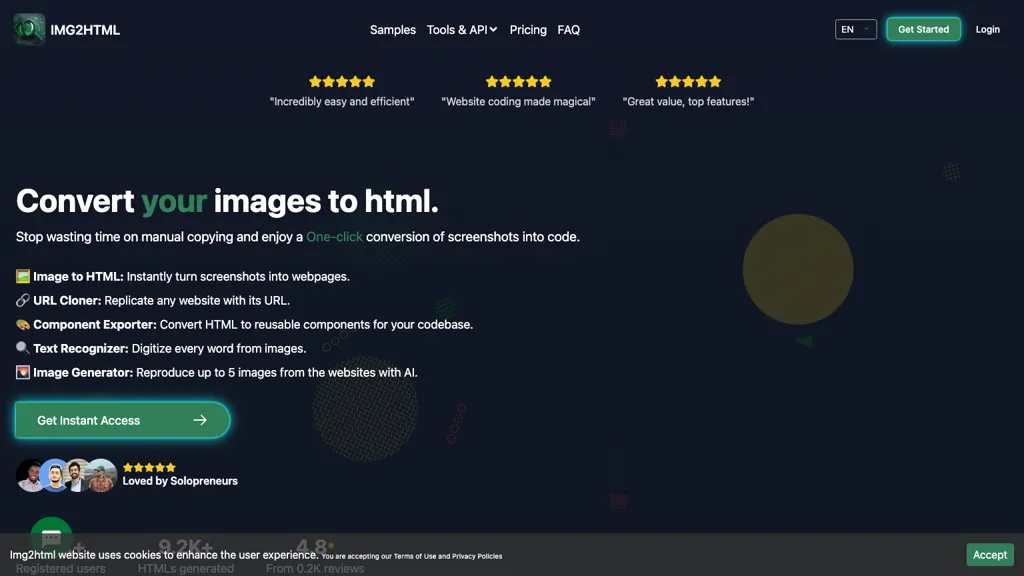
IMG2HTML is an AI‑powered converter that transforms images, screenshots, or website URLs into clean, responsive HTML and CSS code. The tool automatically generates code for standard HTML, CSS, Tailwind CSS, ReactJS, VueJS, and AngularJS frameworks, allowing developers, designers, students, and marketing teams to replicate designs without manual coding.
OCR functionality extracts and preserves text and styling from images, while a component exporter turns designs into ready‑to‑use React, Vue, or Angular components. Users can clone entire sites by providing a URL, generate up to five AI‑created images per credit, and edit the resulting code in an integrated editor.
The platform offers a Chrome extension that captures and converts page elements directly from any browser on Windows, macOS, or Linux. An API endpoint lets teams automate conversions within existing workflows, supporting file uploads via multipart/form‑data or cURL requests.
Img2html details
- Company
- TONVI TECH SL
- Jurisdiction
- Spain
- Built for
- Individuals
- Data residency
- Belgium, EU
- Stated compliance
- GDPR
Compliance as stated in Img2html's own published documentation.
Img2html pricing
Freemium- Free trial
- 3 days
- Refund window
- 14 days
- Auto-renewal
- Yes
Verify on the official pricing page.
View plansImg2html's key features
-
Image to responsive HTML & CSS conversion
-
URL cloning for full website code
-
Component exporter to React, Vue, Angular
-
OCR text recognition preserving styles
-
AI-generated website images up to 5
-
Tailwind CSS integration support
Img2html use cases
-
Create a responsive product showcase grid by converting a design screenshot into clean standard HTML/CSS via IMG2HTML’s Chrome extension, eliminating the need for manual coding
-
Clone an entire competitor’s landing page into a reusable React component library using the IMG2HTML API, enabling instant deployment and rapid A/B testing without touch of code
-
Extract and transform text from scanned brochures or PDFs via OCR, then export the content as well‑structured Vue components ready for localization and SEO optimization
Img2html user reviews
Based on 1 review, 0% of users recommend Img2html.
Disliked for
Would you recommend Img2html?
Who is Img2html for?
-
Web designers
-
Web developers
-
Digital creators
-
Ui designers
-
Automation engineers
Img2html FAQ
Is Img2html free?
Partly. Img2html has a free plan with usage limits, and paid plans unlock the full feature set. Plans include 200 credits at $29.99 and 1 image to html = 1 credit pay only for what you use - no hidden fees at $40 credits | 200 credits | 500 credits.
Is Img2html safe to use?
Img2html states GDPR compliance in its own published documentation. Img2html is operated by TONVI TECH SL, registered in Spain.
What are the best alternatives to Img2html?
The closest alternatives to Img2html are CSS Picker, AI Describe Picture, AIUI.me, imagetotext.me and imagedescriber.app. You can compare them side by side in the alternatives section further down this page.
What does Img2html do with my data?
Img2html states that customer content is not used to train its models. Its privacy policy states that personal data is not sold or shared for marketing purposes. Data may be shared with third-party service providers that help run the product. Customer data is held in Belgium, EU.
Does Img2html auto-renew or offer refunds?
Img2html subscriptions renew automatically until you cancel. It states a 14-day refund window.
Does Img2html have an API?
Yes. Img2html offers an API, so you can call it from your own applications instead of using the interface directly.
Who made Img2html?
Img2html is built and operated by TONVI TECH SL, a company registered in Spain.
Compliance, privacy and billing terms are as stated in each product's own published documentation and have not been independently verified by TopAI.tools.


