
Top 16 Notepad Alternatives in 2026
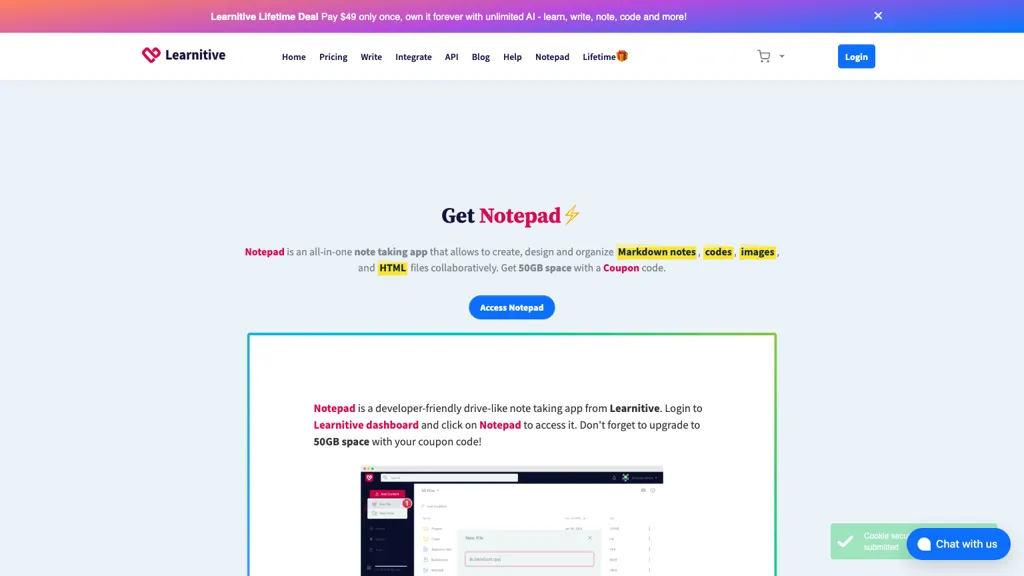
No user reviews yet FreemiumNotepad is a versatile web‑based editor that handles Markdown, code, images, HTML, and PDFs in one interface, auto‑detecting file types and offering syntax‑highlighted execution, drag‑and‑drop design, photo editing, and PDF annotation for students, developers, and creators.
We've ranked 16 Notepad alternatives, including 9 with a free plan. Rankings are based on feature coverage and user feedbacks.
Top-rated alternatives include PseudoEditor, Editor.do, and Znote ai.
16 Notepad Alternatives & Competitors, Ranked by User Reviews
Click Compare on any tool to compare it side-by-side with Notepad.
 #1
PseudoEditor
#1
PseudoEditor
PseudoEditor is a web‑based pseudocode IDE with syntax highlighting, error detection, auto‑completion, and instant compilation. Cloud‑stored projects are accessible from any device. It supports AQA, OCR, CIE, Edexcel, and IB specifications, helping students and teachers practice algorithms.
 #2
Editor.do
#2
Editor.do
Editor.do is a real‑time IDE, hosting, and SSL platform for static sites. It supports any language, drag‑and‑drop design, AI code assistance, instant deployment, daily NVMe backups, custom domains, unlimited traffic, and multi‑project management.
 #3
Znote ai
#3
Znote ai
Znote turns Markdown files into executable notebooks, embedding code, AI calls, and scripts in a single document. It offers local Whisper transcription, inline AI chat, and ready templates for Gmail, Jira, Slack, API tests, and data analysis—no plugins required.
 #4
Noteey
#4
Noteey
Noteey is an infinite-canvas visual knowledge manager combining notes, mind maps, flowcharts and moodboards with multimedia support, timestamped audio/video transcripts and summaries, PDF annotation, database-style organization, offline storage, and presentation/drawing tools.
 #5
Novel
#5
Novel
Novel is a Notion‑style WYSIWYG editor built with Tiptap and Vercel AI SDK. It offers AI‑powered autocomplete via “++” or slash, bubble formatting, slash commands, drag‑drop images, and LaTeX support for technical content.
 #6
Craft
#6
Craft
Craft is a cross‑platform workspace that lets users draft, organize, and publish content while synchronizing notes, tasks, calendar items, and whiteboards. It embeds AI writing assistance and integrates with Claude, ChatGPT, VS Code, and Apple Shortcuts.
- Catch deals before they expire
- Unlock tools matched to you
- Show off your AI stacks
Already a member? Sign in
 #7
GoPDF
#7
GoPDF
GoPDF is a browser‑based PDF editor that enables editing, annotating, formatting, and compression without installation. It supports text/image insertion, header/footer, page management, conversions (PDF→JPG/Word/HTML), merging/splitting, AI chat, invoicing, and AI quiz creation for students.
 #8
Amarkdown
#8
Amarkdown
Amarkdown is a web‑based Markdown editor featuring AI writing assistance, file import/merge, Postgres form integration, SEO metadata setup, hybrid rendering, reusable widgets, VIM modes, and public publishing with 6‑month post‑expiry availability.
 #9
Shy Editor
#9
Shy Editor
Shy Editor is a web‑based AI writing platform that generates ideas, breaks writer’s block, and adapts to a user’s style. It offers context‑aware grammar checking, Markdown support, version control, citation tools, distraction‑free themes, export options, and AI image generation.
 #10
AmyMind
#10
AmyMind
AmyMind turns text, PDFs, Word, Markdown, and YouTube captions into AI‑generated mind maps. It offers new branch creation, detailed exploration, refinement suggestions, rich node formatting, outline view, shortcuts, custom themes, and export to PPT, PDF, PNG, DOC, plus pitch mode.
 #11
PDF Translator & Editor
#11
PDF Translator & Editor
Cloud-based translator that handles PDFs, scanned PDFs, Word, Excel, PowerPoint, and images in 136 languages while preserving layout. Offers direct PDF editing, scanning, splitting, and share‑extension for seamless collaboration for teams, educators, and business professionals.
 #12
Learnitive
#12
Learnitive
Learnitive integrates AI content generation, note‑taking, and project management into one workspace. It drafts, paraphrases, and summarizes text, auto‑citates from 250 million academic sources, generates executable code snippets, and offers Markdown, IDE, and Kanban tools for writers, researchers, and developers.
 #13
Papira
#13
Papira
Papira is an AI-powered notepad and writing assistant that automates drafting and editing via customizable AI commands and templates, offering a Markdown editor with DOCX export, model selection, preserved context, inline completions, revision tools, and shared command libraries.
 #14
PAS Code
#14
PAS Code
PAS Code is a lightweight online editor supporting over 10 programming languages. It features intelligent autofill, syntax highlighting, auto-compiling, cloud syncing, and integrated AI prompts, providing a versatile and efficient coding environment for developers.
 #15
OCRMD
#15
OCRMD
OCR Markdown converts scanned images and PDFs into editable Markdown, preserving tables, LaTeX math, code blocks and images. It offers client-side OCR, high-accuracy AI extraction, export to Markdown/LaTeX/PDF, and optional searchable storage.
 #16
AI-Powered Notes Taker
#16
AI-Powered Notes Taker
AI Notes offers AI-powered note-taking with automated summaries, key-concept extraction, grammar checks, smart tagging and organization, real-time sync and AES-256 encryption, plus Markdown, multilingual translation, and PDF/HTML export to streamline collaboration.
Frequently Asked Questions
Why look for Notepad alternatives?
Common reasons users switch from Notepad:
- Feature gaps: teams needing specific capabilities like generate code may find a more focused alternative better suited to their workflow.
- Flexibility: exploring alternatives helps find tools that better match your team size, integrations, and budget.
What is the best alternative to Notepad?
PseudoEditor ranks as the top Notepad alternative. PseudoEditor is a web‑based pseudocode IDE with syntax highlighting, error detection, auto‑completion, and instant compilation. Cloud‑stored projects It is available on a Free plan.
How do the top Notepad alternatives compare?
| Tool | Pricing | Starting Price | User Rating |
|---|---|---|---|
| Notepad this tool | Freemium | — | — |
| PseudoEditor | Free | — | — |
| Editor.do | Subscription | $12/mo | 100% (1) |
| Znote ai | Paid | $35 | — |
| Noteey | — | — | — |
| Novel | Freemium | — | — |
Are there free Notepad alternatives?
Yes, 9 free alternatives found in our list: PseudoEditor, Novel, GoPDF. and 6 more — use the pricing filter above to see them all.
What should I look for in a Notepad alternative?
- Core capabilities: confirm the tool supports generate code, Edit Images, generate websites.
- Pricing transparency: look for clear free plan, trial period, or tiered pricing — avoid tools that hide costs.
- User reviews: check both the satisfaction percentage and the number of reviews; a high score from few users is less reliable.
- Integrations: verify it connects with your existing stack before committing.
- Support and updates: active development and responsive support are strong signals of a maintained product.
Which Notepad alternative has the highest user rating?
Editor.do has the highest satisfaction score among Notepad alternatives, with 100% positive from 1 user review. It is available on a Subscription plan starting from $12/mo.
What are Notepad alternatives used for?
- generate code
- Edit Images
- generate websites
- Analyze Data
- Organize Documents