
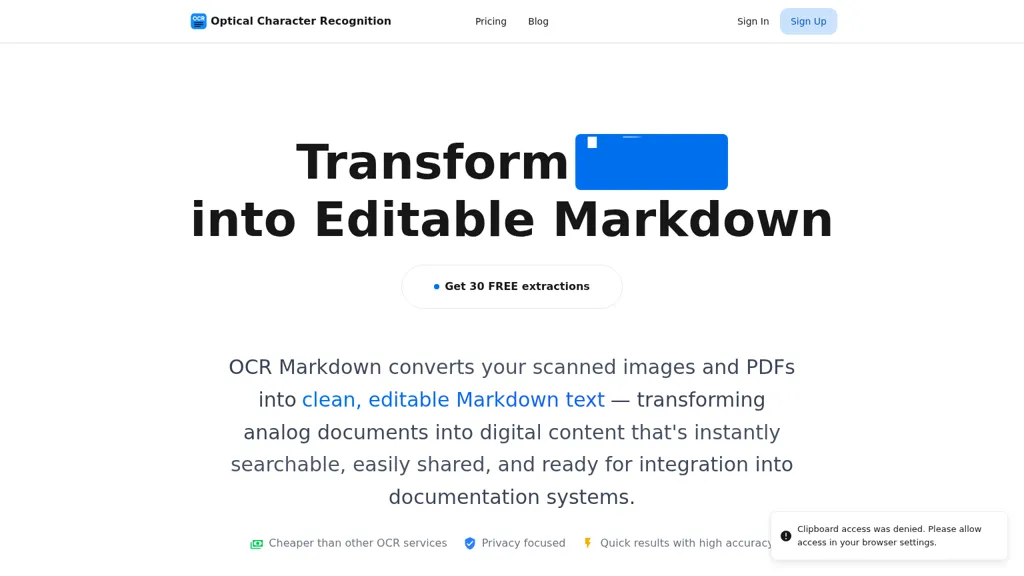
What is OCRMD?
OCR Markdown converts scanned images and PDFs into editable Markdown, preserving layout elements such as tables, math, code blocks, and embedded images.
It supports PDF-to-Markdown for text-layer PDFs and client-side image OCR in the browser with live output and clipboard upload.
Extraction features include LaTeX math recognition, table and image detection, code block capture, and export options for Markdown, LaTeX, and vectorized PDF.
An AI-enhanced model offers higher accuracy (~90–99%) for formatted text and complex content, while a client-side mode processes images entirely in the browser.
Optional account-based storage provides secure document storage, full-text search, and organization for document management.
Use cases include developers, technical writers, researchers, students, and documentation teams that need searchable, editable Markdown from scanned or non-selectable sources.
OCRMD details
- Company
- MerginIT e. U.
- Jurisdiction
- Austria
- Built for
- Individuals
- Stated compliance
- GDPR
Compliance as stated in OCRMD's own published documentation.
OCRMD pricing
Free- Refund window
- 14 days
- Auto-renewal
- Yes
Verify on the official pricing page.
Get started freeOCRMD's key features
-
Convert scanned images and PDFs into editable Markdown
-
AI-enhanced OCR extracting and preserving formatting, math, tables, code blocks, and images
-
Client-side browser image OCR with clipboard upload (CTRL+V) and no server storage for free conversions
-
Secure cloud storage with document organization and full-text search (account-based)
-
Export outputs to Markdown, LaTeX, and vectorized PDF
OCRMD use cases
-
Convert scanned lecture notes, homework and printed math articles into editable Markdown using OCR Markdown, preserving LaTeX math, images and inline code blocks, then export to Markdown/LaTeX/PDF for editing, typesetting or sharing while keeping privacy with client-side OCR
-
Extract tables and numeric data from PDFs and scanned reports into well-structured Markdown or CSV using OCR Markdown’s high-accuracy table extraction and AI-powered OCR, enabling quick analysis, import into spreadsheets and reproducible research workflows
-
Digitize printed developer docs, code listings and manuals using OCR Markdown’s code block capture and client-side OCR to build a searchable Markdown archive, keeping sensitive source material local while enabling full-text search and easy exports
OCRMD user reviews
Would you recommend OCRMD?
Who is OCRMD for?
-
Product designers
-
E-commerce sellers
-
Content creators
-
Digital marketers
-
Data analysts
OCRMD FAQ
Is OCRMD free?
Yes. OCRMD is free to use and does not require a credit card.
Is OCRMD safe to use?
OCRMD states GDPR compliance in its own published documentation. OCRMD is operated by MerginIT e. U., registered in Austria.
What are the best alternatives to OCRMD?
The closest alternatives to OCRMD are Picture To Text, imagetotext.me, OLOCR, ScantextAI and ToolLab.AI. You can compare them side by side in the alternatives section further down this page.
Does OCRMD auto-renew or offer refunds?
OCRMD subscriptions renew automatically until you cancel. It states a 14-day refund window.
Who made OCRMD?
OCRMD is built and operated by MerginIT e. U., a company registered in Austria.
Compliance, privacy and billing terms are as stated in each product's own published documentation and have not been independently verified by TopAI.tools.


