
What is Noteey?
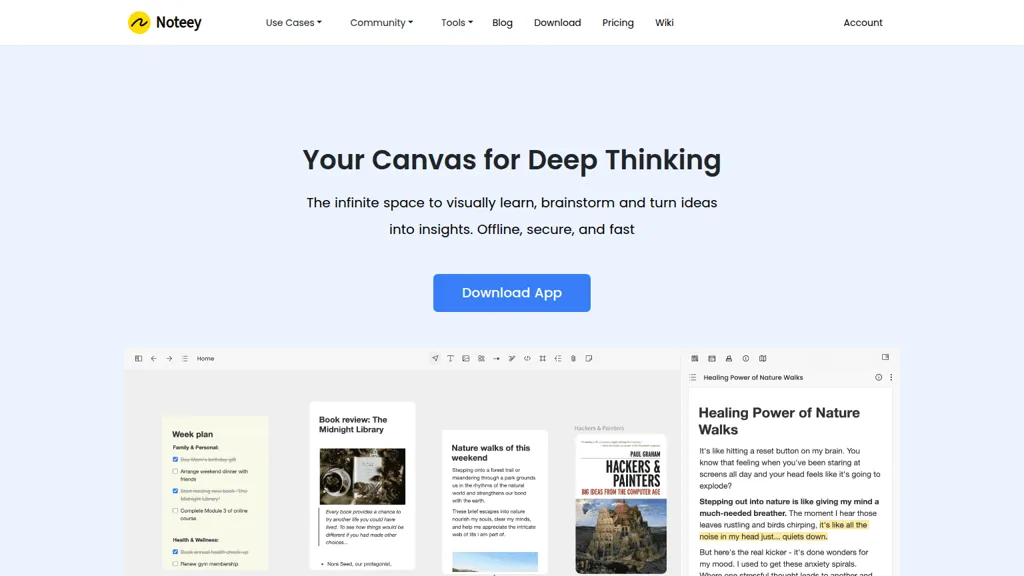
Noteey is a visual knowledge management app with an infinite canvas for notes, mind maps, flowcharts, and moodboards.
Supports text, images, sticky notes, PDFs, videos, audio, and sketches for unified visual note-taking.
Timestamped video and audio notes, YouTube transcript generation, and video summarization convert media into searchable highlights.
PDF annotation, highlighting, and multi-document floating windows streamline research and document review.
Card properties, multiple database views, and deep links let users structure a personal second brain and integrate with other apps.
Offline-first storage, local backups, and file sharing keep projects accessible and portable.
Noteey pricing
Verify on the official pricing page.
View plansNoteey's key features
-
All-in-one infinite canvas supporting text, images, sticky notes, weblinks, PDFs, mind maps, videos, sketches and drawing tools
-
Offline-first local storage with local backup and shareable project files
-
Video note taker with time-stamped notes and transcript integration
-
PDF annotation and summarization: search, highlights, annotations, and AI PDF summarizer
-
Floating windows for reviewing and annotating multiple PDFs, cards, videos and audio simultaneously
Noteey use cases
-
Build a centralized research workspace with Noteey by importing and annotating PDFs, clipping web content and timestamped lecture videos, generating automatic video/audio summaries and connecting ideas on an infinite canvas with mind maps and database-style tags for offline access and polished presentations
-
Design and manage creative projects and moodboards in Noteey by arranging images, sketches and video references on an infinite canvas, mapping production flowcharts and timelines, attaching timestamped video notes and summaries for feedback, and exporting presentation-ready boards for stakeholders
-
Capture and turn meetings into actionable knowledge with Noteey by recording audio/video, auto-generating timestamped transcripts and concise summaries, linking decisions into flowcharts and your personal second brain via database organization, annotating reference PDFs and presenting follow-up plans even when offline
Noteey user reviews
Would you recommend Noteey?
Who is Noteey for?
-
Multimedia note-takers
-
Content creators
-
Designers
-
Project managers
-
Researchers
Noteey FAQ
What are the best alternatives to Noteey?
The closest alternatives to Noteey are Heptabase, MyMind, Capacities, TinaMind and EasyNoteAI. You can compare them side by side in the alternatives section further down this page.


