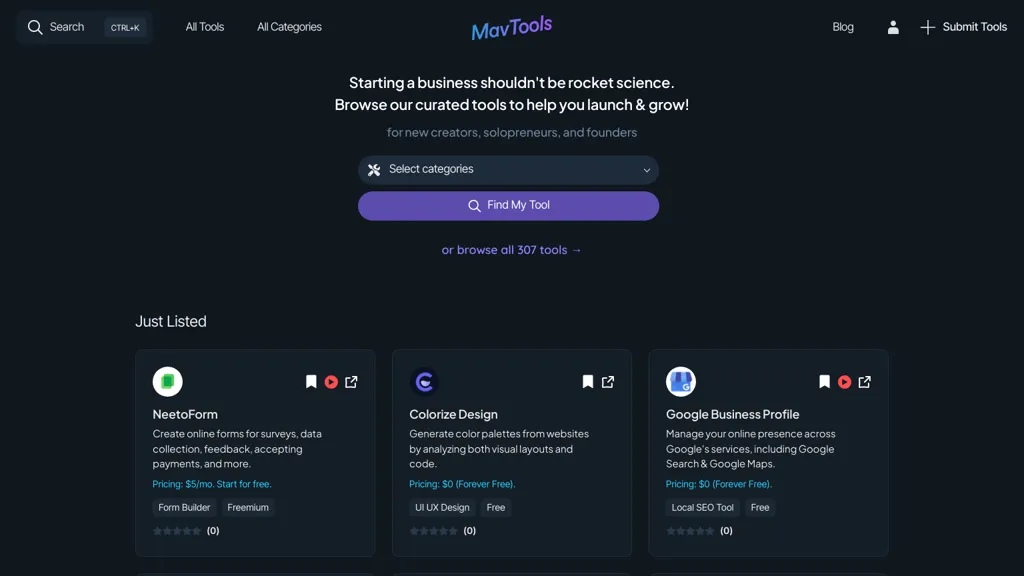
Best MavTools Alternatives in 2026
No user reviews yet SubscriptionKling AI Motion Control turns a single static image into a realistic, physics‑based animated video. It automatically generates motion paths, applies dynamic effects, and outputs smooth, cinematic clips, supporting batch processing and custom parameters for marketers, designers, and creators.
We've ranked 29 MavTools alternatives, including 24 with a free plan. Rankings are based on feature coverage and user feedbacks.
Top-rated alternatives include Animate Image AI, kling-3.org, and Klingvideo.com.
29 MavTools Alternatives & Competitors, Ranked by User Reviews
Click Compare on any tool to compare it side-by-side with MavTools.
#1
Animate Image AI
Animate Image AI turns static photos into animated MP4/GIF/WebM/MOV videos, applying facial and context-aware object motion for portraits, products and landscapes; offers one-click and batch processing, customizable expression and movement controls, real-time previews and 1080p export.
#2
kling-3.org
kling-3.org is a text-to-video and image-to-video AI tool offering precise motion control and style customization. It generates high-resolution videos for content creation, marketing, and prototyping via an intuitive prompt-based interface.
Klingvideo.com is an AI video generator that creates 5–15 second clips and multi-scene sequences from text or images, producing synchronized audio and visuals to minimize post-production. It features advanced motion control for precise choreography and uses a multi-model engine for cinema-grade output, character consistency, and export-ready assets.
klingaimotioncontrol.com is an AI tool that generates cinematic character animation by syncing a character image to a reference video's motion. It precisely captures full-body movement and expressions for animators and creators, with optional prompts to control scene details.
#5
Kling3.net
Kling3.net is an advanced AI video generator that creates ultra-HD 4K videos from text or images. It offers cinematic motion control, professional editing features, and exports optimized for multiple platforms and commercial use.
#6
Vidful.ai
Vidful.ai turns text and images into short videos in about a minute, using Kling AI for motion and Luma AI Dream Machine for cinematic camera work. It offers text‑to‑video and image‑to‑video modes, delivering quick, professional clips directly in the browser.
- Personalized recommendations
- Custom collections
- Save favorites
Already a member? Sign in
#7
ViggleAI
Viggle AI simplifies animation by allowing users to transform character images into dynamic videos with features like motion tracking and background preservation. Its intuitive interface supports various styles, catering to both beginners and professionals in animation creation.
#8
kling3.io
kling3.io is a professional AI video generator that creates 1080p/4K footage with physics-accurate motion from text, images, or video. It features native audio sync, director-level camera controls, and exports for VFX pipelines.
#9
MotionControl.app
Kling 2.6 Motion Control transfers motion from a reference video onto a static image with frame-accurate full-body, facial and lip synchronization, cinematic camera trajectories, 1080p renders with realistic lighting/textures, and faster iteration for filmmakers and developers.
#10
Flux Video AI
Flux Video AI converts static images or scripts into 15‑second cinematic clips using machine‑learning to add camera motion, lighting, and background movement. Supports multiple languages, delivers ready‑to‑share videos, and integrates with Ricebowl.ai for lead routing and attribution.
#11
AI Animate Image
AI Animate Image is an online tool that uses AI to transform static photos into dynamic animations with various styles. It supports multiple image formats, offers fast cloud-based rendering, and is ideal for social media and creative projects.
#12
MindVideo AI
MindVideo AI is an AI-powered online video generator that converts text and images into high-quality 4K videos with diverse effects and animation styles. It supports multiple AI engines and automatically deletes uploaded content post-generation for privacy.
#13
Krikey.ai
Krikey AI turns text or video into animated characters—talking avatars, NPCs, cartoons—using an editor that offers motion‑capture style animations, multilingual voiceovers, camera control, and export options (GIF, MP4, FBX, PNG). It integrates with Canva and Adobe Express for workflow.
#14
Grok Video AI
Grok Video AI is a tool that converts static images into dynamic videos using natural language prompts. It supports 4K resolution, multiple export formats, and requires no technical expertise, offering two free daily credits.
#15
Kling 2.6 AI-
Kling 2.6 generates 1080p videos from text or images with integrated speech, sound effects, ambient layers and camera controls; supports subject-consistent animation, multi-character dialogue and video extension for longer sequences, prototyping, ads, and demos.
#16
Kling 2.6
Kling 2.6 is an AI video generator that creates physics-simulated motion and synchronized audio for realistic results. It features rapid prototyping, multi-modal editing for modifying existing footage, and professional export options for high-fidelity workflows.
#17
Video Studio AI
Video Studio AI turns text prompts or uploaded photos into short, realistic animated videos with natural facial expressions, head movement, and blinking. Output is ready within minutes in 4K or stylized Disney‑like formats, using a three‑step web workflow.
Krea lets users generate and edit images, videos, and 3D meshes from text or existing media. It supports 22K image upscaling, 8K video upscaling with interpolation, LoRA fine‑tuning, multiple models, and an asset manager for rapid prototyping.
#19
Imagine.art
ImagineArt unifies AI‑driven image, video, and audio creation and editing, enabling prompt‑based generation, upscale tools, drag‑and‑drop video workflows, 4K cinematic rendering, and real‑time team collaboration for streamlined media production for artists, designers, and creators.
#20
Kling5.video
kling5.video is an AI video generator that creates production-ready clips from text or images for ads, explainers, and social content. It offers precise creative controls for consistent motion and framing, with team features for rapid iteration and collaboration.
#21
ImageToVideo AI
ImageToVideo AI converts JPG, PNG, or WebP images into MP4 videos. Users can crop, resize to social‑media ratios, choose speed/quality presets, apply 50+ templates, add AI music, and edit motion via a prompt editor—all watermark‑free.
#22
AI Kissing
AI Kissing Video Generator is an innovative online tool that transforms static images into lifelike 10-second kissing videos using advanced AI technology. It features a user-friendly interface, allowing users to create heartfelt animations effortlessly, preserving the emotions and authenticity of the original photos.
#23
Kling3.app
kling3.app is an AI video generator that creates cinematic 15-second clips and 4K images from text, images, or audio. It features multilingual lip-sync, realistic physics, and character consistency tools for scalable, professional video production.
#24
Kling4.app
Kling4.app is an AI video generator that creates multi-shot, 1080p videos from text or images. It features consistent character storytelling, native audio with lip sync, and storyboard editing for ads, social content, and narratives.
#25
ZorqAI.app
ZorqAI is an AI video generator for creators and social teams, offering Kling 3.0 precision motion control with pixel-accurate tracking, cinema-grade 1080p exports with synced audio and low-latency renders, portrait optimization and short-form templates.
#26
HiggsField AI
Higgsfield.ai is a platform focused on cinematic video generation that utilizes AI for dynamic motion control, enabling users to create high-quality videos with engaging effects without extensive technical skills.
#27
V03 AI
V03 AI is an advanced video generator using Google’s VEO 3 technology to create high-resolution 4K videos with physics-based motion, natural lighting, and synchronized audio. Users input text or image prompts for fast, professional-grade results with precise control over movements and camera paths.
#28
imgtovid.ai
Image Video AI converts static photos into animated videos using selectable models (Kling, Runway, Luma, Veo3), with customizable motion, camera moves, duration, resolution and style for social media, marketing and product visualization.
#29
Animate AI
AnimateAI is a powerful AI video generator designed to create animated series effortlessly. It offers consistent character generation, AI-driven storyboard creation, and autopilot mode for producing high-quality videos like bedtime stories or motivational clips using simple text prompts.
Frequently Asked Questions
Why look for MavTools alternatives?
Common reasons users switch from MavTools:
- Cost: MavTools is a Subscription tool — users often look for more affordable or free options.
- Feature gaps: teams needing specific capabilities like Generate Videos may find a more focused alternative better suited to their workflow.
- Flexibility: exploring alternatives helps find tools that better match your team size, integrations, and budget.
What is the best alternative to MavTools?
Animate Image AI ranks as the top MavTools alternative. Animate Image AI turns static photos into animated MP4/GIF/WebM/MOV videos, applying facial and context-aware object motion for portraits, products an It is available on a Free plan.
How do the top MavTools alternatives compare?
| Tool | Pricing | Starting Price | User Rating |
|---|---|---|---|
| MavTools this tool | Subscription | — | — |
| Animate Image AI | Free | — | — |
| kling-3.org | Free trial | $29.9/mo | 50% (4) |
| Klingvideo.com | Free trial | $35/mo | 100% (2) |
| Klingaimotioncontrol.com | Free trial | $35/mo | 100% (2) |
| Kling3.net | Freemium | — | 60% (5) |
Are there free MavTools alternatives?
Yes, 24 free alternatives found in our list: Animate Image AI, kling-3.org, Klingvideo.com. and 21 more — use the pricing filter above to see them all.
What should I look for in a MavTools alternative?
- Core capabilities: confirm the tool supports Generate Videos, Animate Images, Enhance Videos.
- Pricing transparency: look for clear free plan, trial period, or tiered pricing — avoid tools that hide costs.
- User reviews: check both the satisfaction percentage and the number of reviews; a high score from few users is less reliable.
- Integrations: verify it connects with your existing stack before committing.
- Support and updates: active development and responsive support are strong signals of a maintained product.
Which MavTools alternative has the highest user rating?
Klingvideo.com has the highest satisfaction score among MavTools alternatives, with 100% positive from 2 user reviews. It is available on a Free trial plan starting from $35/mo.
What are MavTools alternatives used for?
- Generate Videos
- Animate Images
- Enhance Videos