
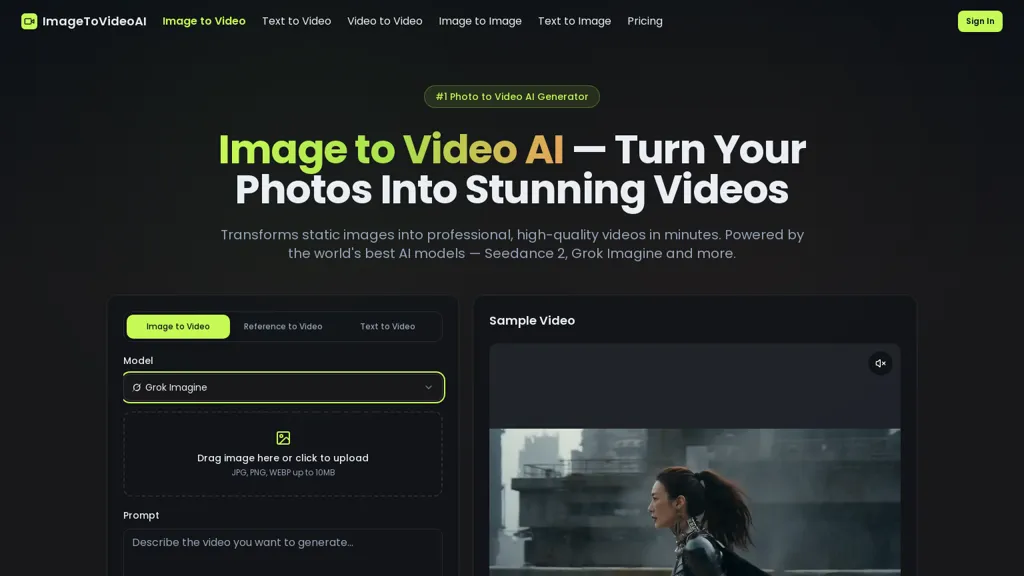
What is ImageToVideos.ai?
ImageToVideos.ai converts static photos into short AI-generated videos, offering an image-to-video and photo-to-video workflow for content creators and marketers.The browser-based AI video generator supports JPG, PNG, and WebP uploads and uses selectable models to produce outputs at resolutions from 480p up to 4K and durations typically between 3–20 seconds.Users control motion, style, camera angles, and mood via text-to-motion prompts and model selection, then preview and download results without installing software.
The platform emphasizes fast generation and smooth frame rates, suitable for social media posts, product showcase videos, educational animations, and marketing creative.A three-step workflow—upload, describe motion, choose model—requires no advanced technical skills.
Uploaded images and generated videos remain private and can be used commercially, with user access to export and share final files.
ImageToVideos.ai details
- Company
- ImageToVideoAI
- Jurisdiction
- Delaware
- Built for
- Individuals
ImageToVideos.ai tech specs
- Works with
- Google / Veo xAI / Grok Kling ByteDance / Seedance
ImageToVideos.ai pricing
FreemiumVerify on the official pricing page.
View plansImageToVideos.ai's key features
-
Converts static photos into short AI-generated videos (image-to-video/photo-to-video workflow)
-
Browser-based generator with in-browser upload, preview, and download—no software installation required
-
Supports JPG, PNG, and WebP input formats
-
Selectable generative models (Seedance 2.0, VEO 3.1, Sora 2, Kling 3.0, etc.) and text-to-motion prompts to control motion, style, camera angles, and mood
-
Produces outputs from 480p up to 4K and typically 3–20s duration with fast generation and smooth frame rates; exportable and privately stored
ImageToVideos.ai use cases
-
Turn product photos into short, high-resolution (480p–4K) promo videos using in-browser text-to-motion controls and selectable models — create attention-grabbing social ads and shoppable clips without editing software, preview and download commercial-use files
-
Animate family or event photos into 3–20s cinematic memories with camera, style and mood controls for shareable social posts or digital keepsakes — fast browser-based workflow with instant previews and downloadable 4K outputs
-
Convert real-estate or travel images into short walkthrough-style videos using text-to-motion and camera-motion presets to highlight features for listings, virtual tours or marketing reels, producing ready-to-publish commercial files directly from your browser
ImageToVideos.ai user reviews
Would you recommend ImageToVideos.ai?
Who is ImageToVideos.ai for?
-
Content creators
-
Video creators
-
Marketing teams
-
E-commerce sellers
-
Educators
ImageToVideos.ai FAQ
Is ImageToVideos.ai free?
Partly. ImageToVideos.ai has a free plan with usage limits, and paid plans unlock the full feature set. Plans include Lite at $29.90/mo or $14.90/mo (yearly), Pro at $59.90/mo or $29.90/mo (yearly) and Max at $159.90/mo or $79.90/mo (yearly).
Is ImageToVideos.ai safe to use?
ImageToVideos.ai is operated by ImageToVideoAI, registered in Delaware.
What are the best alternatives to ImageToVideos.ai?
The closest alternatives to ImageToVideos.ai are Image to Video AI, VideoAI, ImageToVideos.ai, imgtovid.ai and ImageToVid. You can compare them side by side in the alternatives section further down this page.
What does ImageToVideos.ai do with my data?
ImageToVideos.ai states that customer content is not used to train its models. Its privacy policy states that personal data is not sold or shared for marketing purposes. Data may be shared with third-party service providers that help run the product.
Who made ImageToVideos.ai?
ImageToVideos.ai is built and operated by ImageToVideoAI, a company registered in Delaware.
Which AI models does ImageToVideos.ai use?
ImageToVideos.ai is built on Google / Veo, xAI / Grok, Kling and ByteDance / Seedance. Which models you can reach may depend on your plan.
Compliance, privacy and billing terms are as stated in each product's own published documentation and have not been independently verified by TopAI.tools.


