
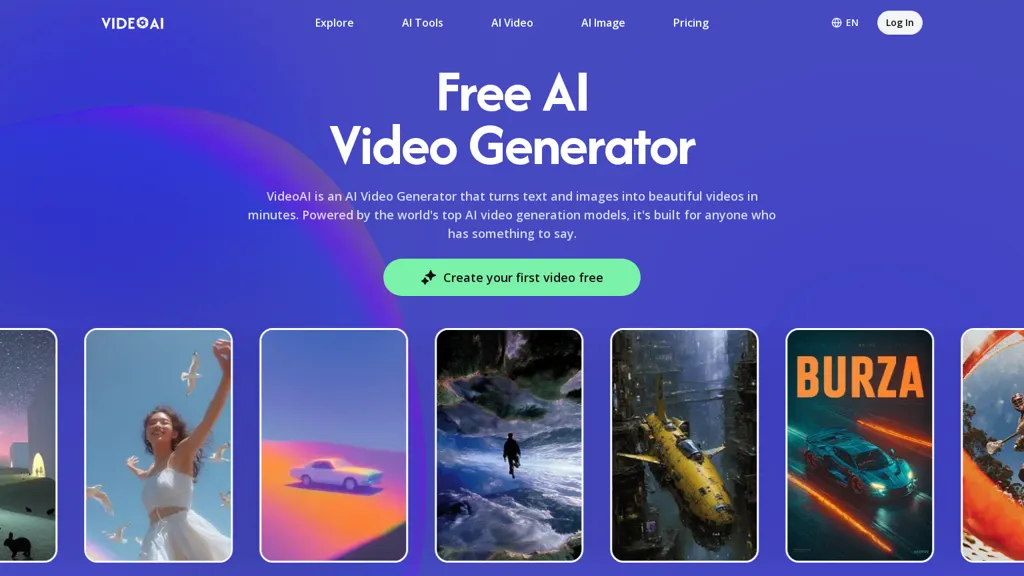
What is VideoAI?
VideoAI is an AI video generator that converts text and images into short video clips using multiple generation models.It supports text-to-video and image-to-video workflows, single-photo avatar creation, and scene extension to continue generated clips without restarting.
Model choices (Kling, Wan, Seedance, Flux, Nano Banana, Veo) enable selection for motion consistency, reduced flicker, and longer-duration stability.Built-in controls include motion parameters (camera direction, speed, subject behavior), localized edits, background removal, image upscaling, and visual style transfer for consistent campaign output.
Audio capabilities include synchronized lip-sync and support for uploading tracks to align visuals with music.Typical use cases cover e-commerce product clips, social media content, music video visuals, avatar-driven videos, and iterative editing across models to maintain subject consistency.
VideoAI details
- Built for
- Individuals
VideoAI tech specs
- Works with
- Google / Veo Google / Nano Banana Kling ByteDance / Seedance
VideoAI pricing
Free trial- Auto-renewal
- Yes
Verify on the official pricing page.
Start free trialVideoAI's key features
-
Text-to-video and image-to-video generation
-
Selectable multiple generation models for motion consistency and long-duration stability
-
Single-photo avatar creation
-
Scene extension to continue generated clips without restarting
-
Built-in controls: motion parameters (camera direction, speed, subject behavior), localized edits, background removal, image upscaling, and visual style transfer
VideoAI use cases
-
Create high-converting e-commerce product videos from photos and descriptions using VideoAI's image-to-video generator, background removal, upscaling and motion-consistent effects, adding synchronized voiceovers or lip‑sync for social ads and product pages
-
Produce personalized spokesperson videos from a single photo and a script with VideoAI's single-photo avatar creator and lip-sync, applying scene extension and localized controls to generate multilingual landing-page intros and customer-support clips
-
Turn blog posts, ads or marketing copy into short, shareable videos using VideoAI's text-to-video models, style transfer and scene extension, with synchronized audio/lip‑sync and selectable generation models to match platform formats and boost engagement
VideoAI user reviews
Would you recommend VideoAI?
Who is VideoAI for?
-
Content creators
-
E-commerce sellers
-
Music creators
-
Video editors
-
Marketing agencies
VideoAI FAQ
Is VideoAI free?
Not permanently. VideoAI gives you a free trial, after which a paid plan is required. Plans include Plus at $12/mo, Pro at $36/mo and Professional at $108/mo.
What are the best alternatives to VideoAI?
The closest alternatives to VideoAI are Video Generator - A2E.ai , AIReel, MindVideo AI, AIAI and TopView.ai. You can compare them side by side in the alternatives section further down this page.
What does VideoAI do with my data?
VideoAI states that customer content is not used to train its models. Its privacy policy states that personal data is not sold or shared for marketing purposes. Data may be shared with third-party service providers that help run the product.
Does VideoAI auto-renew or offer refunds?
VideoAI subscriptions renew automatically until you cancel.
Which AI models does VideoAI use?
VideoAI is built on Google / Veo, Google / Nano Banana, Kling and ByteDance / Seedance. Which models you can reach may depend on your plan.
Compliance, privacy and billing terms are as stated in each product's own published documentation and have not been independently verified by TopAI.tools.


