
What is Kling 2.6?
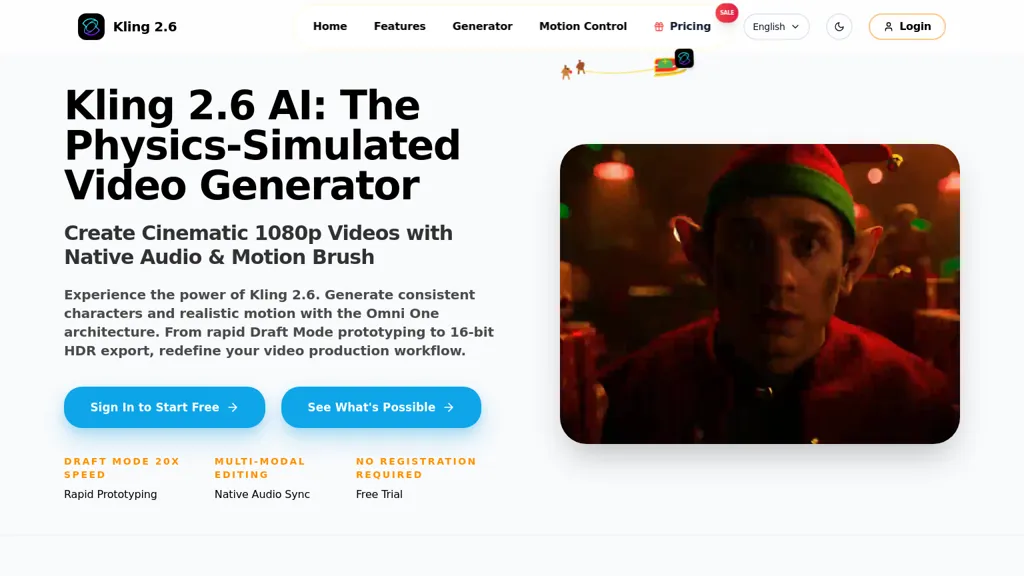
Kling 2.6 AI is an AI video generator with physics-simulated motion for consistent character movement and realistic object interactions.It produces native audio with frame-accurate synchronization for sound effects and background music.
Draft mode enables rapid prototyping at up to 20x speed, while pro mode supports full-quality renders and HDR workflows.Multi-modal editing lets users modify existing footage via text or image prompts for object replacement, element insertion, and non-destructive edits.
Precise camera and style controls manage zoom, pan, tilt, aspect ratio, and visual styles; exports include native 1080p and 16-bit HDR EXR sequences for professional post-production.Suited for production studios, marketing teams, and content creators needing controllable text-to-video generation, fast iteration, and high-fidelity export workflows.
Kling 2.6 details
- Built for
- Individuals
Kling 2.6 tech specs
- Works with
- Kling
Kling 2.6 pricing
Free trialVerify on the official pricing page.
Start free trialKling 2.6's key features
-
Physics-simulated motion for consistent character movement and realistic object interactions
-
Native audio with frame-accurate synchronization for sound effects and background music
-
Dual render modes: Draft mode for rapid prototyping and Pro mode for full-quality renders and HDR workflows
-
Multi-modal editing via text or image prompts for object replacement, element insertion, and non-destructive edits
-
Precise camera and style controls (zoom, pan, tilt, aspect ratio, visual styles) and export to native 1080p and 16-bit HDR EXR sequences
Kling 2.6 use cases
-
Create cinematic product demo videos using Kling 2.6 AI's text-to-video generator with physics-simulated motion and precise camera controls to showcase realistic interactions, leveraging frame-accurate native audio sync and HDR EXR/1080p exports for marketing and broadcast-ready assets
-
Rapidly prototype and iterate on storyboarded scenes for film, advertising, or game cinematics using Kling 2.6 AI's fast draft mode prototyping and multimodal non-destructive editing, then finalize with pro HDR rendering and EXR exports for VFX pipelines
-
Create engaging training and e-learning videos with realistic character movement and synchronized narration by using Kling 2.6 AI's physics-simulated motion, frame-accurate audio sync, and precise camera controls while collaborating across edits and exporting high-quality HDR footage
Kling 2.6 user reviews
Based on 4 reviews, 75% of users recommend Kling 2.6, rated highly for ease of use.
Liked for
Disliked for
Would you recommend Kling 2.6?
Who is Kling 2.6 for?
-
Video editors
-
Motion graphics designers
-
Content creators
-
Vfx artists
-
Film production teams
Kling 2.6 FAQ
Is Kling 2.6 free?
Not permanently. Kling 2.6 gives you a free trial, after which a paid plan is required. Plans include Kling 2.6 basic at $7.99, Kling 2.6 pro at $25.90 and Kling 2.6 max at $59.90.
What are the best alternatives to Kling 2.6?
The closest alternatives to Kling 2.6 are HiggsField AI, kling3.io, image2video.art, VicSee and V03 AI. You can compare them side by side in the alternatives section further down this page.
What does Kling 2.6 do with my data?
Kling 2.6 states that customer content is not used to train its models. Its privacy policy states that personal data is not sold or shared for marketing purposes. Data may be shared with third-party service providers that help run the product.
Which AI models does Kling 2.6 use?
Kling 2.6 is built on Kling. Which models you can reach may depend on your plan.
Compliance, privacy and billing terms are as stated in each product's own published documentation and have not been independently verified by TopAI.tools.


