
What is Image to Video AI?
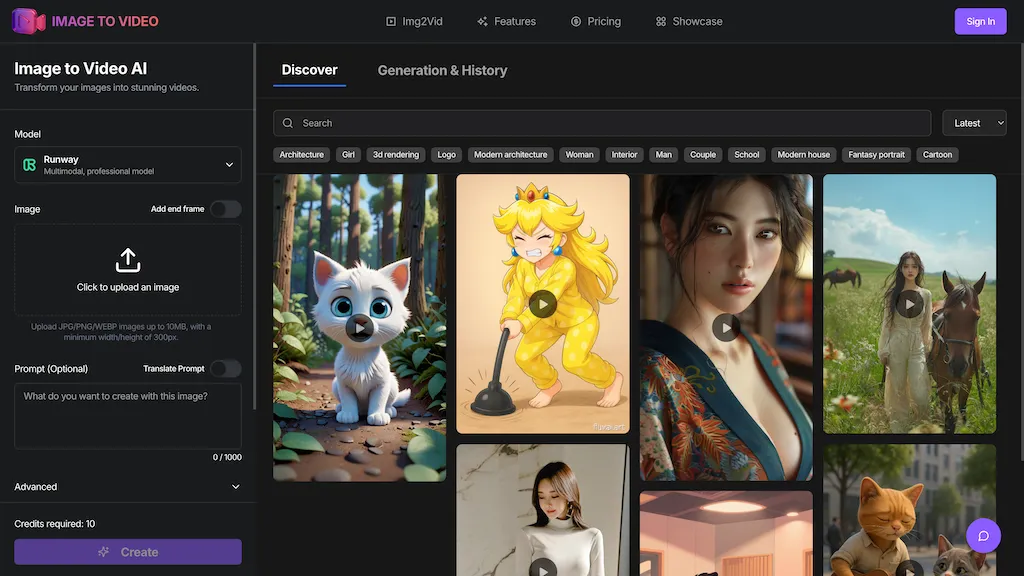
Image Video AI transforms static images into dynamic videos using AI.Users upload JPG, PNG, or WEBP images and generate videos with customizable animation styles, motion effects, and duration settings.
It supports 4K resolution and batch processing for multiple images.Suitable for social media, marketing, and creative projects.
Image to Video AI details
- Built for
- Individuals
Image to Video AI tech specs
- Works with
- Google / Veo Luma AI Kling MiniMax / Hailuo Alibaba / Wan Tencent / Hunyuan
- Integrations
- Discord
Image to Video AI pricing
FreemiumImage to Video AI offers a free plan with paid upgrades available.
Verify on the official pricing page.
View plansImage to Video AI's key features
-
Image transformation
-
Customizable animation styles
-
Motion effects
-
4K resolution support
-
Batch processing
Image to Video AI use cases
-
Transform a collection of product images into engaging promotional videos for social media campaigns, using customizable animations and effects to capture audience attention
-
Create dynamic video content from travel photos for a personal vlog or travel marketing, enhancing storytelling with 4K resolution visuals and smooth transitions
-
Generate animated video slideshows from event photos for presentations or commemorative projects, allowing for batch processing to save time while maintaining high-quality output
Image to Video AI user reviews
Based on 4 reviews, 50% of users recommend Image to Video AI, rated highly for ease of use.
Liked for
Disliked for
Would you recommend Image to Video AI?
Who is Image to Video AI for?
-
Motion graphics designers
-
Digital marketers
-
Content creators
-
Marketing managers
-
Creative executives
Image to Video AI FAQ
Is Image to Video AI free?
Partly. Image to Video AI has a free plan with usage limits, and paid plans unlock the full feature set.
What are the best alternatives to Image to Video AI?
The closest alternatives to Image to Video AI are ImageToVideos.ai, AIImagetoVideo.video, imgtovid.ai, ImageToVid and AI Animate Image. You can compare them side by side in the alternatives section further down this page.
What does Image to Video AI do with my data?
Its privacy policy states that personal data is not sold or shared for marketing purposes. Data may be shared with third-party service providers that help run the product.
Which AI models does Image to Video AI use?
Image to Video AI is built on Google / Veo, Luma AI, Kling, MiniMax / Hailuo, Alibaba / Wan and Tencent / Hunyuan. Which models you can reach may depend on your plan.
What does Image to Video AI integrate with?
Image to Video AI connects with Discord.
Compliance, privacy and billing terms are as stated in each product's own published documentation and have not been independently verified by TopAI.tools.


