
Top 29 Magnific AI Alternatives in 2026
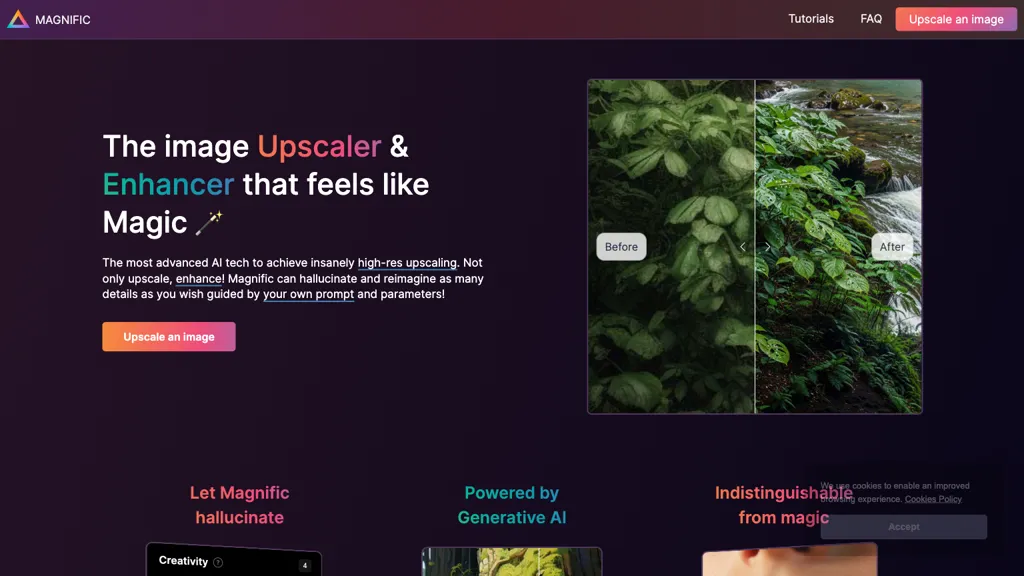
66.7% positive · 24 user reviews FreemiumMagnific AI upsamples, enhances, and transforms images, producing high‑resolution outputs for photography, illustration, design, and game assets. Users guide detail with prompts and sliders for creativity, HDR, and resemblance, and can batch‑process for workflow integration.
We've ranked 29 Magnific AI alternatives, including 24 with a free plan. Rankings are based on feature coverage and user feedbacks.
Top-rated alternatives include Upsampler, Img Upscaler, and Upscale.media.
29 Magnific AI Alternatives & Competitors, Ranked by User Reviews
Click Compare on any tool to compare it side-by-side with Magnific AI.
 #1
Upsampler
#1
Upsampler
Upsampler enhances and upscales images up to 100 megapixels, improving textures and adding details. Its generative fill feature allows users to modify specific sections, making it valuable for designers, photographers, and game developers seeking increased realism.
 #2
Img Upscaler
#2
Img Upscaler
ImgUpscaler enlarges JPG, PNG, WebP images up to 400 % using super‑resolution, producing 16k × 16k outputs with minimal detail loss. Batch up to 5 images, offers basic editing, deletes uploads after 24 h, free commercial use.
 #3
Upscale.media
#3
Upscale.media
Upscale.media is a browser-based AI upscaler that increases image and short-video resolution up to 2×/4×/8×, reconstructs detail, reduces noise/artifacts, and offers deblur, sharpen, colorisation, face restoration, batch processing and API access.
 #4
Image Upscaler AI
#4
Image Upscaler AI
Image Upscaler AI enlarges photos, cartoons, and images up to 400 % using AI while preserving aspect ratio. Users upload via drag‑and‑drop, receive high‑resolution downloads within seconds, with files kept temporarily for privacy.
 #5
Imgupscaler AI
#5
Imgupscaler AI
Imgupscaler is an AI tool for enhancing image quality by upscaling images to 4K resolution. It supports multiple formats and restores details while reducing noise, making it suitable for e-commerce, social media, and graphic design.
 #6
Gigapixel AI
#6
Gigapixel AI
Gigapixel AI is an AI-driven image upscaler that enhances image quality up to 10x, preserving details and textures. It supports batch processing and offers specialized presets for portraits, landscapes, and more, making it suitable for both professionals and casual users.
- Catch deals before they expire
- Unlock tools matched to you
- Show off your AI stacks
Already a member? Sign in
 #7
Let’s Enhance
#7
Let’s Enhance
LetsEnhance is an AI image editor that upscales up to 512 MP, sharpens, restores, and removes compression artifacts from JPG, PNG, or WebP files. It supports batch processing, high‑resolution outputs for prints and AI art, preserving natural texture without watermarks.
 #8
AIEnhancer.ai
#8
AIEnhancer.ai
AIEnhancer.ai is a free online tool that instantly transforms blurry, low-quality images into high-resolution 4K photos. Simply upload your picture to apply AI-powered upscaling, noise reduction, and color correction, then preview and download the enhanced result.
 #9
EnhancePhoto AI
#9
EnhancePhoto AI
Enhancephoto.ai is a web-based AI tool that improves low-resolution images to high-quality versions up to 16k. It restores missing details without blurring and enables users to enhance three images simultaneously without registration.

Imglarger is an image enhancer that upsamples photos up to 8×, supports batch processing, and offers background, object, and face retouch tools. It converts WebP, JPEG, PNG, SVG, JFIF formats and lets users adjust brightness, contrast, and saturation via web or mobile.
 #11
AI Powered Image Upscaler
#11
AI Powered Image Upscaler
AIImageUpscale enlarges images to 16 K resolution with GAN technology, applying automatic color correction for sharper contrast and saturation. It offers batch processing and an integrated AI art generator, supporting designers, photographers, and content creators.
 #12
HitPaw Photo AI
#12
HitPaw Photo AI
AI image enhancer that upscales up to 4×, removes noise, sharpens blur, and can enhance faces or colorize. Handles .png/.jpg/.webp/.tif/.bmp/.raw and outputs the same formats. Windows, macOS and Photoshop plugin supported.
 #13
Bigjpg AI
#13
Bigjpg AI
BigJpg AI upsizes JPEG, PNG, GIF, BMP images from 2× to 16× while preserving edge sharpness and detail. It automatically sharpens textures, keeps fine lines and color gradients, and supports single or batch processing for printing, displays, and design work.
 #14
AIUpscaler.ai
#14
AIUpscaler.ai
AIUpscaler.ai is a browser-based AI tool that instantly enhances photos and videos to HD or 4K resolution with one click. It upscales, sharpens, and restores detail directly in your browser while preserving colors and ensuring privacy.
 #15
Topaz Gigapixel AI
#15
Topaz Gigapixel AI
Gigapixel AI is a powerful image upscaling and detail enhancement tool that uses deep learning to increase image resolution up to 600%, improve print quality, restore old photos, and enhance natural details.
 #16
Upscalepics
#16
Upscalepics
Upscalepics lifts image resolution up to 8× with one click via a machine‑learning model, supporting JPG, PNG, and WebP files up to 4000 px. It offers custom dimensions, bulk uploads, and outputs up to 256 MP for print‑ready quality.
 #17
Photoenlarger.com
#17
Photoenlarger.com
Upload or drag a photo, then upscale it with one of six algorithms—Magic Kernel Sharp, Lanczos 3, Hermite, or AI‑based ESRGAN—entirely client‑side for privacy. Crop as needed and download in JPG, PNG, or WebP.
 #18
Deep Image
#18
Deep Image
Deep‑Image.ai offers photo upscaling, denoising, sharpening, color and lighting adjustments. It removes backgrounds, adds virtual staging, creates business headshots, and delivers batch product‑photo presets, inpainting, and high‑resolution generative upscaling up to 300 MP.
 #19
UpscaleImage.AI
#19
UpscaleImage.AI
UpscaleImage.AI quickly produces realistic user‑generated content videos and cleans up photos. It offers 8× image upscaling, clarity restoration, old photo repair, and precise automated background removal. Users choose from 20+ scenes, customize actors, and generate unlimited video variations.
 #20
ImgUpscaler online
#20
ImgUpscaler online
ImgUpscaler.online is an AI-powered tool that instantly upscales low-resolution images to HD, 4K, or Ultra quality, reducing blur while preserving detail. It offers batch processing and is designed for photographers, e-commerce, and real estate to enhance web and print visuals.
 #21
HitPaw Online Photo Enhancer
#21
HitPaw Online Photo Enhancer
HitPaw AI Photo Enhancer upsamples images up to 8×, removes blur and noise, sharpens detail, and restores color for JPG, PNG, and WebP files. Works on web, desktop, and mobile with batch processing, aiding photographers, designers, and archivists.
 #22
Upscaler.AIAI
#22
Upscaler.AIAI
UpscalerAI.com is an AI-powered tool that upscales images and videos to 4K/8K, reconstructing details and sharpening content. It offers dedicated modes for photos, videos, pixel art, and text, featuring batch processing and secure exports for creators and professionals.
 #23
PhotoEditor.ai
#23
PhotoEditor.ai
PhotoEditor.ai edits JPG, PNG, HEIC, and WEBP images up to 15 MB in a browser or mobile app. It offers portrait transformation, background removal, detail enhancement, and 4K upscaling, delivering instant downloads for photographers, marketers, and designers.
 #24
VanceAI
#24
VanceAI
VanceAI offers AI‑driven image enhancement tools—upscaling, sharpening, denoising, background removal, restoration, and cartoonization. Supports batch processing and a Windows desktop app, enabling quick, detail‑preserving edits for photographers, designers, and e‑commerce sellers.
 #25
cre8tiveAI
#25
cre8tiveAI
cre8tiveAI is an online AI platform that streamlines photo, illustration, and video editing with deep‑learning models. It upscales images, refines faces, generates icons and illustrations, converts photos to 3‑D video, creates line art, colorizes black‑and‑white photos, and compresses PNGs.
 #26
Remaker AI
#26
Remaker AI
remaker ai offers web and mobile AI image and video editing for creators and teams, including upscaling, background removal, object erasing, face swap, text-to-image, lip-sync, batch processing and templates for short-form social content.
 #27
BigJpg
#27
BigJpg
Bigjpg uses deep neural networks to enlarge images up to 16× without quality loss, preserving edges and colors. It supports anime, illustrations, photos, batch uploads, API resizing, noise reduction, and automatic data deletion after 3 days.
 #28
anvsoft.com
#28
anvsoft.com
AVCLabs Video Enhancer AI uses deep learning to upscale, denoise, sharpen, colorize, and interpolate frames, automatically detecting and refining faces. It supports batch conversion, preview comparison, multiple formats, preserves frame rates, and leaves originals unaltered.
 #29
Imagine.art
#29
Imagine.art
ImagineArt unifies AI‑driven image, video, and audio creation and editing, enabling prompt‑based generation, upscale tools, drag‑and‑drop video workflows, 4K cinematic rendering, and real‑time team collaboration for streamlined media production for artists, designers, and creators.
Frequently Asked Questions
Why look for Magnific AI alternatives?
Common reasons users switch from Magnific AI:
- User satisfaction: Magnific AI holds a 66.7% positive rating — some users report unmet expectations.
- Feature gaps: teams needing specific capabilities like Enhance Images may find a more focused alternative better suited to their workflow.
- Flexibility: exploring alternatives helps find tools that better match your team size, integrations, and budget.
What is the best alternative to Magnific AI?
Based on 15 user reviews, Upsampler (86.7% positive) ranks as the top Magnific AI alternative. Upsampler enhances and upscales images up to 100 megapixels, improving textures and adding details. Its generative fill feature allows users to modify It is available on a Freemium plan.
How do the top Magnific AI alternatives compare?
| Tool | Pricing | Starting Price | User Rating |
|---|---|---|---|
| Magnific AI this tool | Freemium | — | 66.7% (24) |
| Upsampler | Freemium | — | 86.7% (15) |
| Img Upscaler | Free | — | 75% (20) |
| Upscale.media | Freemium | $0.02 | 66.7% (30) |
| Image Upscaler AI | Paid | $7/mo | — |
| Imgupscaler AI | Freemium | — | 77.3% (22) |
Are there free Magnific AI alternatives?
Yes, 24 free alternatives found in our list: Upsampler, Img Upscaler, Upscale.media. and 21 more — use the pricing filter above to see them all.
What should I look for in a Magnific AI alternative?
- Core capabilities: confirm the tool supports Enhance Images, Generate Images, Optimize Images.
- Pricing transparency: look for clear free plan, trial period, or tiered pricing — avoid tools that hide costs.
- User reviews: check both the satisfaction percentage and the number of reviews; a high score from few users is less reliable.
- Integrations: verify it connects with your existing stack before committing.
- Support and updates: active development and responsive support are strong signals of a maintained product.
Which Magnific AI alternative has the highest user rating?
AI Powered Image Upscaler has the highest satisfaction score among Magnific AI alternatives, with 100% positive from 2 user reviews. It is available on a Free plan.
What are Magnific AI alternatives used for?
- Enhance Images
- Generate Images
- Optimize Images
- Transform Images