
Top 29 Gigapixel AI Alternatives in 2026
68.8% positive · 16 user reviews Free trialGigapixel AI is an AI-driven image upscaler that enhances image quality up to 10x, preserving details and textures. It supports batch processing and offers specialized presets for portraits, landscapes, and more, making it suitable for both professionals and casual users.
We've ranked 29 Gigapixel AI alternatives, including 25 with a free plan. Rankings are based on feature coverage and user feedbacks.
Top-rated alternatives include Imgupscaler AI, Img Upscaler, and Upscale.media.
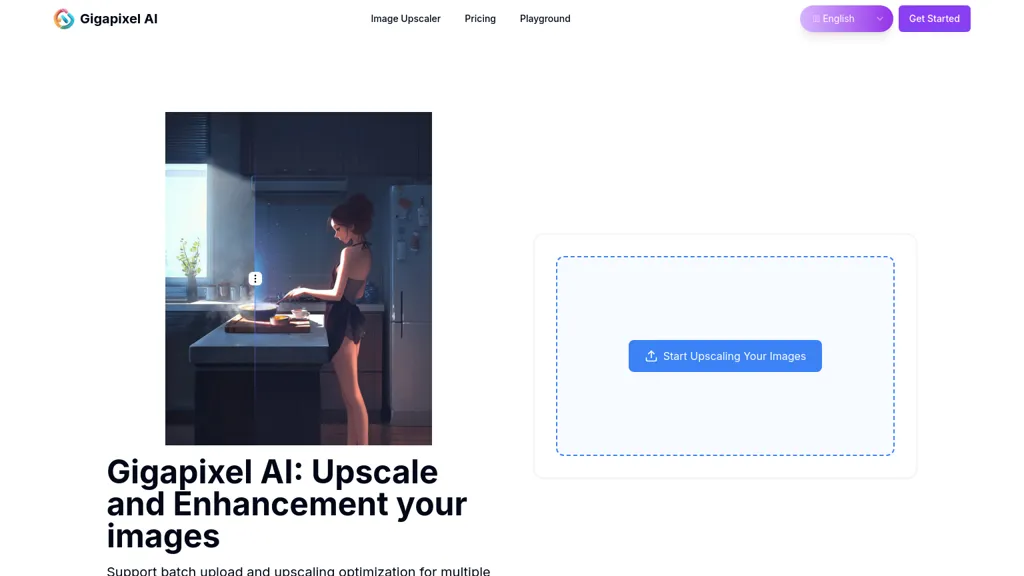
29 Gigapixel AI Alternatives & Competitors, Ranked by User Reviews
Click Compare on any tool to compare it side-by-side with Gigapixel AI.
 #1
Imgupscaler AI
#1
Imgupscaler AI
Imgupscaler is an AI tool for enhancing image quality by upscaling images to 4K resolution. It supports multiple formats and restores details while reducing noise, making it suitable for e-commerce, social media, and graphic design.
 #2
Img Upscaler
#2
Img Upscaler
ImgUpscaler enlarges JPG, PNG, WebP images up to 400 % using super‑resolution, producing 16k × 16k outputs with minimal detail loss. Batch up to 5 images, offers basic editing, deletes uploads after 24 h, free commercial use.
 #3
Upscale.media
#3
Upscale.media
Upscale.media is a browser-based AI upscaler that increases image and short-video resolution up to 2×/4×/8×, reconstructs detail, reduces noise/artifacts, and offers deblur, sharpen, colorisation, face restoration, batch processing and API access.
 #4
Image Upscaler AI
#4
Image Upscaler AI
Image Upscaler AI enlarges photos, cartoons, and images up to 400 % using AI while preserving aspect ratio. Users upload via drag‑and‑drop, receive high‑resolution downloads within seconds, with files kept temporarily for privacy.
 #5
EnhancePhoto AI
#5
EnhancePhoto AI
Enhancephoto.ai is a web-based AI tool that improves low-resolution images to high-quality versions up to 16k. It restores missing details without blurring and enables users to enhance three images simultaneously without registration.
 #6
AIEnhancer.ai
#6
AIEnhancer.ai
AIEnhancer.ai is a free online tool that instantly transforms blurry, low-quality images into high-resolution 4K photos. Simply upload your picture to apply AI-powered upscaling, noise reduction, and color correction, then preview and download the enhanced result.
- Catch deals before they expire
- Unlock tools matched to you
- Show off your AI stacks
Already a member? Sign in
 #7
AIUpscaler.ai
#7
AIUpscaler.ai
AIUpscaler.ai is a browser-based AI tool that instantly enhances photos and videos to HD or 4K resolution with one click. It upscales, sharpens, and restores detail directly in your browser while preserving colors and ensuring privacy.
 #8
Let’s Enhance
#8
Let’s Enhance
LetsEnhance is an AI image editor that upscales up to 512 MP, sharpens, restores, and removes compression artifacts from JPG, PNG, or WebP files. It supports batch processing, high‑resolution outputs for prints and AI art, preserving natural texture without watermarks.
 #9
Upsampler
#9
Upsampler
Upsampler enhances and upscales images up to 100 megapixels, improving textures and adding details. Its generative fill feature allows users to modify specific sections, making it valuable for designers, photographers, and game developers seeking increased realism.
 #10
AI Powered Image Upscaler
#10
AI Powered Image Upscaler
AIImageUpscale enlarges images to 16 K resolution with GAN technology, applying automatic color correction for sharper contrast and saturation. It offers batch processing and an integrated AI art generator, supporting designers, photographers, and content creators.
 #11
Upscalepics
#11
Upscalepics
Upscalepics lifts image resolution up to 8× with one click via a machine‑learning model, supporting JPG, PNG, and WebP files up to 4000 px. It offers custom dimensions, bulk uploads, and outputs up to 256 MP for print‑ready quality.
 #12
Bigjpg AI
#12
Bigjpg AI
BigJpg AI upsizes JPEG, PNG, GIF, BMP images from 2× to 16× while preserving edge sharpness and detail. It automatically sharpens textures, keeps fine lines and color gradients, and supports single or batch processing for printing, displays, and design work.
 #13
Topaz Gigapixel AI
#13
Topaz Gigapixel AI
Gigapixel AI is a powerful image upscaling and detail enhancement tool that uses deep learning to increase image resolution up to 600%, improve print quality, restore old photos, and enhance natural details.
 #14
ImgUpscaler online
#14
ImgUpscaler online
ImgUpscaler.online is an AI-powered tool that instantly upscales low-resolution images to HD, 4K, or Ultra quality, reducing blur while preserving detail. It offers batch processing and is designed for photographers, e-commerce, and real estate to enhance web and print visuals.

Imglarger is an image enhancer that upsamples photos up to 8×, supports batch processing, and offers background, object, and face retouch tools. It converts WebP, JPEG, PNG, SVG, JFIF formats and lets users adjust brightness, contrast, and saturation via web or mobile.
 #16
ImageUpscaling.net
#16
ImageUpscaling.net
Free AI Image Enhancer upscale images up to 25MP by a factor of four, improving resolution and detail. It features various enhancement modes, including face restoration, and supports batch processing while ensuring user data privacy.
 #17
Upscaler.AIAI
#17
Upscaler.AIAI
UpscalerAI.com is an AI-powered tool that upscales images and videos to 4K/8K, reconstructing details and sharpening content. It offers dedicated modes for photos, videos, pixel art, and text, featuring batch processing and secure exports for creators and professionals.
 #18
upscayl.org
#18
upscayl.org
Upscayl is an open‑source AI upscaler that boosts images up to 16× with minimal detail loss. It supports batch processing, multiple model styles, local cross‑platform execution, and cloud sync for convenient, private, high‑quality image enhancement.
 #19
anvsoft.com
#19
anvsoft.com
AVCLabs Video Enhancer AI uses deep learning to upscale, denoise, sharpen, colorize, and interpolate frames, automatically detecting and refining faces. It supports batch conversion, preview comparison, multiple formats, preserves frame rates, and leaves originals unaltered.
 #20
VanceAI
#20
VanceAI
VanceAI offers AI‑driven image enhancement tools—upscaling, sharpening, denoising, background removal, restoration, and cartoonization. Supports batch processing and a Windows desktop app, enabling quick, detail‑preserving edits for photographers, designers, and e‑commerce sellers.
 #21
Photoenlarger.com
#21
Photoenlarger.com
Upload or drag a photo, then upscale it with one of six algorithms—Magic Kernel Sharp, Lanczos 3, Hermite, or AI‑based ESRGAN—entirely client‑side for privacy. Crop as needed and download in JPG, PNG, or WebP.
 #22
UpscaleImage.AI
#22
UpscaleImage.AI
UpscaleImage.AI quickly produces realistic user‑generated content videos and cleans up photos. It offers 8× image upscaling, clarity restoration, old photo repair, and precise automated background removal. Users choose from 20+ scenes, customize actors, and generate unlimited video variations.
 #23
Upscayl.app
#23
Upscayl.app
Upscayl.app is an AI image upscaler that uses deep learning to increase photo resolution up to 8K. It enhances details, reduces noise, and offers batch processing to restore old photos and prepare images for print or digital use.
 #24
HitPaw Photo AI
#24
HitPaw Photo AI
AI image enhancer that upscales up to 4×, removes noise, sharpens blur, and can enhance faces or colorize. Handles .png/.jpg/.webp/.tif/.bmp/.raw and outputs the same formats. Windows, macOS and Photoshop plugin supported.
 #25
clarityai.co
#25
clarityai.co
Clarity AI is an image upscaler and enhancer that restores high-resolution detail—up to 13,000 px from 64 px—offering adjustable detail, noise reduction, blur correction, artifact removal, style transfer, plus API and ComfyUI integration for workflows.
 #26
BigJpg
#26
BigJpg
Bigjpg uses deep neural networks to enlarge images up to 16× without quality loss, preserving edges and colors. It supports anime, illustrations, photos, batch uploads, API resizing, noise reduction, and automatic data deletion after 3 days.
 #27
Mejorar Imagen
#27
Mejorar Imagen
Mejorar Calidad de Imagen uses AI to enhance photo resolution up to 10 times, achieving high-quality 12K images. Users can easily upload images and select enhancement levels for professional-grade results, accessible on mobile devices.
 #28
AI Image Enhancer
#28
AI Image Enhancer
AI‑powered Image Enhancer Online upsizes and restores photos and videos to 4K/8K, applies style filters, face/background edits, and batch drag‑and‑drop processing. It serves hobbyists, photographers, designers, and marketers seeking quick, high‑quality image improvements.
 #29
Magnific AI
#29
Magnific AI
Magnific AI upsamples, enhances, and transforms images, producing high‑resolution outputs for photography, illustration, design, and game assets. Users guide detail with prompts and sliders for creativity, HDR, and resemblance, and can batch‑process for workflow integration.
Frequently Asked Questions
Why look for Gigapixel AI alternatives?
Common reasons users switch from Gigapixel AI:
- Cost: Gigapixel AI is a Free trial tool — users often look for more affordable or free options.
- User satisfaction: Gigapixel AI holds a 68.8% positive rating — some users report unmet expectations.
- Feature gaps: teams needing specific capabilities like Enhance images may find a more focused alternative better suited to their workflow.
- Flexibility: exploring alternatives helps find tools that better match your team size, integrations, and budget.
What is the best alternative to Gigapixel AI?
Based on 22 user reviews, Imgupscaler AI (77.3% positive) ranks as the top Gigapixel AI alternative. Imgupscaler is an AI tool for enhancing image quality by upscaling images to 4K resolution. It supports multiple formats and restores details while re It is available on a Freemium plan.
How do the top Gigapixel AI alternatives compare?
| Tool | Pricing | Starting Price | User Rating |
|---|---|---|---|
| Gigapixel AI this tool | Free trial | — | 68.8% (16) |
| Imgupscaler AI | Freemium | — | 77.3% (22) |
| Img Upscaler | Free | — | 75% (20) |
| Upscale.media | Freemium | $0.02 | 66.7% (30) |
| Image Upscaler AI | Paid | $7/mo | — |
| EnhancePhoto AI | Freemium | — | 50% (4) |
Are there free Gigapixel AI alternatives?
Yes, 25 free alternatives found in our list: Imgupscaler AI, Img Upscaler, Upscale.media. and 22 more — use the pricing filter above to see them all.
What should I look for in a Gigapixel AI alternative?
- Core capabilities: confirm the tool supports Enhance images, Upscale images, Optimize textures.
- Pricing transparency: look for clear free plan, trial period, or tiered pricing — avoid tools that hide costs.
- User reviews: check both the satisfaction percentage and the number of reviews; a high score from few users is less reliable.
- Integrations: verify it connects with your existing stack before committing.
- Support and updates: active development and responsive support are strong signals of a maintained product.
Which Gigapixel AI alternative has the highest user rating?
AI Powered Image Upscaler has the highest satisfaction score among Gigapixel AI alternatives, with 100% positive from 2 user reviews. It is available on a Free plan.
What are Gigapixel AI alternatives used for?
- Enhance images
- Upscale images
- Optimize textures
- Remove noise
- Sharpen edges