
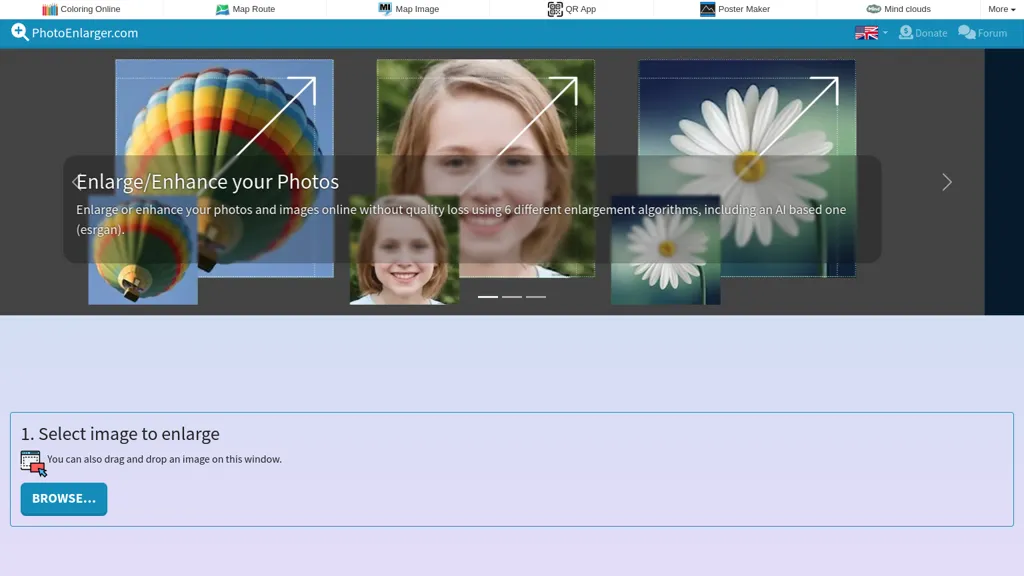
What is Photoenlarger.com?
Photo Enlarger - Enlarge/Enhance photos, images and pictures online
Upload or drag‑drop a photo directly into the browser; no sign‑ups or data uploads occur.
Select a scaling factor or specify width/height and choose from six algorithms, Magic Kernel Sharp, Lanczos 3, Hermite, Nearest Neighbor (no smoothing), Nearest Neighbor (smoothing), and AI‑based ESRGAN‑thick.
The tool runs entirely client‑side, so the image never leaves the device, ensuring privacy and fast processing.
After upscaling, view, zoom, or crop a region with a rectangle tool, then download the result in JPG, PNG, or WebP format.
The interface works across all modern browsers and devices, making high‑quality image upscaling quick and secure.
Photoenlarger.com details
- Jurisdiction
- The Netherlands
- Built for
- Individuals
Photoenlarger.com pricing
FreeThis tool is free to use, with no credit card required.
Verify on the official pricing page.
Get started freePhotoenlarger.com's key features
-
Enlarge photos with six algorithms
-
AI-based ESRGAN enlargement
-
Browser-side processing, no upload
-
Drag-and-drop image selection
-
Custom scale, width, height
-
Crop and download image
-
Multiple output formats JPG PNG WebP
Photoenlarger.com use cases
-
Restore and digitize vintage family photos for personal archives, using the AI‑based ESRGAN algorithm to recover fine details while keeping all processing client‑side for privacy
-
Enhance product imagery for online retail listings, upscaling low‑resolution screenshots to sharp 1080p or 4K JPEGs without re‑capturing, ensuring fast load times and higher conversion rates
-
Produce high‑resolution background art for marketing materials, cropping and enlarging scenes in WebP format to meet print or display standards without compromising privacy
Photoenlarger.com user reviews
Would you recommend Photoenlarger.com?
Who is Photoenlarger.com for?
-
Image editors
-
Graphic designers
-
Digital enthusiasts
-
Tech developers
-
Online enthusiasts
Photoenlarger.com FAQ
Is Photoenlarger.com free?
Yes. Photoenlarger.com is free to use and does not require a credit card.
What are the best alternatives to Photoenlarger.com?
The closest alternatives to Photoenlarger.com are Img Upscaler, Upscale.media, EnhancePhoto AI, BigJpg and AIEnhancer.ai. You can compare them side by side in the alternatives section further down this page.
What does Photoenlarger.com do with my data?
Its privacy policy states that personal data is not sold or shared for marketing purposes. Data may be shared with third-party service providers that help run the product.
Compliance, privacy and billing terms are as stated in each product's own published documentation and have not been independently verified by TopAI.tools.


