Top 29 kaze.ai Alternatives in 2026
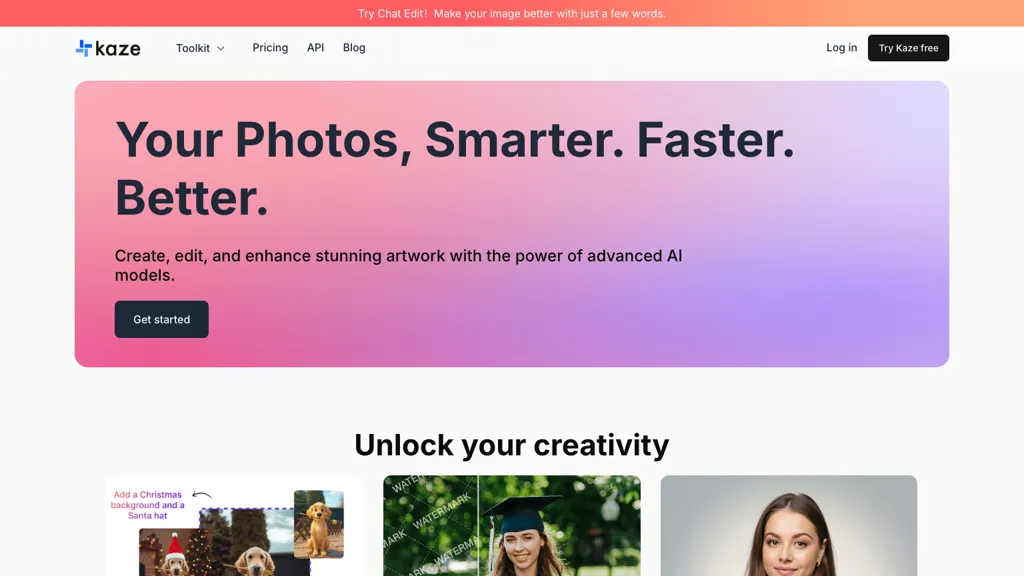
60% positive · 5 user reviews Free trialKaze.ai is an AI-powered image editing tool for watermark removal and photo restoration, featuring quick processing and high-quality enhancements. It includes a watermark remover, AI headshot generator, background removal, and tools for restoring old or damaged photos.
We've ranked 29 kaze.ai alternatives, including 21 with a free plan. Rankings are based on feature coverage and user feedbacks.
Top-rated alternatives include PicWish, EzRemove.ai, and Pixflux.AI.
29 kaze.ai Alternatives & Competitors, Ranked by User Reviews
Click Compare on any tool to compare it side-by-side with kaze.ai.
#1
PicWish
PicWish AI Photo Editor automates image enhancement, background removal, and watermark deletion. It processes batches of up to 30 files, offering resizing, lighting, upscaling, AI Designer prompts, Face Cutout, and single‑click unblur/sharpen. Available on Windows, macOS, iOS, Android, and browser.
#2
EzRemove.ai
EzRemove.ai is an AI-powered tool that instantly removes image backgrounds in 5 seconds, delivering high-quality transparent PNGs with precision. It offers batch processing, customizable backgrounds, and basic editing features, ideal for ecommerce, design, and social media.
#3
Pixflux.AI
Pixflux.ai is a browser-based AI photo editing tool that improves image quality through features like background removal, watermark erasure, object removal, and enhancement, while also supporting batch processing and transparent background generation.
#4
AIEnhancer.ai
AIEnhancer.ai is a free online tool that instantly transforms blurry, low-quality images into high-resolution 4K photos. Simply upload your picture to apply AI-powered upscaling, noise reduction, and color correction, then preview and download the enhanced result.
#5
BestPhotoAI
BestPhotoAI is an AI photo studio offering over 40 tools to enhance, create, or transform images. Upload a photo, choose a style like anime or professional headshot, and receive a high-resolution edit in under an hour.
#6
Airbrush AI Headshots
Headshot AI Generator is an AI-powered tool that quickly produces professional headshots with advanced editing capabilities. Whether you need to retouch photos, create avatars, or enhance images, this tool offers customization options and fast results, perfect for improving your online presence effortlessly.
- Catch deals before they expire
- Unlock tools matched to you
- Show off your AI stacks
Already a member? Sign in
#7
PicTools.AI
PicTools.AI is a web‑based photo editor that lets users upload images and apply changes via text prompts or over 100 one‑click AI filters—background removal, outfit changes, smile addition, restoration, and artistic styles—without design skills.
#8
ImgKits
ImgKits is an AI-powered image and video processing tool that enables background removal, object replacement, and photo enhancement while preserving quality. It supports batch processing for JPG, PNG, and WEBP formats, offering features like watermark removal, upscaling, and unblurring.
#9
EzMaker AI
EzMaker AI is an AI-powered photo editor that automates image enhancement, background removal, and retouching for scalable, consistent edits. It offers fast batch processing and workflow presets tailored for photographers, e-commerce sellers, and social media managers.
#10
Background Remover
AI Background Remover deletes backgrounds from JPG, PNG, WebP images while preserving resolution, handling up to 500 at once. Users can replace with color, gallery, or upload; ideal for designers, marketers, and e‑commerce workflows.
#11
Remaker AI
remaker ai offers web and mobile AI image and video editing for creators and teams, including upscaling, background removal, object erasing, face swap, text-to-image, lip-sync, batch processing and templates for short-form social content.
#12
PhotoEditor.ai
PhotoEditor.ai edits JPG, PNG, HEIC, and WEBP images up to 15 MB in a browser or mobile app. It offers portrait transformation, background removal, detail enhancement, and 4K upscaling, delivering instant downloads for photographers, marketers, and designers.
#13
Picsman.AI
Picsman is an AI‑powered editor that removes or replaces backgrounds, ups image resolution, and applies styles like Ghibli or cartoon. It also offers text‑prompt editing, video generation, image extending, and watermark removal for quick, high‑definition results.
#14
GStory.ai
GStory.ai is an AI-powered creative suite for video and photo editing. Its core features include automated subtitle generation, background removal, and tools for enhancing image quality and removing watermarks.
#15
Remover AI
removerai.io is a web-based AI tool that automatically removes backgrounds from images, preserving fine details like hair and edges. It requires no installation, allows manual refinements, and exports high-resolution transparent PNGs for e-commerce, design, and marketing.
#16
ImgToImg.ai
imgtoimg.ai is an AI image transformation tool that generates new images from your photo inputs and text prompts. It offers precise control over style and composition, plus built-in utilities like upscaling and background removal for creators.
#17
Watermark Remover
WatermarkRemover.io uses AI to erase watermarks from images, videos, and PDFs while preserving quality. It supports batch uploads, command‑line, web, API, and plugin integration for workflows, with secure, compliant data handling.
#18
ImageToImageAI
imagetolmageai.ai is an AI-powered image editing platform offering 12+ tools for enhancement, restoration, and creative transformation. It simplifies workflows with features like upscaling, background removal, and style transfer, requiring no technical skills for professional results.
#19
Removal.ai
Removal.AI instantly isolates foreground subjects from .jpg and .jpeg images, offering preview, high‑resolution downloads, background replacement, manual eraser, API integration, batch processing, and professional editing support. Ideal for photographers, designers, marketers, and e‑commerce sites needing consistent product imagery.
#20
NanoPhoto.AI
NanoPhoto.AI is an AI-powered media editor that simplifies generating and editing images and videos. It offers features like photo restoration and style changes, and supports batch processing for efficient workflows.
#21
Dewatermark AI
DeWatermark uses AI to remove watermarks, logos, text, emojis, and timestamps from photos, videos, PDFs, and images. It applies inpainting, offers a manual brush for edits, and batch processes up to 50 files on mobile and desktop.
Pixlr is a browser‑based photo editor that uses AI for background removal, generative fill, and object deletion. It offers cropping, color correction, collages, templates, and social media layouts across desktop, tablet, and mobile.
#23
Pixelfox AI
Pixelfox AI is an online AI-powered photo editor that offers advanced features like background removal, face swaps, and image enhancement. It’s designed for both personal and professional use, requiring no downloads.
#24
iFoto
AI Photo Studio automates e‑commerce image editing: background removal, resolution enhancement, lossless compression, profile passport creation, hairstyle preview, object cleanup, old‑photo restoration, colorization, AI fashion model generation, clothing recolor, background changes, and file conversion to PDF/Word/PPT for streamlined product photography.
#25
HitPaw Photo Enhancer
HitPaw FotorPea automatically enhances photos by applying AI models for sharpening, denoising, face and color correction. It unblurs images, upsizes to 4K/8K, restores old photos, removes backgrounds, and generates images from text prompts.
#26
imagewith.ai
Imagewith.AI offers web‑based AI tools for image enhancement, background removal, object deletion, upscaling, photo restoration, and portrait improvement. Deep‑learning algorithms increase resolution, reduce noise, clean artifacts, and preserve fine detail for designers, photographers, and archivists.
#27
jpgRM
AI Image Magic Cleanup uses a 2026 GAN to automatically erase backgrounds or unwanted objects from photos. Users mark areas with a brush, then the tool refines and fills the space with matching background detail, delivering quick results on mobile.
#28
Photoflow AI
Photoflow AI enables users to create ultra-realistic 8K professional headshots quickly. With customizable backgrounds, automatic enhancements, and easy sharing options, it is ideal for enhancing online professional presence and making a strong first impression.
#29
PicPicAI
PicPicAI automatically removes backgrounds, sharpens portraits, upscales and extends images, and restores old photos, delivering polished results in seconds for e‑commerce, social media, and design workflows, with optional Flux AI art generation.
Frequently Asked Questions
Why look for kaze.ai alternatives?
Common reasons users switch from kaze.ai:
- Cost: kaze.ai is a Free trial tool starting from $4.95/mo — users often look for more affordable or free options.
- User satisfaction: kaze.ai holds a 60% positive rating — some users report unmet expectations.
- Feature gaps: teams needing specific capabilities like Remove watermark may find a more focused alternative better suited to their workflow.
- Flexibility: exploring alternatives helps find tools that better match your team size, integrations, and budget.
What is the best alternative to kaze.ai?
Based on 4 user reviews, PicWish (75% positive) ranks as the top kaze.ai alternative. PicWish AI Photo Editor automates image enhancement, background removal, and watermark deletion. It processes batches of up to 30 files, offering resi It is available on a Subscription plan starting from $9.99/mo.
How do the top kaze.ai alternatives compare?
| Tool | Pricing | Starting Price | User Rating |
|---|---|---|---|
| kaze.ai this tool | Free trial | $4.95/mo | 60% (5) |
| PicWish | Subscription | $9.99/mo | 75% (4) |
| EzRemove.ai | Free | — | 64.3% (14) |
| Pixflux.AI | Freemium | — | 50% (4) |
| AIEnhancer.ai | Freemium | — | 75% (4) |
| BestPhotoAI | Freemium | — | 80% (5) |
Are there free kaze.ai alternatives?
Yes, 21 free alternatives found in our list: EzRemove.ai, Pixflux.AI, AIEnhancer.ai. and 18 more — use the pricing filter above to see them all.
What should I look for in a kaze.ai alternative?
- Core capabilities: confirm the tool supports Remove watermark, Restore photos, remove backgrounds.
- Pricing transparency: look for clear free plan, trial period, or tiered pricing — avoid tools that hide costs.
- User reviews: check both the satisfaction percentage and the number of reviews; a high score from few users is less reliable.
- Integrations: verify it connects with your existing stack before committing.
- Support and updates: active development and responsive support are strong signals of a maintained product.
Which kaze.ai alternative has the highest user rating?
ImgKits has the highest satisfaction score among kaze.ai alternatives, with 100% positive from 3 user reviews. It is available on a Free trial plan.
What are kaze.ai alternatives used for?
- Remove watermark
- Restore photos
- remove backgrounds
- Generate headshots
- Edit images