Best hiData.ai Alternatives in 2026
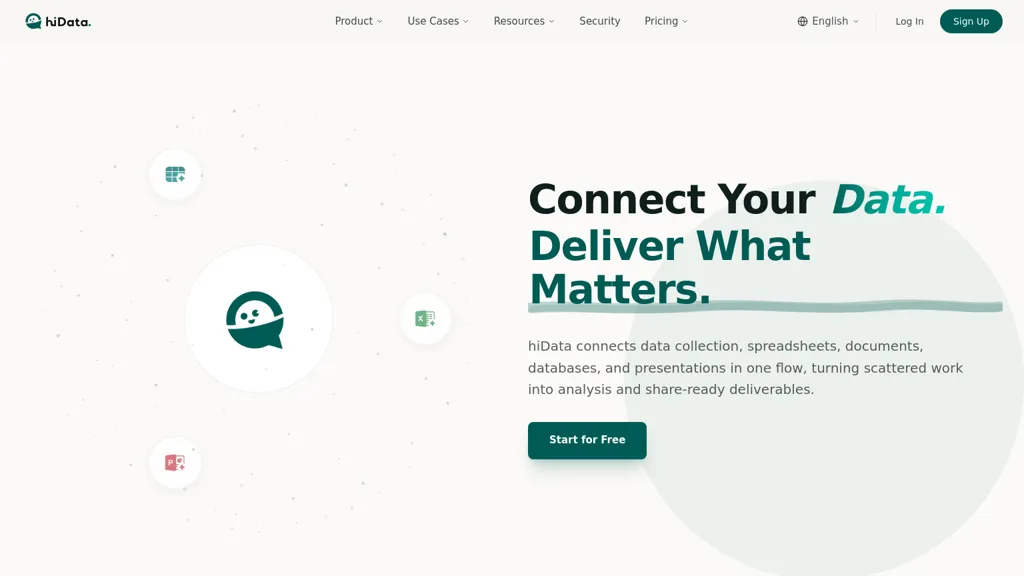
100% positive · 1 user review FreemiumhiData.ai is an AI workspace that automates data analysis, spreadsheet tasks, and report generation. It transforms raw data into structured insights and presentation-ready decks for faster, collaborative decision-making.
We've ranked 29 hiData.ai alternatives, including 23 with a free plan. Rankings are based on feature coverage and user feedbacks.
Top-rated alternatives include Excel Dashboard Ai, AlTable.ai, and Excelmatic.
29 hiData.ai Alternatives & Competitors, Ranked by User Reviews
Click Compare on any tool to compare it side-by-side with hiData.ai.
#1
Excel Dashboard Ai
ExcelDashboard AI transforms Excel data into interactive dashboards and reports with minimal effort. Users can generate insights using plain English, automate visualizations, and customize analyses, making it suitable for both beginners and experienced data analysts.
#2
AlTable.ai
AITable.ai is an AI data organization tool that combines database and spreadsheet features for streamlined CRM and project management. It automates tasks, integrates with 6000+ apps, simplifies data entry, and offers AI data analysis for enhanced productivity.
#3
Excelmatic
Excelmatic uses AI to analyze and visualize spreadsheet data via natural-language queries, offering one-click charting, KPI extraction, anomaly detection, PDF/image-to-Excel conversion, formula generation from plain English, and batch data-prep for .xlsx/.csv files.
#4
Columns
Columns.ai is a data visual storytelling AI tool for creating appealing data visual stories. It uses ChatGPT to generate insightful responses to data-related prompts and offers customization options for interactive visualizations.
#5
Graphy.app
Graphy transforms raw data from Google Sheets, CSV, Excel, or APIs into AI‑generated charts, auto‑highlighting insights. It supports multiple chart types, branding, annotations, real‑time updates, and export/embed options for marketing, finance, and consulting teams.
#6
SheetAI
SheetAI adds AI-driven functions to Google Sheets, enabling list, table, and image creation via formulas. It supports models like OpenAI, Claude, xAI, integrates external services (Replicate, OCR, audio), and allows custom training for context-aware responses and API automation.
- Personalized recommendations
- Custom collections
- Save favorites
Already a member? Sign in
#7
Rows
ROWS AI is a data analyst tool that integrates AI features such as text classification, sentiment analysis, and marketing campaign planning for teams.
#8
Glide Apps
Glide AI is a no‑code platform that converts spreadsheet data into AI‑powered apps instantly, auto‑designing interfaces, automating workflows, and transforming audio, images, and text into structured insights. It runs on OpenAI, Azure ML, and Google Cloud while protecting user privacy.
Tableau AI is an intelligent analytics platform that combines AI technologies for enhanced data exploration and decision-making. It offers scalable solutions, trusted by organizations, to boost data-driven insights and promote innovative cultures.
#10
Aijourney
Julius AI is a data analyst assistant that connects to Excel, Google Sheets, and PostgreSQL to generate bar charts, histograms, heat maps automatically. It offers interactive, customizable visualizations, embeddable into reports, and exports cleaned data for stakeholders.
#11
AiAssistWorks
Access 50+ AI models in Google Sheets™ without writing functions or copy-pasting. Save and reuse prompts easily. Models from GPT, Claude, Google Gemini™, Openrouter, and Groq are available.
#12
ChartPixel
ChartPixel is an AI tool that generates charts and insights from messy data files or webpages using AI algorithms to clean and engineer new features, provide AI-assisted annotations and statistics to explore patterns and quirks in the data.
#13
spreadsheetdaddy.com
Spreadsheet Daddy is an AI add‑on for Google Sheets and Excel that automates formula creation, data analysis, and chart generation. It offers ready‑made templates for budgets, invoices, inventory, and projects, and supports natural‑language queries via GPT.
#14
ArrayAssistant.ai
Array Assistant automates spreadsheet tasks by generating formulas, cleaning and summarizing data, and triggering automations on changes. It offers these AI‑driven features to analysts, students, and casual users without requiring technical expertise.
#15
Genspark.ai
Genspark unifies inbox, workflows, and collaboration into one AI workspace, offering a 1‑million‑token context window, voice‑to‑text, auto‑meeting notes, and Chrome extensions for instant summarization and task automation across WhatsApp, Slack, and Teams.
#16
Ajelix AI Excel Tools
Ajelix is an AI chatbot that stores up to 1 GB of spreadsheets, PDFs, and documents in a persistent workspace. It generates Excel formulas, VBA scripts, dashboards, and ready‑to‑share PowerPoint decks or web apps.
#17
PresentationsAI
Presentations.AI automatically turns text prompts into fully formatted slide decks, including charts, infographics, timelines, and roadmaps. It applies consistent branding, exports to PowerPoint, supports multilingual collaboration, and offers engagement analytics for content refinement.
Notion AI is an integrated AI tool that automates tasks, generates summaries and offers writing assistance within the Notion drag-and-drop text editor. A free trial is available with an add-on subscription for unlimited usage.
#19
Sparkco AI Sheets
Sparkco Sheets converts text and documents into live spreadsheets with natural-language formulas, pivot tables, charts, automated reports and SQL generation; OCR extracts tables from PDFs, real-time connectors sync financial and healthcare systems, with export and compliance options.
#20
GPT-Workspace
GPT Workspace enhances productivity within Google Workspace by automating tasks such as email composition, content generation, and presentation creation. It offers smart features for data analysis in Sheets and writing assistance in Docs while ensuring user data privacy.
#21
Syft assist ai
Syft Analytics delivers AI‑powered dashboards and forecasting for accountants, analysts, and managers, consolidating data from accounting, e‑commerce, payroll, and ERP systems into IFRS/GAAP‑compliant statements. It offers real‑time spreadsheet integration, automated error detection, KPI insights, and secure data handling.
#22
Xdash
Xdash AI offers seamless data analysis, in-depth reporting, and task automation. It excels at uncovering crucial insights from intricate datasets, facilitating informed business decisions.
#23
Skywork.ai
Skywork.ai is a versatile AI workspace agent that can analyze data, manage content, and integrate with 300+ tools to streamline market research, stock evaluation, and knowledge base creation.
#24
Excel-bot.com
Excel Bot is an AI assistant that integrates with Microsoft Excel and Google Sheets, translating formulas into natural‑language text and providing instant answers to data‑manipulation queries, reducing debugging time for analysts, finance professionals, and teams.
#25
AskExcel
AskExcel uses AI to generate Excel formulas from natural language, automating data cleaning, formula insertion, and advanced analytics such as correlation, KPI tracking, and sentiment analysis. It supports CSV/XLSX uploads up to 10 MB for efficient spreadsheet workflows.
#26
SheetSavvy AI
SheetSavvy AI is a spreadsheet plugin for Excel and Google Sheets that automates template creation, data analysis, summarization, charting, and natural‑language data cleanup. It generates formulas and imports live external data, reducing repetitive work.
#27
AI Excel Bot
AI Excel Bot translates natural‑language prompts into accurate Excel or Google Sheets formulas—SUMIF, VLOOKUP, array functions—providing step‑by‑step explanations and on‑demand VBA script generation. Available as a Chrome extension or add‑in for quick, in‑app access.
#28
Beautiful.ai
Beautiful.ai is an AI‑powered presentation tool that streamlines slide creation from prompts or documents. It auto‑formats layouts, offers customizable templates, dynamic charts, and collaboration features, integrating with PowerPoint, Dropbox, Slack, Salesforce, and more.
#29
Tomat.AI
Tomat.AI is a desktop app that automates data analysis and enrichment for Excel, CSV, and database files. It loads datasets locally, lets users filter, sort, merge, pivot, and apply AI prompts in bulk, and exports reports to PDF.
Frequently Asked Questions
Why look for hiData.ai alternatives?
Common reasons users switch from hiData.ai:
- Feature gaps: teams needing specific capabilities like Analyze Data may find a more focused alternative better suited to their workflow.
- Flexibility: exploring alternatives helps find tools that better match your team size, integrations, and budget.
What is the best alternative to hiData.ai?
Based on 1 user review, Excel Dashboard Ai (50% positive) ranks as the top hiData.ai alternative. ExcelDashboard AI transforms Excel data into interactive dashboards and reports with minimal effort. Users can generate insights using plain English, It is available on a Free trial plan.
How do the top hiData.ai alternatives compare?
| Tool | Pricing | Starting Price | User Rating |
|---|---|---|---|
| hiData.ai this tool | Freemium | — | 100% (1) |
| Excel Dashboard Ai | Free trial | — | 50% (1) |
| AlTable.ai | Free trial | — | — |
| Excelmatic | Subscription | — | — |
| Columns | Freemium | — | 50% (1) |
| Graphy.app | Freemium | $16/mo | — |
Are there free hiData.ai alternatives?
Yes, 23 free alternatives found in our list: Excel Dashboard Ai, AlTable.ai, Columns. and 20 more — use the pricing filter above to see them all.
What should I look for in a hiData.ai alternative?
- Core capabilities: confirm the tool supports Analyze Data, Automate Spreadsheets, Generate Presentations.
- Pricing transparency: look for clear free plan, trial period, or tiered pricing — avoid tools that hide costs.
- User reviews: check both the satisfaction percentage and the number of reviews; a high score from few users is less reliable.
- Integrations: verify it connects with your existing stack before committing.
- Support and updates: active development and responsive support are strong signals of a maintained product.
Which hiData.ai alternative has the highest user rating?
SheetAI has the highest satisfaction score among hiData.ai alternatives, with 100% positive from 1 user review. It is available on a Subscription plan starting from $20/mo.
What are hiData.ai alternatives used for?
- Analyze Data
- Automate Spreadsheets
- Generate Presentations
- Manage Workflows
- Create Reports