
Top 29 GitBrain Alternatives in 2026
100% positive · 1 user review FreemiumGitBrain is a macOS AI‑powered Git client that auto‑splits changes into AI‑generated commits, lets developers edit, reorder, or merge them, and summarizes pending changes for quick review. It integrates with popular IDEs, supports full keyboard shortcuts, and uses native themes.
We've ranked 29 GitBrain alternatives, including 22 with a free plan. Rankings are based on feature coverage and user feedbacks.
Top-rated alternatives include Giteai, CodeMate, and Aider.chat.
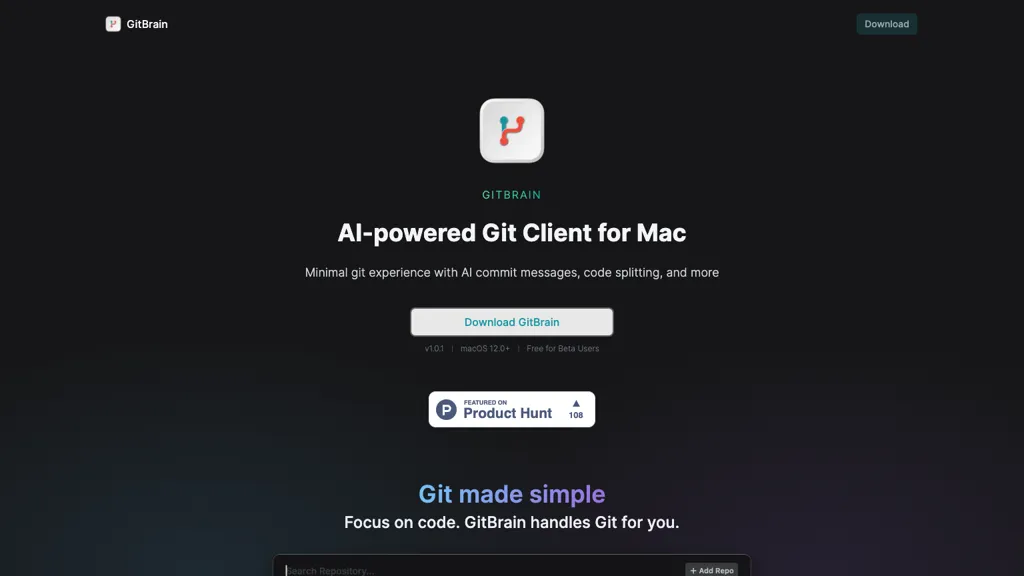
29 GitBrain Alternatives & Competitors, Ranked by User Reviews
Click Compare on any tool to compare it side-by-side with GitBrain.
 #1
Giteai
#1
Giteai
GiteAI automatically generates commit messages by analyzing code changes, supports customizable templates such as Conventional Commits, provides searchable logs, project metrics, and security alerts for vulnerabilities, freeing developers from manual documentation.
 #2
CodeMate
#2
CodeMate
CodeMate AI is a VS Code plugin that translates natural‑language prompts into code, providing pull‑request reviews, bug and security analysis, refactoring, debugging, optimization, and documentation generation. It supports GitHub, Bitbucket, GitLab, Azure DevOps, and runs locally for secure, scalable operation.
 #3
Aider.chat
#3
Aider.chat
Aider is an AI-powered pair programming tool that helps developers collaborate with LLMs for editing, refactoring, and debugging code within Git repositories. It supports multiple languages and integrates with IDEs and editors for real-time updates.
 #4
Claude Code
#4
Claude Code
Claude Code is an AI-powered coding assistant that operates within the terminal, automating tasks like editing files, fixing bugs, executing tests, and managing git workflows. It enhances developer productivity through natural language commands and real-time support.
 #5
Magnet
#5
Magnet
Magnet is an AI‑native workspace that integrates Claude Code and Code Codex to auto‑learn context, define precise issues, and let teams iterate quickly on AI‑generated changes. It offers a redesigned code‑review interface and macOS native support for seamless editor integration.
 #6
gptcli
#6
gptcli
GPT CLI brings ChatGPT to the terminal, auto‑generating Git commit messages from diffs and translating natural‑language requests into shell commands. Plugins for translation, weather, Notion, etc. can be added via npm, fitting into dev and admin workflows.
- Catch deals before they expire
- Unlock tools matched to you
- Show off your AI stacks
Already a member? Sign in
 #7
Git Digest
#7
Git Digest
Git Digest automates code change summaries, delivering daily or weekly updates to enhance team collaboration. It offers visual analytics for tracking trends, supports multi-user accounts, and features an AI chatbot for efficient customer support.
 #8
WhatTheDiff
#8
WhatTheDiff
AI‑powered assistant that auto‑generates pull request descriptions, summarizes changes, and creates changelogs for GitHub and GitLab. It sends notifications, supports inline refactoring, offers granular settings, provides a public changelog, and exposes a JSON API—without storing code.
 #9
GitLoop
#9
GitLoop
GitLoop is an AI codebase assistant for GitHub and GitLab that automatically indexes repositories, offers natural‑language search, generates documentation and unit tests, reviews pull requests, provides chatbot onboarding, and surfaces complexity hotspots to improve code quality and speed reviews.
 #10
Gitmore
#10
Gitmore
Gitmore connects GitHub, GitLab, or Bitbucket via OAuth/webhooks to monitor commits, PRs, merges and issues, providing AI-generated daily/weekly email or Slack reports, blocker detection, a real-time PR dashboard, and context-aware repository chat — metadata-only.
 #11
Refact AI
#11
Refact AI
Refact.ai is an autonomous AI agent for IDEs (VS Code, JetBrains, Neovim) that analyzes entire projects, generates code, completes, debugs, and runs end‑to‑end tasks. It supports multiple LLMs, on‑prem or cloud hosting, and builds a knowledge base from interactions.
 #12
MacCopilot
#12
MacCopilot
MacCopilot lets macOS users select any screen area, capture screenshots, and chat with AI models—GPT‑4o, Claude, Gemini, or local Ollama—to receive instant visual analysis, code reviews, design feedback, and contextual insights directly on‑screen. Hotkeys and history improve workflow.
 #13
MindMac
#13
MindMac
MindMac is a native macOS client that integrates ChatGPT, Azure OpenAI, Gemini, and Claude on the desktop. It offers inline prompts, a 150‑template library, customizable context modes, shortcuts, keychain storage, and 15 UI languages for developers, researchers, and teams.
 #14
Omnipilot
#14
Omnipilot
Omnipilot is a macOS AI copilot that types in any app, offering context‑aware email drafting, Bash assistance, and streamlined updates. It supports coding, writing, and data tasks without extra software for developers, writers, and business professionals.
 #15
Programming Helper
#15
Programming Helper
AI Studio converts natural‑language prompts into working code across C++, Python, JavaScript, SQL, CSS, HTML, and regex. It translates snippets, adds typing hints, estimates complexity, offers git/command lookup, and provides plain‑English explanations, supporting collaboration and quick prototyping.
 #16
Alex
#16
Alex
Alex is an AI coding assistant for Xcode, providing smart code completion, real-time error fixes, codebase searches, and voice input. It also features an image-to-code generator for Swift UI, ensuring secure, local code operation.
 #17
Ellipsis
#17
Ellipsis
Ellipsis.dev automatically reviews every GitHub commit and pull request, detecting bugs, anti‑patterns, and style issues. It generates summaries, async fixes, and test‑ready changes, and offers weekly change logs in a SOC 2‑compliant VPC environment.
 #18
Omnipilot
#18
Omnipilot
Omnipilot is a macOS AI copilot that provides context‑aware typing assistance in any application. It auto‑completes emails, generates Bash commands, offers code suggestions, drafts documents, and creates meeting summaries, reducing typing and context switching.
 #19
Gitwit
#19
Gitwit
GitWit is an open‑source, AI‑native browser IDE that supports syntax highlighting, auto‑completion, and real‑time collaboration. It integrates GitHub, embeds Next.js backend, offers secure sandboxing, AI code suggestions, and community live sessions for streamlined full‑stack development.
 #20
Helper.im
#20
Helper.im
Ai Helper is a cross‑platform desktop client that brings ChatGPT, GPT‑4, and other AI engines to macOS, Windows, and Linux. It lets users chat on webpages, PDFs, or videos via shortcuts and generate content, code, or emails within native apps.
 #21
CodeCompanion
#21
CodeCompanion
CodeCompanion scans entire codebases to locate relevant files, providing an integrated terminal, browser, and shell execution. It auto‑corrects console errors, supports semantic search and custom instructions, stores data locally, and runs on Mac and Windows.
 #22
CodeNext AI
#22
CodeNext AI
Codenext.ai accelerates iOS and macOS app development with context-aware code completion, a natural language chat feature for code generation, and an image-to-code converter. It enhances workflow efficiency while supporting customizable themes for user comfort.
 #23
Releasesnotes
#23
Releasesnotes
ReleasesNotes automatically converts GitHub and GitLab commits into structured release notes. Users filter by date, author, or keyword; the AI compiles new features, bug fixes, and enhancements into a unified document, cutting manual writing and speeding release cycles.
 #24
Git Assistant
#24
Git Assistant
Git Assistant merges GitHub and ChatGPT so developers can generate, refine, and test code directly in the repository, auto‑creating pull requests, offering real‑time feedback, and maintaining an audit trail to streamline collaboration and reduce context switching.
 #25
DevAssistant.AI
#25
DevAssistant.AI
Devassistant.ai delivers an AI‑powered development workstation that auto‑provisions cloud VS Code environments, offers AI‑assisted code edits with side‑by‑side review, performs full codebase analysis, and lets users build custom workflows to automate DevOps tasks.
 #26
CommandAI
#26
CommandAI
CommandAI is a CLI that generates shell commands with AI, automates tasks, and offers code assistance. It integrates with npm, GitHub, Discord, and JSONScript, streamlining scripting for developers, DevOps, and sysadmins.
 #27
SamaritanAI
#27
SamaritanAI
SamaritanAI simplifies open source contributions by visualizing complex codebases as navigable graphs, helping users identify necessary file changes, manage tasks, and gain insights on GitHub issues, thereby enhancing overall productivity for developers.
 #28
Command-G
#28
Command-G
Command‑G is an AI copilot for Xcode that delivers real‑time code completion via Codeium and ChatGPT context for on‑the‑fly problem solving, while respecting developer privacy and requiring macOS 12+, and seamless integration into the IDE.
 #29
InfinipilotAI
#29
InfinipilotAI
InfinipilotAI is a macOS AI co‑pilot that provides autocomplete, style and grammar fixes, real‑time translation, and code review. It supports OpenAI, Claude, Gemini, and local models with optional local processing, text‑to‑speech, and speech‑to‑text.
Frequently Asked Questions
Why look for GitBrain alternatives?
Common reasons users switch from GitBrain:
- Feature gaps: teams needing specific capabilities like Generate Commits may find a more focused alternative better suited to their workflow.
- Flexibility: exploring alternatives helps find tools that better match your team size, integrations, and budget.
What is the best alternative to GitBrain?
Giteai ranks as the top GitBrain alternative. GiteAI automatically generates commit messages by analyzing code changes, supports customizable templates such as Conventional Commits, provides searc It is available on a Freemium plan.
How do the top GitBrain alternatives compare?
| Tool | Pricing | Starting Price | User Rating |
|---|---|---|---|
| GitBrain this tool | Freemium | — | 100% (1) |
| Giteai | Freemium | — | — |
| CodeMate | Free | — | 50% (1) |
| Aider.chat | Free | — | — |
| Claude Code | Free | — | 78.1% (32) |
| Magnet | Freemium | $20/mo | 100% (1) |
Are there free GitBrain alternatives?
Yes, 22 free alternatives found in our list: Giteai, CodeMate, Aider.chat. and 19 more — use the pricing filter above to see them all.
What should I look for in a GitBrain alternative?
- Core capabilities: confirm the tool supports Generate Commits, Edit Commits, Analyze Code.
- Pricing transparency: look for clear free plan, trial period, or tiered pricing — avoid tools that hide costs.
- User reviews: check both the satisfaction percentage and the number of reviews; a high score from few users is less reliable.
- Integrations: verify it connects with your existing stack before committing.
- Support and updates: active development and responsive support are strong signals of a maintained product.
Which GitBrain alternative has the highest user rating?
Magnet has the highest satisfaction score among GitBrain alternatives, with 100% positive from 1 user review. It is available on a Freemium plan starting from $20/mo.
What are GitBrain alternatives used for?
- Generate Commits
- Edit Commits
- Analyze Code
- Automate Git Operations