
What is Read AI?
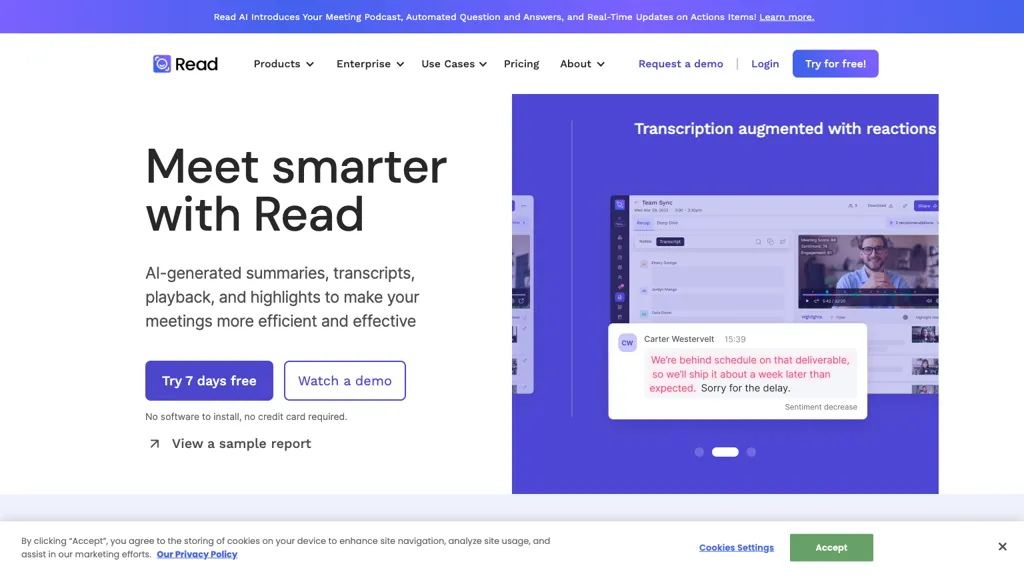
Read AI is an AI‑powered meeting, email, and chat assistant that automatically records, transcribes, and summarizes conversations across Google Meet, Zoom, Microsoft Teams, and in‑person meetings.It generates real‑time meeting notes, highlights action items, and provides playback with searchable timestamps.
The platform delivers concise email summaries and topic extraction for Gmail and Outlook.Read AI’s Search Copilot unifies data across meetings, emails, chats, CRMs, and documents, enabling instant contextual answers with citation links.
It integrates with Slack, Notion, Salesforce, HubSpot, and other collaboration tools, keeping teams aligned without switching contexts.
Read AI details
- Company
- Read AI, Inc.
- Jurisdiction
- State of Washington
- Built for
- Businesses and teams
- Data residency
- United States and other countries
- Stated compliance
- SOC 2, GDPR, HIPAA
Compliance as stated in Read AI's own published documentation.
Read AI tech specs
- Works with
- OpenAI / GPT Anthropic / Claude
- Integrations
- Zapier Slack Salesforce HubSpot Google Workspace Jira
Read AI pricing
Freemium- Auto-renewal
- Yes
Verify on the official pricing page.
View plansRead AI's key features
-
Automated meeting recaps
-
AI email summary
-
Cross-platform integration
-
Real-time transcription service
-
Universal search copilot
-
Multi-language support
-
Secure privacy compliance
Read AI use cases
-
Transcribe and summarize every meeting across Google Meet, Zoom, Teams, and in‑person sessions in real‑time, extracting action items and producing searchable notes while ensuring GDPR and HIPAA compliance
-
Automatically condense email threads into concise summaries, highlighting key decisions and action items for seamless cross‑platform collaboration
-
Provide multilingual real‑time meeting assistance, offering contextual answers from integrated data and searchable playback in 20+ languages
Read AI user reviews
Based on 23 reviews, 87% of users recommend Read AI, rated highly for quality results.
Liked for
Disliked for
Would you recommend Read AI?
Read AI playbooks
1Step-by-step guides to get the most out of Read AI
Who is Read AI for?
-
Business analysts
-
Meeting facilitators
-
Data reviewers
-
Executive leaders
-
Knowledge workers
Read AI FAQ
Is Read AI free?
Partly. Read AI has a free plan with usage limits, and paid plans unlock the full feature set. Plans include Pro at $15/mo, Enterprise at $22.50/mo and Enterprise+ at $29.75/mo.
Is Read AI safe to use?
Read AI states SOC 2, GDPR and HIPAA compliance in its own published documentation. Read AI is operated by Read AI, Inc., registered in State of Washington. Read AI carries the TopAI.tools verified mark, which we award after a manual review of pricing transparency, published terms, public following and working functionality.
Is Read AI good?
Read AI has an 87% recommendation rate from 23 reviewers on TopAI.tools. Reviewers rate it highest on quality of results and value for money.
What are the best alternatives to Read AI?
The closest alternatives to Read AI are tl;dv, ScreenApp, Tactiq, Bubbles and Meetsummary. You can compare them side by side in the alternatives section further down this page.
What does Read AI do with my data?
Read AI states that customer content may be used to train its models. Its privacy policy states that personal data is not sold or shared for marketing purposes. Data may be shared with third-party service providers that help run the product. Customer data is held in United States and other countries.
Does Read AI auto-renew or offer refunds?
Read AI subscriptions renew automatically until you cancel.
Is there a mobile app for Read AI?
Yes. Read AI has a mobile app alongside its web version.
Who made Read AI?
Read AI is built and operated by Read AI, Inc., a company registered in State of Washington.
Which AI models does Read AI use?
Read AI is built on OpenAI / GPT and Anthropic / Claude. Which models you can reach may depend on your plan.
What does Read AI integrate with?
Read AI connects with Zapier, Slack, Salesforce, HubSpot, Google Workspace and Jira.
Compliance, privacy and billing terms are as stated in each product's own published documentation and have not been independently verified by TopAI.tools.


