
Top 29 DopeDoc Alternatives in 2026
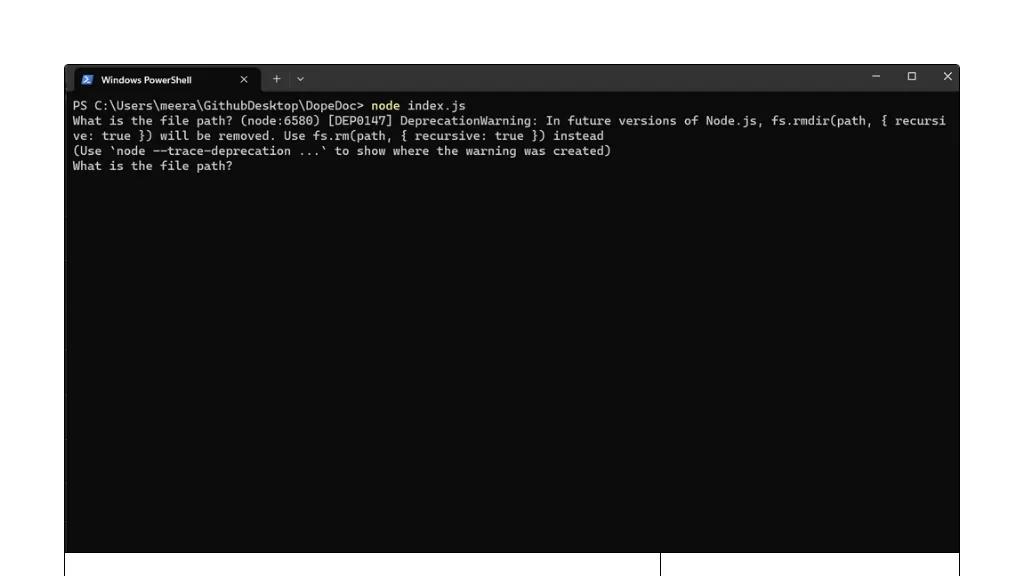
No user reviews yet PaidDopeDoc is a lightweight terminal AI PDF reader that uses GPT‑3.5 Turbo to answer natural‑language queries, letting users search, extract, and summarize PDF content directly in the shell for research, documentation, and legal review.
We've ranked 29 DopeDoc alternatives, including 21 with a free plan. Rankings are based on feature coverage and user feedbacks.
Top-rated alternatives include ChatPDFGPT, Ask Your PDF, and Notegpt.
29 DopeDoc Alternatives & Competitors, Ranked by User Reviews
Click Compare on any tool to compare it side-by-side with DopeDoc.
 #1
ChatPDFGPT
#1
ChatPDFGPT
ChatPDFGPT is an AI tool that enables natural language interaction with PDF documents, allowing users to extract insights, summarize content, and navigate easily. It supports multiple languages and facilitates collaboration, making it useful for students and professionals.
 #2
Ask Your PDF
#2
Ask Your PDF
AskYourPDF lets users upload PDF or text files to ask questions and retrieve instant answers. It instantly summarizes long documents, supports keyword search across multiple files, and offers a shared library with mobile, Chrome, and plugin access, all GDPR‑compliant.
 #3
Notegpt
#3
Notegpt
NoteGPT transcribes and summarizes lectures, meetings, and recordings in any language, offering PDF/PPT/book/video overviews, translation, and AI drafting tools. It also supports text‑to‑speech, voice cloning, infographics, slide generation, and multi‑model chat assistance.
 #4
AI Chat for Search
#4
AI Chat for Search
Browser extension that displays conversational AI answers and multi-model comparisons alongside search results, integrates with GPT-4/Claude and major search engines, and adds YouTube summaries, PDF/image/OCR processing and content-generation tools for research and creation.
 #5
selfGPT
#5
selfGPT
selfGPT converts PDFs, text, and images into searchable AI knowledge. Users upload documents; the system indexes content for quick, retrieval‑augmented queries, auto‑summaries, and actionable insights, saving time for professionals, researchers, students, and creators.

ChatGPT is an AI chatbot based on large language models family created by OpenAI for general purpose chat that allows users to ask any question or prompt to AI, making it a useful tool for many writing processes.
- Catch deals before they expire
- Unlock tools matched to you
- Show off your AI stacks
Already a member? Sign in
 #7
Chat PDF AI online
#7
Chat PDF AI online
Chat PDF AI lets users upload PDFs up to 50 MB, then chat with GPT‑4o or Claude‑3 to ask questions, summarize, extract text or tables, translate, and generate mind maps. It keeps documents encrypted and private.
 #8
ChatPdf.so
#8
ChatPdf.so
Chatpdf.so is an AI tool for efficiently extracting information from PDF documents. It uses GPT-4 for questions, summaries, and interactive learning. With multi-language support and robust data security features, it helps users generate reports and essays effortlessly.
 #9
Innerai.com
#9
Innerai.com
All‑in‑one platform integrating GPT‑4o, Claude, Gemini, and others for unified text, image, video, and document AI. Offers summarizing, translation, prompt templates, workflow tools, quiz creation, SCORM export, web search, subtitles, dubbing. SOC II‑compliant with field‑level encryption and data isolation.
 #10
aiPDF
#10
aiPDF
aiPDF lets users upload PDFs, EPUBs, URLs or YouTube links to extract data, summarize content, and ask context‑specific questions. It returns source‑backed answers, supports any file size, auto‑deletes uploads, and offers response exports.
 #11
Ask AI
#11
Ask AI
Chat & Ask AI combines web search, image generation, link analysis, document chat, and YouTube summarization in one interface. It offers up‑to‑date answers, multilingual support, file uploads, and a prompt library, powered by GPT‑5.2, Gemini, Claude, and Stable Diffusion XL.
 #12
AI ChatDocs
#12
AI ChatDocs
ChatDocs lets users upload PDFs, DOCX, TXT, PPT, websites, and YouTube videos to chat with GPT‑4 for document summarization, extraction, and Q&A. It retains chat history, supports multi‑document workflows, aiding researchers, legal, project managers, and writers.
 #13
Free AI PDF Reader
#13
Free AI PDF Reader
Free AI PDF Reader is a tool that analyzes, translates, and summarizes PDFs via drag-and-drop, delivering key insights. Its AI chat feature supports follow-up questions and multilingual interactions while ensuring data privacy.
 #14
FileGPT
#14
FileGPT
FileGPT lets users query PDFs, DOCs, text, audio, YouTube, and web pages via GPT, extracting and consolidating information across multiple sources. It supports large documents, handwritten text, and delivers concise, cross‑source answers for researchers, students, and managers.
 #15
DeepPDF
#15
DeepPDF
DeepPDF is an AI-powered tool for interacting with PDFs, enabling conversational queries, summaries, translations, and analysis of text, images, and formulas. It also supports OCR, annotations, and multi-format conversions for seamless document handling.
 #16
PDF.ai
#16
PDF.ai
PDF.ai lets users upload PDFs and chat for questions, summaries, and data extraction. It parses documents into structured JSON, detects sections, tables, and figures, and supplies source‑cited answers via a RESTful API for rapid, secure analysis.
 #17
PDF GPT
#17
PDF GPT
PDF GPT reads PDFs and instantly generates summaries, page‑referenced excerpts, and highlights. It supports multi‑file searches, tagging, collaboration, and 90+ languages, enabling efficient research, data extraction, and citation for professionals, students, and teams.
 #18
Talk PDF AI
#18
Talk PDF AI
TalkPDF.ai is an intelligent assistant for interacting with PDF documents, offering features like summarization, problem-solving, photo analysis, calorie tracking, emotion assessment, and audio text-to-speech for improved accessibility.
 #19
AI PDF Summarizer
#19
AI PDF Summarizer
AI PDF Summarizer converts PDFs up to 10 MB into concise summaries within seconds. Upload by drag‑and‑drop, then request summaries, key‑point highlights, translations, search, rephrase, or citation extraction. Files are encrypted and not stored, ensuring privacy.
 #20
ChatPDF
#20
ChatPDF
ChatPDF lets users upload PDFs for conversational queries, mapping content and providing cited answers. It supports folders for combined documents, side‑by‑side chat and source viewing, and offers multilingual input and output.
 #21
pdf2gpt
#21
pdf2gpt
pdf→gpt summarizes PDFs by chunking content to fit GPT’s context, accepting uploads or URLs. It offers a question‑answer mode for targeted extraction. Browser‑only, no account needed for small files, useful for researchers and students.
 #22
LightPDF
#22
LightPDF
LightPDF lets users chat with PDFs, Word, Excel, PowerPoint, EPUB, performing OCR on scanned documents and handling multiple files per session. It returns plain text, lists, tables or markdown with citations, supporting over 100 languages in a cross‑platform interface.
 #23
pdfAssistant.ai
#23
pdfAssistant.ai
pdfassistant.ai is an AI chatbot that serves as your personal PDF assistant, available 24/7 to handle all your PDF processing tasks with ease. It helps with complex PDF workflows and tedious manual document handling as pdfassistant.ai lets you work smarter.
 #24
PortableDocs
#24
PortableDocs
PortableDocs is an AI tool that allows users to engage with PDF documents through conversation, enabling quick extraction of insights and summarization. Its intuitive interface and advanced algorithms enhance productivity, particularly for technical, legal, and academic documents.
 #25
AI Finder
#25
AI Finder
AI Finder is a macOS file‑management agent that uses GPT to locate documents by content, tags, timestamps, and duplicate status. It supports natural‑language and voice queries, PDF interaction, and local processing for privacy.
 #26
Filepower AI
#26
Filepower AI
FilePower AI lets users chat with PDFs, PPTs, Excel, and Word files, summarizing, translating, and organizing them into a searchable library. It uses a large‑language model with extended memory and encryption, speeding information extraction for researchers, educators, and analysts.
 #27
Amigotor
#27
Amigotor
Upload PDFs, Word, and scanned documents to create AI‑powered conversational agents that answer questions, summarize content, explain tables, and provide citations. Supports 100+ languages, collaborative workspaces, cross‑platform use, customizable tone, speech modules, and secure SOC 2/GDPR compliance.
 #28
CheatGPT
#28
CheatGPT
CheatGPT is an AI‑powered study assistant that blends web search, PDF analysis, and quiz creation into one interface. It offers specialized modes for focused learning, coding help, and quick question generation to streamline academic research and exam prep.
 #29
Chatgot
#29
Chatgot
ChatGOT offers real‑time chat, drafting, coding, summarization, PDF analysis, and text‑to‑image generation using models like GPT‑4o mini. It handles essays, emails, debugging, translations, and lets users create custom assistant roles—all web‑based without sign‑up.
Frequently Asked Questions
Why look for DopeDoc alternatives?
Common reasons users switch from DopeDoc:
- Cost: DopeDoc is a Paid tool — users often look for more affordable or free options.
- Feature gaps: teams needing specific capabilities like Analyze Documents may find a more focused alternative better suited to their workflow.
- Flexibility: exploring alternatives helps find tools that better match your team size, integrations, and budget.
What is the best alternative to DopeDoc?
ChatPDFGPT ranks as the top DopeDoc alternative. ChatPDFGPT is an AI tool that enables natural language interaction with PDF documents, allowing users to extract insights, summarize content, and navi It is available on a Free plan.
How do the top DopeDoc alternatives compare?
| Tool | Pricing | Starting Price | User Rating |
|---|---|---|---|
| DopeDoc this tool | Paid | — | — |
| ChatPDFGPT | Free | — | — |
| Ask Your PDF | Free | — | 100% (4) |
| Notegpt | Free trial | $9/mo | 83.3% (12) |
| AI Chat for Search | Free | — | — |
| selfGPT | Freemium | — | — |
Are there free DopeDoc alternatives?
Yes, 21 free alternatives found in our list: ChatPDFGPT, Ask Your PDF, Notegpt. and 18 more — use the pricing filter above to see them all.
What should I look for in a DopeDoc alternative?
- Core capabilities: confirm the tool supports Analyze Documents, Extract Texts, summarize text.
- Pricing transparency: look for clear free plan, trial period, or tiered pricing — avoid tools that hide costs.
- User reviews: check both the satisfaction percentage and the number of reviews; a high score from few users is less reliable.
- Integrations: verify it connects with your existing stack before committing.
- Support and updates: active development and responsive support are strong signals of a maintained product.
Which DopeDoc alternative has the highest user rating?
Ask Your PDF has the highest satisfaction score among DopeDoc alternatives, with 100% positive from 4 user reviews. It is available on a Free plan.
What are DopeDoc alternatives used for?
- Analyze Documents
- Extract Texts
- summarize text