
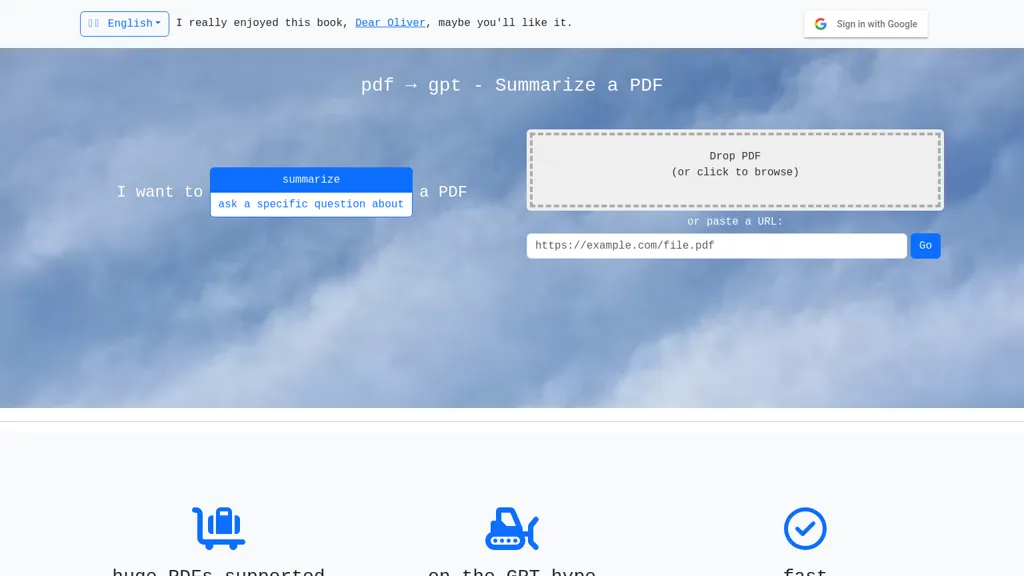
What is pdf2gpt?
pdf → gpt
Summarizes large PDF documents using GPT, automatically breaking files into manageable chunks that fit the model’s context limits. Supports direct upload or URL pasting for quick access, and offers a question‑answer mode to extract specific information from PDFs.
No account is required for small files, though optional Google sign‑in is available. The interface works entirely in the browser and does not require JavaScript disabling. Designed for researchers, students, and professionals needing concise PDF overviews and targeted content retrieval.
pdf2gpt pricing
FreeThis tool is free to use, with no credit card required.
Verify on the official pricing page.
Get started freepdf2gpt's key features
-
Summarize PDFs with GPT
-
Answer PDF questions
-
Auto chunk PDFs for context
-
Fast file upload
-
No account needed for small files
-
Drop or paste URL
pdf2gpt use cases
-
Easily generate concise summaries of lengthy academic PDFs for researchers, using pdf→gpt’s browser‑only, account‑free interface to chunk large files and extract key insights without any downloads.
-
Create study‑ready notes from textbook PDFs for students, leveraging pdf→gpt’s question‑answer mode to pull out definitions, formulas and examples in a clear, digestible format.
-
Quickly pull out critical sections from business or legal PDFs, using pdf→gpt to locate specific clauses, figures, or statistics and compile a short briefing for executives.
pdf2gpt user reviews
Would you recommend pdf2gpt?
Who is pdf2gpt for?
-
Data analysts
-
Information researchers
-
Knowledge workers
-
Academic scholars
-
Subject matter analysts
pdf2gpt FAQ
Is pdf2gpt free?
Yes. pdf2gpt is free to use and does not require a credit card.
What are the best alternatives to pdf2gpt?
The closest alternatives to pdf2gpt are PDF GPT, selfGPT, Documator, Notegpt and TLDR This. You can compare them side by side in the alternatives section further down this page.


