Top 29 LightPDF Alternatives in 2026
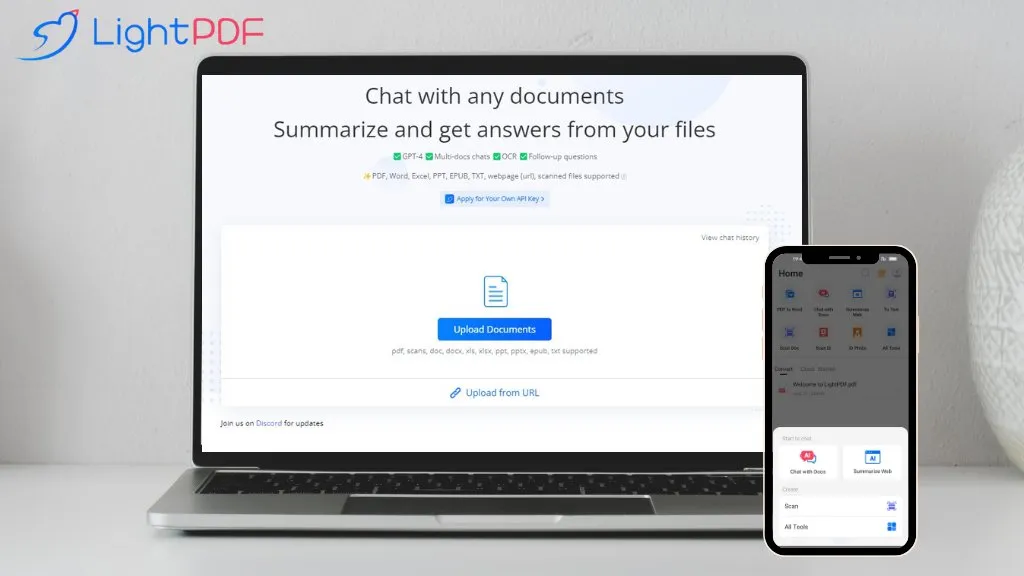
73.3% positive · 30 user reviews PaidLightPDF lets users chat with PDFs, Word, Excel, PowerPoint, EPUB, performing OCR on scanned documents and handling multiple files per session. It returns plain text, lists, tables or markdown with citations, supporting over 100 languages in a cross‑platform interface.
We've ranked 29 LightPDF alternatives, including 21 with a free plan. Rankings are based on feature coverage and user feedbacks.
Top-rated alternatives include Chatdoc, Chat PDF AI online, and PDF.ai.
29 LightPDF Alternatives & Competitors, Ranked by User Reviews
Click Compare on any tool to compare it side-by-side with LightPDF.
#1
Chatdoc
ChatDOC lets users ask questions about PDFs, DOCs, EPUBs, MD, and TXT while preserving layout, tables, formulas, and images. It returns answers with source citations, supports 25+ languages, and offers API/SDK integration.
#2
Chat PDF AI online
Chat PDF AI lets users upload PDFs up to 50 MB, then chat with GPT‑4o or Claude‑3 to ask questions, summarize, extract text or tables, translate, and generate mind maps. It keeps documents encrypted and private.
#3
PDF.ai
PDF.ai lets users upload PDFs and chat for questions, summaries, and data extraction. It parses documents into structured JSON, detects sections, tables, and figures, and supplies source‑cited answers via a RESTful API for rapid, secure analysis.
#4
aiPDF
aiPDF lets users upload PDFs, EPUBs, URLs or YouTube links to extract data, summarize content, and ask context‑specific questions. It returns source‑backed answers, supports any file size, auto‑deletes uploads, and offers response exports.
#5
ChatPdf.so
Chatpdf.so is an AI tool for efficiently extracting information from PDF documents. It uses GPT-4 for questions, summaries, and interactive learning. With multi-language support and robust data security features, it helps users generate reports and essays effortlessly.
#6
Filepower AI
FilePower AI lets users chat with PDFs, PPTs, Excel, and Word files, summarizing, translating, and organizing them into a searchable library. It uses a large‑language model with extended memory and encryption, speeding information extraction for researchers, educators, and analysts.
- Personalized recommendations
- Custom collections
- Save favorites
Already a member? Sign in
#7
Amigotor
Upload PDFs, Word, and scanned documents to create AI‑powered conversational agents that answer questions, summarize content, explain tables, and provide citations. Supports 100+ languages, collaborative workspaces, cross‑platform use, customizable tone, speech modules, and secure SOC 2/GDPR compliance.
#8
Chatpdf.ae
ChatPDF lets users upload PDFs and chat with their content in any language. It extracts key information, provides summaries, answers queries with source citations, and supports bilingual interaction, all while keeping documents secure.
#9
DeepPDF
DeepPDF is an AI-powered tool for interacting with PDFs, enabling conversational queries, summaries, translations, and analysis of text, images, and formulas. It also supports OCR, annotations, and multi-format conversions for seamless document handling.
#10
PaperChat
PaperChat is an AI-powered tool boosting productivity via document chatting. It simplifies document handling, provides swift summary generation, and supports multiple file formats for streamlined project management and data extraction.
#11
AI ChatDocs
ChatDocs lets users upload PDFs, DOCX, TXT, PPT, websites, and YouTube videos to chat with GPT‑4 for document summarization, extraction, and Q&A. It retains chat history, supports multi‑document workflows, aiding researchers, legal, project managers, and writers.
#12
PDF Summarizer
PDF Summarizer is a tool that quickly extracts key insights from multiple PDFs, Word, and PowerPoint files through multi-document chats. It offers summaries, translations, and secure side-by-side comparisons for efficient analysis.
#13
Ask Your PDF
AskYourPDF lets users upload PDF or text files to ask questions and retrieve instant answers. It instantly summarizes long documents, supports keyword search across multiple files, and offers a shared library with mobile, Chrome, and plugin access, all GDPR‑compliant.
#14
Talk PDF AI
TalkPDF.ai is an intelligent assistant for interacting with PDF documents, offering features like summarization, problem-solving, photo analysis, calorie tracking, emotion assessment, and audio text-to-speech for improved accessibility.
#15
pdfAssistant.ai
pdfassistant.ai is an AI chatbot that serves as your personal PDF assistant, available 24/7 to handle all your PDF processing tasks with ease. It helps with complex PDF workflows and tedious manual document handling as pdfassistant.ai lets you work smarter.
#16
AI TranslateDocs
AI TranslateDocs translates PDFs, Word, Excel, PowerPoint, CSV, and TXT files, using OCR to preserve layout. It supports over 130 languages, offers secure encryption, and delivers quick, accurate translations for legal, medical, academic, and business documents.
#17
Free AI PDF Reader
Free AI PDF Reader is a tool that analyzes, translates, and summarizes PDFs via drag-and-drop, delivering key insights. Its AI chat feature supports follow-up questions and multilingual interactions while ensuring data privacy.
#18
Ask AI
Chat & Ask AI combines web search, image generation, link analysis, document chat, and YouTube summarization in one interface. It offers up‑to‑date answers, multilingual support, file uploads, and a prompt library, powered by GPT‑5.2, Gemini, Claude, and Stable Diffusion XL.
#19
PDFT.AI: AI Document Translator
PDFT.AI: AI Document Translator is an AI-powered tool that translates PDFs, DOCX, and XLSX files while preserving layout and formatting across 100+ languages. It ensures fast, secure translations with support for technical, medical, and legal terminology.
#20
PortableDocs
PortableDocs is an AI tool that allows users to engage with PDF documents through conversation, enabling quick extraction of insights and summarization. Its intuitive interface and advanced algorithms enhance productivity, particularly for technical, legal, and academic documents.
#21
Skimming.ai
Skimming AI lets users upload PDFs, videos, audio, images, and links, then extracts key points, summarizes content, and supports real‑time Q&A. Multilingual OCR and transcription turn non‑text into searchable text. It works in the browser or via a Chrome extension.
#22
Myreader AI
Myreader is an AI reading assistant that accepts PDFs, EPUBs, YouTube videos, and web articles, enabling chat‑based queries, concise summaries, contextual citations, and text‑to‑speech in 50+ voices across 30 languages. Secure cloud storage supports large libraries.
#23
aidocmaker.com
AI Doc Maker produces PDFs, Word, PowerPoint, and Excel files from prompts or uploads, applying layouts, tables, and multilingual formatting. It provides templates for reports, contracts, proposals, and spreadsheets, streamlining document creation for professionals.
#24
ChatPDFGPT
ChatPDFGPT is an AI tool that enables natural language interaction with PDF documents, allowing users to extract insights, summarize content, and navigate easily. It supports multiple languages and facilitates collaboration, making it useful for students and professionals.
#25
Youlearn
AI tutor that transforms PDFs, videos, slides, and recordings into study notes, quizzes, podcasts, and personalized exams, providing key takeaways, answer breakdowns, progress tracking, and interactive chat support for learners and educators.
#26
AI Chat for Search
Browser extension that displays conversational AI answers and multi-model comparisons alongside search results, integrates with GPT-4/Claude and major search engines, and adds YouTube summaries, PDF/image/OCR processing and content-generation tools for research and creation.
#27
PDF Pals
PDF Pals is a macOS-native app that lets users chat with PDFs locally, using built‑in OCR and a local SQLite index. It supports multiple AI providers, keeps data offline, and offers fast, privacy‑focused queries.
#28
SearchPlus
Search+ AI enables users to interact with PDF documents through conversational queries, providing immediate answers and insights. It supports collaborative dialogue, ensures document privacy with encryption, and streamlines workflows for enhanced decision-making across multiple languages.
#29
TanyaPDF
TanyaPDF lets users upload PDFs, extract text, tables, images, summarize content, and chat with the document for precise answers. Ideal for students, researchers, and professionals reviewing academic papers, contracts, reports, and training materials. Conversations are stored, exportable, and privacy‑protected.