
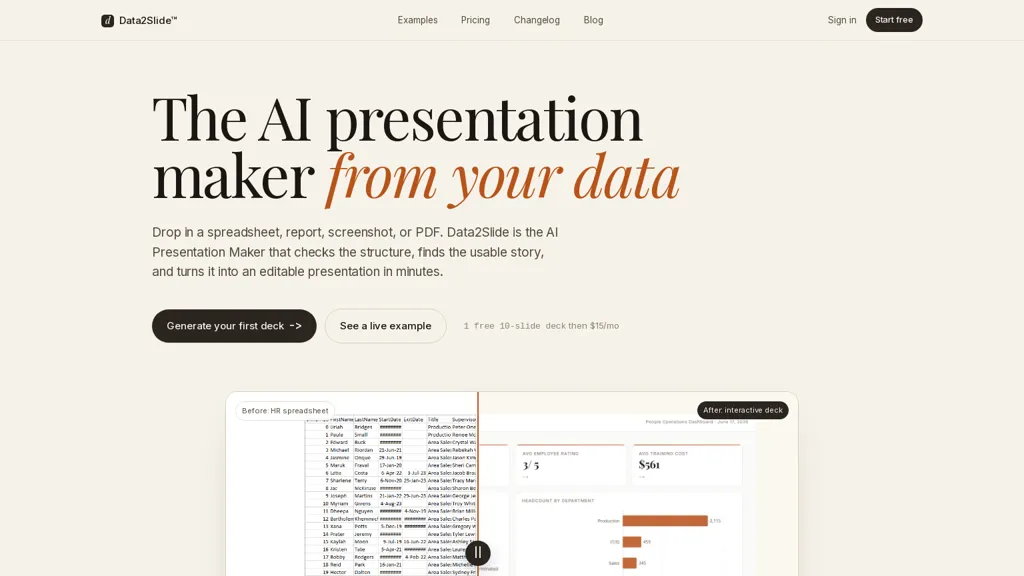
What is Data2Slide?
Data2Slide is an AI presentation maker that converts CSVs, Excel files, PDFs, screenshots, and text briefs into editable slide decks.It parses files in-browser, checks data readiness (metrics, dates, missing values, sensitive columns) and detects chartable KPIs for automated slide generation.
The tool builds structured presentations with charts, tables, timelines, hierarchical summaries, and one-line takeaways tailored to the described audience.It flags data issues and suggests fixes for sparse or wide tables before generation.
Output options include a downloadable self-contained HTML file, PowerPoint and Google Slides export, and a live shareable URL.Workflows support recurring reporting and quick deck iteration for sales teams, finance, HR, data scientists, analysts, and founders.
Data2Slide details
- Built for
- Individuals
Data2Slide tech specs
- Works with
- OpenAI / GPT
- Payment Processors
- Stripe
Data2Slide pricing
Free trial- Auto-renewal
- Yes
Verify on the official pricing page.
Start free trialData2Slide's key features
-
Converts CSVs, Excel files, PDFs, screenshots, and text briefs into editable slide decks
-
Parses files in-browser
-
Checks data readiness (metrics, dates, missing values, sensitive columns), flags data issues, suggests fixes, and detects chartable KPIs for automated slide generation
-
Builds structured presentations with charts, tables, timelines, hierarchical summaries, and one-line takeaways tailored to the described audience
-
Exports to downloadable self-contained HTML, PowerPoint, Google Slides, and provides a live shareable URL
Data2Slide use cases
-
Convert monthly sales CSVs into polished, editable slide decks using data2slide, automatically detecting chartable KPIs, generating charts, tables and one-line takeaways, flagging data issues and exporting to PowerPoint or Google Slides for executive meetings
-
Automate recurring performance reporting by parsing Excel and PDF source files in-browser, validating data readiness, creating updated charts, timelines and concise summaries, and exporting HTML or Google Slides for stakeholder distribution
-
Transform research screenshots, text briefs or mixed-format data into data-driven presentations by extracting KPIs, building visuals and tables, surfacing data quality issues and producing editable decks for marketing, product or client proposals
Data2Slide user reviews
Would you recommend Data2Slide?
Who is Data2Slide for?
-
Data scientists
-
Founders
-
Sales teams
-
Finance teams
-
Hr teams
Data2Slide FAQ
Is Data2Slide free?
Not permanently. Data2Slide gives you a free trial, after which a paid plan is required. Plans include Starter at $15/mo, Pro at $29/mo and Business at $79/mo.
What are the best alternatives to Data2Slide?
The closest alternatives to Data2Slide are SlidesPilot, PresentationsAI, SlideSpeak, Dokie AI and Autoppt. You can compare them side by side in the alternatives section further down this page.
What does Data2Slide do with my data?
Its privacy policy states that personal data is not sold or shared for marketing purposes. Data may be shared with third-party service providers that help run the product.
Does Data2Slide auto-renew or offer refunds?
Data2Slide subscriptions renew automatically until you cancel.
Which AI models does Data2Slide use?
Data2Slide is built on OpenAI / GPT. Which models you can reach may depend on your plan.
Compliance, privacy and billing terms are as stated in each product's own published documentation and have not been independently verified by TopAI.tools.


