Best Smart Media Cutter Alternatives in 2026
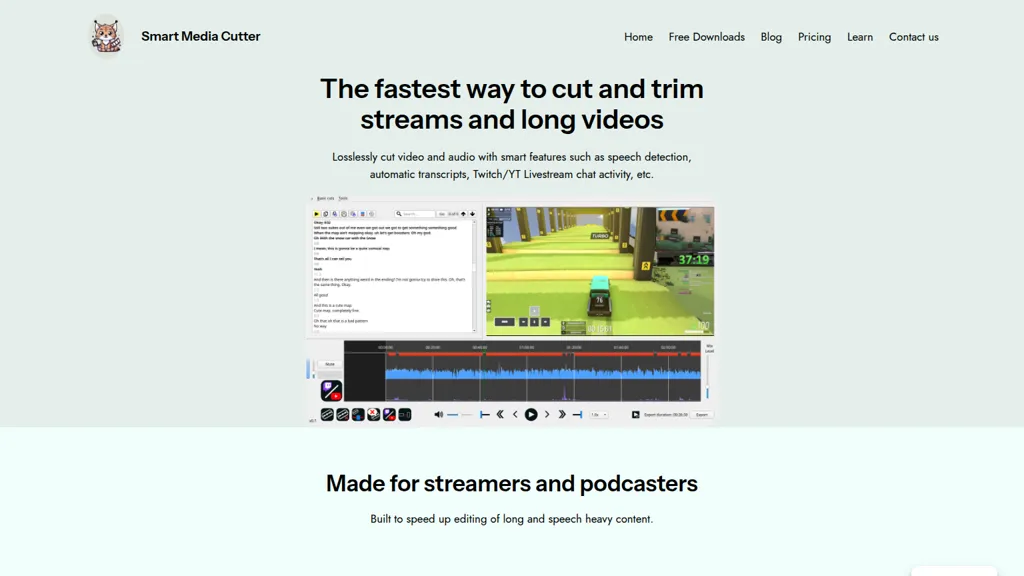
No user reviews yet FreeSmart Media Cutter is a desktop tool for streamers and editors that enables frame-accurate, lossless cutting of video and audio. It uses AI transcription, chat activity overlays, and automated silence removal to quickly find highlights and export clips for social media.
We've ranked 29 Smart Media Cutter alternatives, including 20 with a free plan. Rankings are based on feature coverage and user feedbacks.
Top-rated alternatives include AI Video Cut, FireCut, and TurboScribe.
29 Smart Media Cutter Alternatives & Competitors, Ranked by User Reviews
Click Compare on any tool to compare it side-by-side with Smart Media Cutter.
#1
AI Video Cut
AI Video Cut uses prompt‑based AI to transform long videos into short, platform‑optimized clips. It auto‑detects faces, crops frames, adds multilingual captions, and supports multiple aspect ratios for fast, high‑quality content creation.
#2
FireCut
FireCut is an AI‑powered plugin for Premiere Pro and DaVinci Resolve that cuts silence, filler words, profanity, and repetitions. It auto‑generates multilingual captions, adds chapter markers, auto‑zoom, B‑roll, music, voiceover transcription, and short‑video exports for social media.
#3
TurboScribe
TurboScribe is an AI-powered transcription tool offering ultra-fast conversion of audio and video files to text. It supports over 98 languages, handles uploads up to 10 hours long, and features speaker recognition for meetings, interviews, and podcasts.
CapCut is an AI-powered video editor & design tool with social media templates, background removal, upscaling, color correction, portrait generation, text-to-speech, voice changers, and team collaboration support - accessible online and for Mac download.
#5
Descript
Descript is a comprehensive video and podcast editing tool with transcription, podcasting, screen recording, clip creation, and publishing features, offering collaboration and sharing capabilities, with a free plan and paid options starting at $12 per month.
#6
Recast Studio
Recast Studio uses AI to transcribe and edit webinars, podcasts, and live recordings in 20+ languages, auto‑framing key moments and producing clips, audiograms, and social posts for TikTok, Instagram, YouTube, Facebook, LinkedIn, and Twitter. Collaboration and scheduling are built‑in.
- Personalized recommendations
- Custom collections
- Save favorites
Already a member? Sign in
Cleanvoice AI automates podcast post‑production by removing background noise, filler words, pauses, mouth sounds, and breath artifacts in 20+ languages. It offers transcription, summaries, show notes, chapter markers, multi‑track editing, a drag‑and‑drop interface, and an API for batch processing.
#8
Wave.Video
Wave.video is an all-in-one AI video editing and creation platform that allows users to create, edit, and distribute videos, offering features such as online editing, live streaming, thumbnail maker, and customizable live streaming studios.
#9
Vizard
Vizard.ai automatically transcribes footage, spots highlights, and creates TikTok, Reels, and Shorts‑ready clips with one click. It provides text trimming, timeline precision, vertical resizing, multilingual captions, brand templates, collaborative workspaces, and API integration.
#10
ClipZap AI
Clipzap.ai is a free AI video workflow editor that enables users to clip, edit, and translate videos in multiple languages. It features face-swapping, video generation, and integration with audio/video products for streamlined content creation.
#11
Qlip.ai
Qlip automatically extracts short, vertical or square clips from longer videos, preserving focus on key moments. It applies brand templates, generates speech‑to‑text transcripts with speaker tags, and offers an API for clip creation, aspect‑ratio conversion, subtitle burning, and transcription.
#12
Snapcut.ai
Snapcut.ai is an AI-driven video editing tool that transforms long videos into engaging short clips. It identifies key moments, reframes for various platforms, and adds animated captions, streamlining the editing process for social media content creators.
#13
Scribewave AI
Scribewave converts audio and video up to 5 GB and 5 hours into accurate transcripts in over 90 languages. The platform offers real‑time editing, export to Word, Docs, SRT/VTT, subtitle burning, AI‑generated summaries, chapter markers, and GDPR‑compliant European data storage.
#14
Clips AI
Clips AI is an open‑source Python library that automatically segments long‑form videos using WhisperX transcription and Pyannote speaker diarization, then resizes and reframes clips to 9:16 for mobile. It streamlines batch processing of podcasts, interviews, speeches, and sermons.
#15
Clip FM
ClipFM uses AI to scan long videos, automatically extract highlights, generate captions, detect emotions, and assign virality scores. Export clips in platform‑specific formats (TikTok, Instagram, YouTube, X, LinkedIn, Facebook) with a one‑click export.
#16
Videoleap
Videoleap is a cross‑platform editor with AI background removal, infinite‑zoom, text‑to‑video, audio cutting, subtitles, and built‑in filters. It offers templates for TikTok, Reels, Shorts, and ads, plus a drag‑and‑drop interface for quick professional videos on web or mobile.
#17
Aivideo
AIVideo.com automates video production, creating music videos, lyric visuals, looping clips, and converting audio or images into video. It offers text‑to‑image/video, background removal, matchcut editing, and visual effects, enabling quick, professional media creation.
#18
BlipCut
BlipCut AI Video Translator automates localization for over 140 languages, using speech recognition, transcription, AI‑dubbed voice cloning, and lip‑sync. It supports batch processing, subtitle editing, and customizable voice libraries for global video content.
#19
Clipto
Clipto.ai is a private media management assistant that enables accurate AI transcription, supports various media sources, integrates with tools like Adobe Premiere, and allows smart searches for efficient content creation workflows, all without needing internet access.
#20
Edit Videos Online
The AI-enhanced Online Video Editor provides smooth, registration-free editing with advanced features like AI background removal and auto caption generation. It supports multiple formats, enables easy audio/image insertion, and requires no software download.
#21
SNAPVID
SNAPVID.AI automates cutting long videos into 30‑second clips, removes filler pauses, adds multi‑language subtitles, offers 4K output, AI‑generated B‑roll, audio cleanup, and batch processing with a credit‑based monthly reset for creators.
#22
FastCut
FastCut uses AI to transform raw footage into short‑form videos for TikTok, Reels, Shorts, and social ads. It trims clips, removes silence, adds captions, selects B‑rolls, and provides music and overlays, cutting editing time by up to 90%.
#23
wondershare.net
Wondershare AI delivers end‑to‑end media creation: it turns scripts into spokesperson videos with multiple voices, generates music, offers real‑time transcription, AI audio cleanup, talking‑photo synthesis, PDF markup, text‑to‑image, multilingual video, object removal, and batch conversion.
#24
Tella
Tella is a cross-platform screen recorder and video editor that captures screen and webcam in 4K, offers clip-based recording with multi-camera layouts, transcript-driven and AI-assisted editing (filler removal, silence trim), templates, hosting and export options.
#25
Vidio
Vidio's Conversational Video Editor simplifies video editing via AI assistance, allowing users to verbally describe desired edits. It offers advanced features like auto-captioning and noise removal, completing the process in just three steps.
#26
AccurateScribe.ai
AccurateScribe.ai transcribes audio and video files into text with 99.8% accuracy in over 134 languages. Key features include automatic speaker detection, bulk processing for large files, and various export options like DOCX and PDF.
#27
RecCloud
RecCloud converts speech to text, auto‑polishes and summarizes meetings, lectures, or transcriptions. It creates multilingual subtitles, offers voice synthesis, video summarization, and editing tools, and supports screen recording, medical, Zoom, and YouTube transcription.
#28
Happy Scribe
HappyScribe captures audio from Google Meet, Teams, and Zoom, providing AI transcription, instant meeting notes, summaries, and action items. It supports over 120 languages, offers human‑edited reviews, secure GDPR‑compliant cloud storage, collaboration, integrations, and usage analytics.
#29
InShot
InShot is a mobile video editor that lets users cut, trim, and layer clips, auto‑generate multilingual captions, add music, intros/outros, and apply AI‑driven, 3D, glitch, and lens transitions, text, stickers, and picture‑in‑picture overlays.
Frequently Asked Questions
Why look for Smart Media Cutter alternatives?
Common reasons users switch from Smart Media Cutter:
- Feature gaps: teams needing specific capabilities like Edit videos may find a more focused alternative better suited to their workflow.
- Flexibility: exploring alternatives helps find tools that better match your team size, integrations, and budget.
What is the best alternative to Smart Media Cutter?
Based on 2 user reviews, AI Video Cut (50% positive) ranks as the top Smart Media Cutter alternative. AI Video Cut uses prompt‑based AI to transform long videos into short, platform‑optimized clips. It auto‑detects faces, crops frames, adds multilingua It is available on a Freemium plan.
How do the top Smart Media Cutter alternatives compare?
| Tool | Pricing | Starting Price | User Rating |
|---|---|---|---|
| Smart Media Cutter this tool | Free | — | — |
| AI Video Cut | Freemium | — | 50% (2) |
| FireCut | Subscription | $10/mo | — |
| TurboScribe | Freemium | $10/mo | 76.9% (13) |
| CapCut | Free trial | — | 77.8% (27) |
| Descript | Freemium | $16/mo | 75% (20) |
Are there free Smart Media Cutter alternatives?
Yes, 20 free alternatives found in our list: AI Video Cut, TurboScribe, CapCut. and 17 more — use the pricing filter above to see them all.
What should I look for in a Smart Media Cutter alternative?
- Core capabilities: confirm the tool supports Edit videos, Remove silence, Transcribe audio.
- Pricing transparency: look for clear free plan, trial period, or tiered pricing — avoid tools that hide costs.
- User reviews: check both the satisfaction percentage and the number of reviews; a high score from few users is less reliable.
- Integrations: verify it connects with your existing stack before committing.
- Support and updates: active development and responsive support are strong signals of a maintained product.
Which Smart Media Cutter alternative has the highest user rating?
Recast Studio has the highest satisfaction score among Smart Media Cutter alternatives, with 100% positive from 1 user review. It is available on a Freemium plan starting from $37/mo.
What are Smart Media Cutter alternatives used for?
- Edit videos
- Remove silence
- Transcribe audio
- Generate transcripts
- Crop videos