
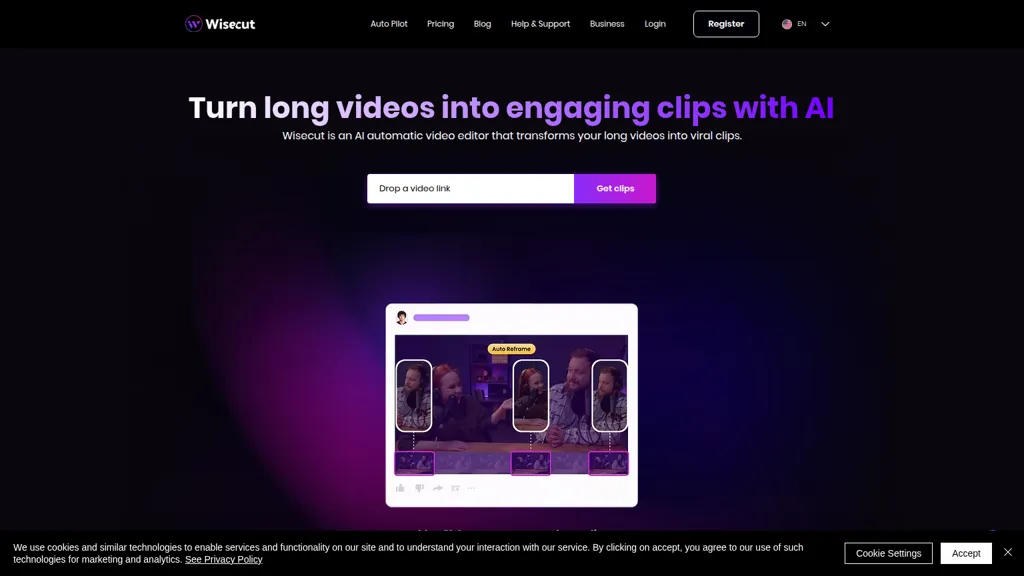
What is Wisecut AI?
Wisecut is an AI video editor that converts long recordings into short social-media clips and shorts for creators, YouTubers, streamers, and social media managers.It uses AI highlight detection and auto-cut to identify key moments, automatically remove silences, and apply auto zoom and punch-in/out transitions to maintain pacing.
Automatic captions, subtitle translation, and storyboard-based editing let creators edit via transcribed text and produce accessible, multilingual videos.Auto reframe adjusts aspect ratios for vertical, square, or horizontal platforms while smart background music with audio ducking and background noise cancellation manages audio levels.
Features include auto captions, silence removal, auto punch-in/out, studio voice processing, and smart background music for faster content production.Designed for content creators, media teams, and marketers, Wisecut streamlines editing workflows, reduces turnaround time, and supports higher engagement on social platforms.
Wisecut AI details
- Jurisdiction
- Delaware, USA
- Built for
- Individuals
- Data residency
- United States
Wisecut AI pricing
Free- Refund window
- 14 days
- Auto-renewal
- Yes
Verify on the official pricing page.
Get started freeWisecut AI's key features
-
AI highlight detection
-
Auto-generated captions and translations
-
Storyboard-based transcript video editing
-
Automatic silence detection and removal (Autocut)
-
Smart background music selection with automatic audio ducking
Wisecut AI use cases
-
Create short, platform-optimized social clips from long interviews or podcasts using Wisecut's auto-highlight detection, silence removal, auto-reframe for different aspect ratios, and auto captions/translations to boost engagement across TikTok, Instagram and YouTube Shorts
-
Produce multilingual microlearning modules by automatically editing long training or webinar recordings into focused lesson clips, cleaning up audio, adding translated subtitles, auto-zooming on speaker visuals and using storyboard editing to assemble a structured course quickly
-
Repurpose conference recordings and product demos into polished promo reels and highlight packages with smart transitions, audio cleanup and ducking, auto zoom and storyboard-driven sequencing, plus translated captions for fast global distribution
Wisecut AI user reviews
Would you recommend Wisecut AI?
Who is Wisecut AI for?
-
Content creators
-
Video editors
-
Multilingual content producers
-
Podcast producers
-
Social media managers
Wisecut AI FAQ
Is Wisecut AI free?
Yes. Wisecut AI is free to use and does not require a credit card.
What are the best alternatives to Wisecut AI?
The closest alternatives to Wisecut AI are AI Video Cut, Autocut.com, Submagic, Vizard and Opus Clip. You can compare them side by side in the alternatives section further down this page.
What does Wisecut AI do with my data?
Wisecut AI states that customer content may be used to train its models. Its privacy policy states that personal data is not sold or shared for marketing purposes. Data may be shared with third-party service providers that help run the product. Customer data is held in United States.
Does Wisecut AI auto-renew or offer refunds?
Wisecut AI subscriptions renew automatically until you cancel. It states a 14-day refund window.
Compliance, privacy and billing terms are as stated in each product's own published documentation and have not been independently verified by TopAI.tools.


