
What is Autocut.com?
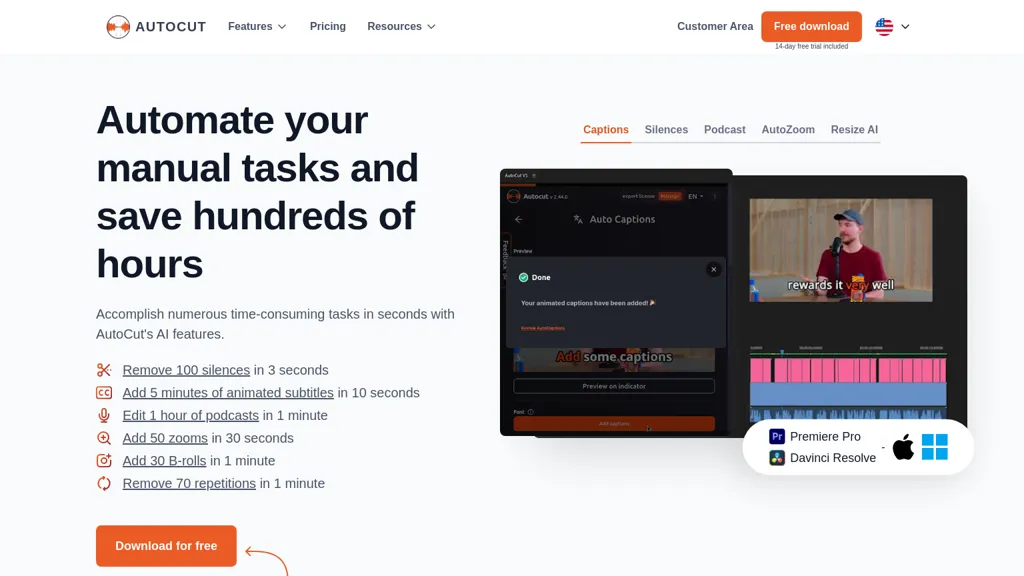
AutoCut AI Plugin is an AI‑powered video editing extension for Adobe Premiere Pro and DaVinci Resolve that automates routine editing tasks. The plugin removes silences, generates animated captions, and translates them in real time, improving video accessibility.
It identifies speakers and switches camera angles in multi‑cam podcasts, allowing rapid podcast production. AutoZoom applies context‑aware zooms to highlight actions, while AutoViral extracts key moments for shorts, reels, and TikToks. AutoB‑Rolls integrates AI‑selected stock footage from StoryBlocks to enrich edits.
AutoCut Repeat discards duplicate takes to keep only the best performance. The AutoProfanity Filter replaces offensive words with sound effects, and AutoChapters inserts YouTube‑ready chapter markers. AutoResize resizes sequences to social media formats while maintaining subject focus.
Autocut.com details
- Company
- Toolpad
- Jurisdiction
- France
- Built for
- Individuals
Autocut.com tech specs
- Payment Processors
- Stripe
- Integrations
- Discord
Autocut.com pricing
Paid- Free trial
- 14 days
- Refund window
- 14 days
Verify on the official pricing page.
View plansAutocut.com's key features
-
Generate animated captions
-
Remove silences instantly
-
Automate podcast editing
-
Add dynamic zooms
-
Create viral short clips
-
Insert stock B-roll footage
-
Mask profanity with bleeps
Autocut.com use cases
-
Produce polished podcast episodes in minutes by letting AutoCut AI eliminate all silences, add real‑time captions, and auto‑cut to the most engaging speaker moments for seamless listening
-
Generate Instagram Reels and YouTube Shorts from long‑form footage instantly, with AutoCut AI extracting key moments, auto‑zooming on context, and resizing content for each platform without manual trimming
-
Streamline corporate training video production by automatically integrating stock clips, removing duplicate takes, and inserting chapter markers, enabling editors to focus on storytelling while maintaining compliance and accessibility
Autocut.com user reviews
Based on 1 review, 100% of users recommend Autocut.com, rated highly for ease of use.
Liked for
Would you recommend Autocut.com?
Who is Autocut.com for?
-
Content creators
-
Video editors
-
Audio producers
-
Digital producers
-
Workflow engineers
Autocut.com FAQ
How much does Autocut.com cost?
Autocut.com is a paid product with no free plan. Plans include Basic plan at $9.9, Most popular ai plan at $19.8 and Enterprise plan at $19.9.
Is Autocut.com safe to use?
Autocut.com is operated by Toolpad, registered in France. It has a substantial audience that is independently measured month to month.
What are the best alternatives to Autocut.com?
The closest alternatives to Autocut.com are AI Video Cut, Video Editor AI, Wisecut AI, VEED and CapCut. You can compare them side by side in the alternatives section further down this page.
What does Autocut.com do with my data?
Its privacy policy states that personal data is not sold or shared for marketing purposes. Data may be shared with third-party service providers that help run the product.
Does Autocut.com auto-renew or offer refunds?
Autocut.com states a 14-day refund window.
Who made Autocut.com?
Autocut.com is built and operated by Toolpad, a company registered in France.
What does Autocut.com integrate with?
Autocut.com connects with Discord.
Compliance, privacy and billing terms are as stated in each product's own published documentation and have not been independently verified by TopAI.tools.


