
Top 29 Saved Alternatives in 2026
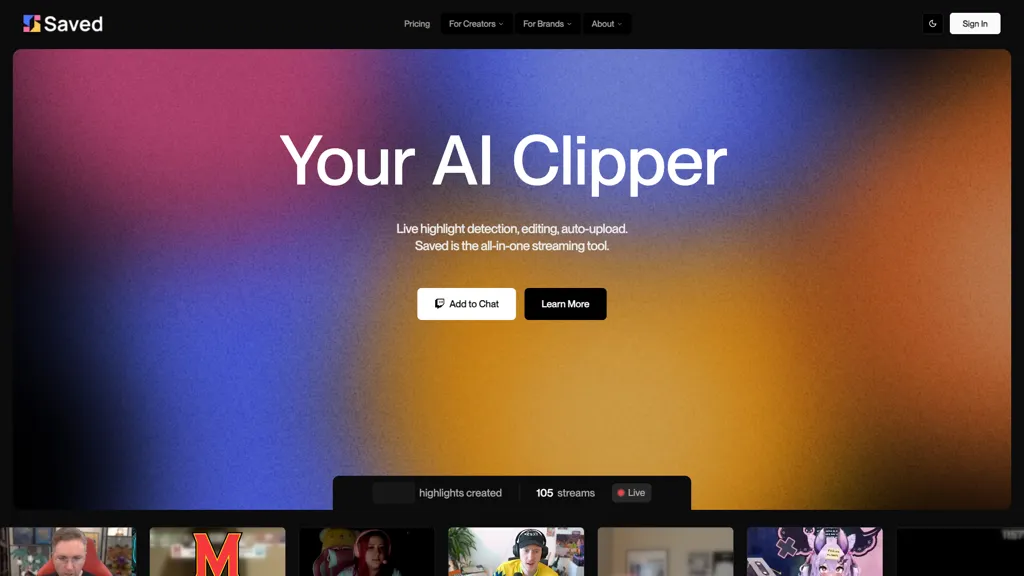
100% positive · 1 user review SubscriptionSaved is an AI clipper for streamers that automatically detects and edits highlights from live streams, facilitating quick uploads to platforms like YouTube and Twitch while allowing users to customize highlights for enhanced viewer engagement.
We've ranked 29 Saved alternatives, including 20 with a free plan. Rankings are based on feature coverage and user feedbacks.
Top-rated alternatives include EasyClips, StreamGen, and AnyClip.
29 Saved Alternatives & Competitors, Ranked by User Reviews
Click Compare on any tool to compare it side-by-side with Saved.
 #1
EasyClips
#1
EasyClips
EasyClips automatically turns Twitch VODs into vertical TikTok‑ready clips by scanning for high‑impact moments, assembling polished highlights with transitions, and formatting them 9:16 in minutes—enabling streamers to quickly produce shareable content.
 #2
StreamGen
#2
StreamGen
Streamgen is an AI tool for streamers that generates highlight clips from Twitch VODs by identifying viral moments. It features customizable captions, silence removal, automated word censoring, and a content scheduler for easy posting on various platforms.
 #3
AnyClip
#3
AnyClip
AnyClip automates video tagging, subtitles, and chapter creation, enabling searchable, measurable content. It extracts highlights, clusters topics, and builds contextual playlists. Facial recognition and brand‑safety filters keep compliant, while interactive players support live captions and AI‑driven ads.
 #4
vverse.ai
#4
vverse.ai
VideoVerse automates sports and entertainment highlight creation, using AI to detect key moments and generate ready‑to‑publish clips. It offers content moderation, interactive web story generation, an online editor, and real‑time multi‑platform distribution for rapid, high‑quality short‑form content.
 #5
Opus Clip
#5
Opus Clip
OpusClip is an AI-powered video tool that transforms long videos into shareable short clips with one click. It uses AI to identify compelling moments, generate captions, and optimize for social media.
 #6
AI Video Cut
#6
AI Video Cut
AI Video Cut uses prompt‑based AI to transform long videos into short, platform‑optimized clips. It auto‑detects faces, crops frames, adds multilingual captions, and supports multiple aspect ratios for fast, high‑quality content creation.
- Catch deals before they expire
- Unlock tools matched to you
- Show off your AI stacks
Already a member? Sign in
 #7
vidIQ
#7
vidIQ
vidIQ delivers real‑time YouTube analytics, keyword research, AI‑powered thumbnail creation, and competitive insights. Its AI coach refines titles and descriptions, while clipping tools produce short videos. Available via Chrome or mobile, it boosts visibility and engagement for creators.
 #8
ClipZap AI
#8
ClipZap AI
Clipzap.ai is a free AI video workflow editor that enables users to clip, edit, and translate videos in multiple languages. It features face-swapping, video generation, and integration with audio/video products for streamlined content creation.
 #9
Edit on the Spot
#9
Edit on the Spot
Streamline your video editing process with Edit Spot AI tool. Automate trimming, branding, and enhance content creatively in minutes. Connect recordings or web conferencing platforms for instant editing. Coming soon: multi-segment social media clips.
 #10
Short AI
#10
Short AI
Short AI automates short video creation for TikTok, YouTube Shorts, and Instagram, converting long videos into clips. It extracts key moments, adds captions, and supports multi-language script generation and automated social media scheduling.
 #11
Snapcut.ai
#11
Snapcut.ai
Snapcut.ai is an AI-driven video editing tool that transforms long videos into engaging short clips. It identifies key moments, reframes for various platforms, and adds animated captions, streamlining the editing process for social media content creators.
 #12
Vizard
#12
Vizard
Vizard.ai automatically transcribes footage, spots highlights, and creates TikTok, Reels, and Shorts‑ready clips with one click. It provides text trimming, timeline precision, vertical resizing, multilingual captions, brand templates, collaborative workspaces, and API integration.
 #13
FragCut
#13
FragCut
FragCut is an AI gaming clip generator that auto-detects highlights like kills and clutches from VODs and converts them into vertical, share-ready clips. It features auto-subtitles, a montage maker, and batch processing to drastically reduce editing time for creators.
 #14
2Short.Ai
#14
2Short.Ai
2short.ai automatically extracts the most engaging segments from long videos to create 1080p YouTube Shorts, using facial‑tracking, one‑click animated subtitles, and flexible aspect ratios. It supports multiple languages, direct Drive/URL imports, and brand presets for consistent visuals.
 #15
AICut
#15
AICut
aicut.pro automates short‑form video creation for YouTube Shorts, TikTok, and Instagram Reels. It offers ready‑made viral templates, prompt cloning, AI voice‑overs, background swaps, image generation, auto‑posting, and a community forum for support.
 #16
AIVlog
#16
AIVlog
Aivlog is an AI-driven video editing tool that automates highlight selection, subtitle generation, and offers effects, music, and templates, streamlining vlog creation for users to easily share polished life moments on social media.
 #17
Clip FM
#17
Clip FM
ClipFM uses AI to scan long videos, automatically extract highlights, generate captions, detect emotions, and assign virality scores. Export clips in platform‑specific formats (TikTok, Instagram, YouTube, X, LinkedIn, Facebook) with a one‑click export.
 #18
Wave.Video
#18
Wave.Video
Wave.video is an all-in-one AI video editing and creation platform that allows users to create, edit, and distribute videos, offering features such as online editing, live streaming, thumbnail maker, and customizable live streaming studios.
 #19
Videohighlight
#19
Videohighlight
Video Highlight delivers AI‑driven summaries, searchable transcripts, and timestamped key points for YouTube, Vimeo, Dailymotion, and private files in 37+ languages. It supports annotations, exports to Notion, Word, Markdown, CSV, Readwise, and enables collaborative sharing.
 #20
Taja AI
#20
Taja AI
Taja AI automatically extracts high‑engagement segments from long‑form videos, producing vertical clips under 60 seconds for YouTube Shorts, TikTok, Reels, Facebook, LinkedIn, and X. It batches uploads, schedules via a content calendar, and supplies SEO‑friendly titles, descriptions, and keyword‑rich topics.
 #21
Cococlip.ai
#21
Cococlip.ai
CoCoClip.AI transforms text prompts into videos, auto‑edits image sequences, and tracks real‑time trends on TikTok, YouTube Shorts, and Instagram Reels. It offers face swap, watermark removal, talking photos, lip‑sync, and creative generators for efficient content creation.
 #22
Clipfly
#22
Clipfly
Clipfly turns text prompts into videos, animates images, and adds lifelike touches to photos. With an AI storyboard, one‑click enhancer, background removal, subtitles, and audio integration, it streamlines branded content, social clips, and personal memories.
 #23
magnifi.ai
#23
magnifi.ai
Magnifi automates sports highlight creation and distribution. It extracts clips from live or recorded footage, resizes them for all devices, adds multilingual subtitles, and publishes directly to web, mobile, and social platforms in a single click.
 #24
Qlip.ai
#24
Qlip.ai
Qlip automatically extracts short, vertical or square clips from longer videos, preserving focus on key moments. It applies brand templates, generates speech‑to‑text transcripts with speaker tags, and offers an API for clip creation, aspect‑ratio conversion, subtitle burning, and transcription.
 #25
Spikes Studio
#25
Spikes Studio
Spikes Studio automates video editing, turning raw footage into platform‑ready clips for TikTok, Instagram Reels, and YouTube Shorts. It detects high‑impact moments, adds multilingual captions, auto‑resizes, schedules posts, tracks analytics, and supports team collaboration.
 #26
Cliptalk
#26
Cliptalk
Cliptalk turns text, images, or website content into ready‑to‑publish short‑form videos, automating editing, captions, B‑roll, and voice creation. It supports multiple languages, voice styles, and natural‑language editing for quick publishing.
 #27
Shorts Generator ai
#27
Shorts Generator ai
Shorts Generator AI converts text or links into ready‑to‑post vertical videos for YouTube, TikTok, and Instagram. It auto‑creates scripts, selects visuals, compiles clips in under a minute, and offers export options, auto‑publishing, and quick repurposing of existing content.
 #28
ChatCut
#28
ChatCut
ChatCut is a browser and ChatGPT-plugin video editor that uses transcript-based editing to remove fillers, trim and reorder talking-head footage, assemble coherent cuts, generate motion graphics, B-roll, captions (100+ languages) and AI music, and export timelines.
 #29
TopView.ai
#29
TopView.ai
AI Video Agent converts text, product images or URLs, and reference clips into full‑scripted, brand‑aligned videos, automatically planning scenes, adding visual effects, and allowing prompt‑based refinement for fast marketing and social content creation.
Frequently Asked Questions
Why look for Saved alternatives?
Common reasons users switch from Saved:
- Cost: Saved is a Subscription tool — users often look for more affordable or free options.
- Feature gaps: teams needing specific capabilities like Generate clips may find a more focused alternative better suited to their workflow.
- Flexibility: exploring alternatives helps find tools that better match your team size, integrations, and budget.
What is the best alternative to Saved?
EasyClips ranks as the top Saved alternative. EasyClips automatically turns Twitch VODs into vertical TikTok‑ready clips by scanning for high‑impact moments, assembling polished highlights with tr It is available on a Freemium plan.
How do the top Saved alternatives compare?
Are there free Saved alternatives?
Yes, 20 free alternatives found in our list: EasyClips, StreamGen, AnyClip. and 17 more — use the pricing filter above to see them all.
What should I look for in a Saved alternative?
- Core capabilities: confirm the tool supports Generate clips, Edit highlights, Compile videos.
- Pricing transparency: look for clear free plan, trial period, or tiered pricing — avoid tools that hide costs.
- User reviews: check both the satisfaction percentage and the number of reviews; a high score from few users is less reliable.
- Integrations: verify it connects with your existing stack before committing.
- Support and updates: active development and responsive support are strong signals of a maintained product.
Which Saved alternative has the highest user rating?
AnyClip has the highest satisfaction score among Saved alternatives, with 100% positive from 1 user review. It is available on a Freemium plan.
What are Saved alternatives used for?
- Generate clips
- Edit highlights
- Compile videos
- Analyze streams
- Optimize edits