
Top 29 Clip FM Alternatives in 2026
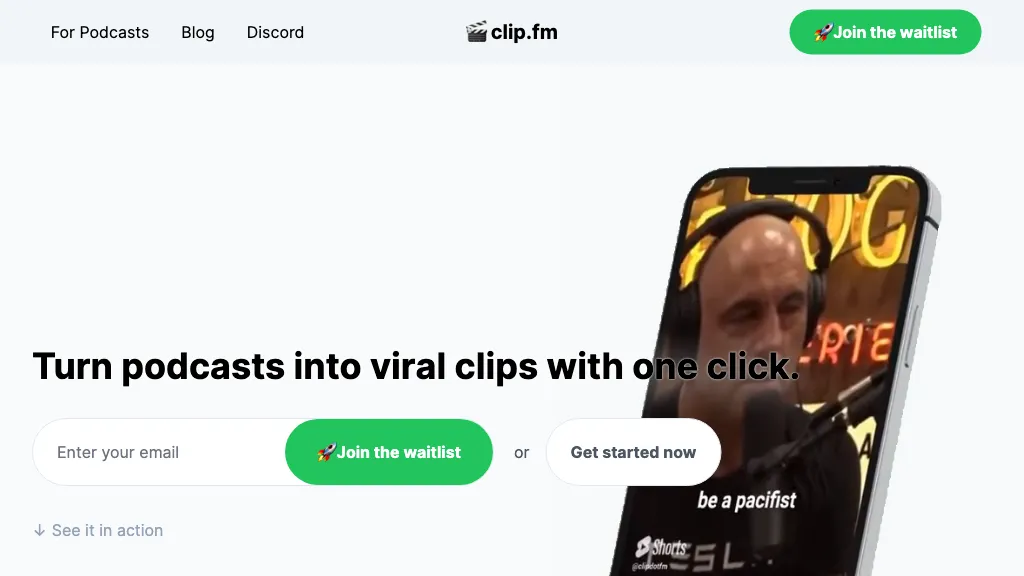
No user reviews yet SubscriptionClipFM uses AI to scan long videos, automatically extract highlights, generate captions, detect emotions, and assign virality scores. Export clips in platform‑specific formats (TikTok, Instagram, YouTube, X, LinkedIn, Facebook) with a one‑click export.
We've ranked 29 Clip FM alternatives, including 20 with a free plan. Rankings are based on feature coverage and user feedbacks.
Top-rated alternatives include AI Video Cut, Flowjin, and Clipfly AI Video Generator.
29 Clip FM Alternatives & Competitors, Ranked by User Reviews
Click Compare on any tool to compare it side-by-side with Clip FM.
 #1
AI Video Cut
#1
AI Video Cut
AI Video Cut uses prompt‑based AI to transform long videos into short, platform‑optimized clips. It auto‑detects faces, crops frames, adds multilingual captions, and supports multiple aspect ratios for fast, high‑quality content creation.
 #2
Flowjin
#2
Flowjin
Flowjin AI Clip Maker extracts share-worthy moments from long videos and podcasts, creating 10+ short, captioned clips with platform‑specific titles, hashtags, and CTAs. It offers editing, templating, and one‑click scheduling for LinkedIn, YouTube, X, Instagram Reels, TikTok, and Facebook.
 #3
Clipfly AI Video Generator
#3
Clipfly AI Video Generator
AI Video Generator by Clipfly seamlessly transforms text into engaging video frames. Easily add subtitles, stickers, music, and merge clips. Enjoy features like face swap and voiceover for professional video creation effortlessly.
 #4
Short AI
#4
Short AI
Short AI automates short video creation for TikTok, YouTube Shorts, and Instagram, converting long videos into clips. It extracts key moments, adds captions, and supports multi-language script generation and automated social media scheduling.
 #5
TopView.ai
#5
TopView.ai
AI Video Agent converts text, product images or URLs, and reference clips into full‑scripted, brand‑aligned videos, automatically planning scenes, adding visual effects, and allowing prompt‑based refinement for fast marketing and social content creation.
 #6
2Short.Ai
#6
2Short.Ai
2short.ai automatically extracts the most engaging segments from long videos to create 1080p YouTube Shorts, using facial‑tracking, one‑click animated subtitles, and flexible aspect ratios. It supports multiple languages, direct Drive/URL imports, and brand presets for consistent visuals.
- Catch deals before they expire
- Unlock tools matched to you
- Show off your AI stacks
Already a member? Sign in
 #7
Clipfly
#7
Clipfly
Clipfly turns text prompts into videos, animates images, and adds lifelike touches to photos. With an AI storyboard, one‑click enhancer, background removal, subtitles, and audio integration, it streamlines branded content, social clips, and personal memories.
 #8
Makefilm
#8
Makefilm
Makefilm is an AI tool for generating 9:16 TikTok and short-form vertical videos from text or images using templates, batch creation, a 16M asset library, AI voiceovers in 50+ languages, auto-subtitles, drag-and-drop editing, and export presets.
 #9
AnyClip
#9
AnyClip
AnyClip automates video tagging, subtitles, and chapter creation, enabling searchable, measurable content. It extracts highlights, clusters topics, and builds contextual playlists. Facial recognition and brand‑safety filters keep compliant, while interactive players support live captions and AI‑driven ads.
 #10
ClipVideo.AI
#10
ClipVideo.AI
ClipVideoAI is a video generation platform that converts product photos into engaging videos, catering to marketing professionals, content creators, and educators. It supports social media content, video tutorials, and offers API and SDK integration for developers.
 #11
Vmake.ai
#11
Vmake.ai
Vmake automates UGC and viral video cloning, producing product, fitness, and real‑estate clips with AI editing tools—watermark removal, background swap, noise suppression, upscaling. It auto‑generates captions, hooks, thumbnails, supports batch processing, and offers a teleprompter for polished delivery.
 #12
Shorts Generator ai
#12
Shorts Generator ai
Shorts Generator AI converts text or links into ready‑to‑post vertical videos for YouTube, TikTok, and Instagram. It auto‑creates scripts, selects visuals, compiles clips in under a minute, and offers export options, auto‑publishing, and quick repurposing of existing content.
 #13
SNAPVID
#13
SNAPVID
SNAPVID.AI automates cutting long videos into 30‑second clips, removes filler pauses, adds multi‑language subtitles, offers 4K output, AI‑generated B‑roll, audio cleanup, and batch processing with a credit‑based monthly reset for creators.
 #14
Snapcut.ai
#14
Snapcut.ai
Snapcut.ai is an AI-driven video editing tool that transforms long videos into engaging short clips. It identifies key moments, reframes for various platforms, and adds animated captions, streamlining the editing process for social media content creators.
 #15
AICut
#15
AICut
aicut.pro automates short‑form video creation for YouTube Shorts, TikTok, and Instagram Reels. It offers ready‑made viral templates, prompt cloning, AI voice‑overs, background swaps, image generation, auto‑posting, and a community forum for support.

CapCut is an AI-powered video editor & design tool with social media templates, background removal, upscaling, color correction, portrait generation, text-to-speech, voice changers, and team collaboration support - accessible online and for Mac download.
 #17
Vizard
#17
Vizard
Vizard.ai automatically transcribes footage, spots highlights, and creates TikTok, Reels, and Shorts‑ready clips with one click. It provides text trimming, timeline precision, vertical resizing, multilingual captions, brand templates, collaborative workspaces, and API integration.
 #18
Spikes Studio
#18
Spikes Studio
Spikes Studio automates video editing, turning raw footage into platform‑ready clips for TikTok, Instagram Reels, and YouTube Shorts. It detects high‑impact moments, adds multilingual captions, auto‑resizes, schedules posts, tracks analytics, and supports team collaboration.
 #19
Cliptalk
#19
Cliptalk
Cliptalk turns text, images, or website content into ready‑to‑publish short‑form videos, automating editing, captions, B‑roll, and voice creation. It supports multiple languages, voice styles, and natural‑language editing for quick publishing.
 #20
Klap.app
#20
Klap.app
Klap automatically extracts key moments from long videos, reframes them for vertical formats, adds multilingual subtitles, and lets you customize branding. Upload files or YouTube links, then share or schedule ready‑to‑publish clips across TikTok, Instagram, LinkedIn, and YouTube.
 #21
VideoGen.io
#21
VideoGen.io
VideoGen is a browser‑based AI video platform that lets teams create studio‑quality videos in minutes using structured workflows, 200+ voices in 50+ languages, one‑click translation and captioning, and collaborative workspaces for fast, cost‑effective production.
 #22
ClipZap AI
#22
ClipZap AI
Clipzap.ai is a free AI video workflow editor that enables users to clip, edit, and translate videos in multiple languages. It features face-swapping, video generation, and integration with audio/video products for streamlined content creation.
 #23
Fliki AI
#23
Fliki AI
Fliki is a text-to-video AI tool with lifelike voices, a stock media library, and positive reviews from content creators and companies.
 #24
Deevid AI
#24
Deevid AI
DeeVid AI is an advanced AI-powered video generator that transforms text, images, and videos into high-quality content. It offers text-to-video, image animation, and video enhancement features, making video creation accessible for content creators, marketers, and businesses.
 #25
Qlip.ai
#25
Qlip.ai
Qlip automatically extracts short, vertical or square clips from longer videos, preserving focus on key moments. It applies brand templates, generates speech‑to‑text transcripts with speaker tags, and offers an API for clip creation, aspect‑ratio conversion, subtitle burning, and transcription.
 #26
MindVideo AI
#26
MindVideo AI
MindVideo AI is an AI-powered online video generator that converts text and images into high-quality 4K videos with diverse effects and animation styles. It supports multiple AI engines and automatically deletes uploaded content post-generation for privacy.
 #27
Clip Studio
#27
Clip Studio
Clip Studio is an AI platform for creating viral short-form videos, offering customizable templates, automated captions, and music selection. It enables scheduling posts across platforms and provides performance analytics to enhance content strategy.
 #28
AIImageToVideo Pro
#28
AIImageToVideo Pro
AIImageToVideo Pro is an AI tool that transforms static images and text prompts into short videos using models like Veo and Kling, offering control over motion, duration, and resolution. It features editing for text overlays and captions, with export options for creating watermark-free content for social media and marketing.
 #29
Ssemble
#29
Ssemble
Ssemble automatically extracts viral moments from long videos, centers faces for vertical formats, adds captions and translations, and schedules short clips for TikTok, YouTube, and Instagram. AI‑generated titles, hashtags, and API access support scalable content production.
Frequently Asked Questions
Why look for Clip FM alternatives?
Common reasons users switch from Clip FM:
- Cost: Clip FM is a Subscription tool starting from $10/mo — users often look for more affordable or free options.
- Feature gaps: teams needing specific capabilities like Analyze Videos may find a more focused alternative better suited to their workflow.
- Flexibility: exploring alternatives helps find tools that better match your team size, integrations, and budget.
What is the best alternative to Clip FM?
Based on 2 user reviews, AI Video Cut (50% positive) ranks as the top Clip FM alternative. AI Video Cut uses prompt‑based AI to transform long videos into short, platform‑optimized clips. It auto‑detects faces, crops frames, adds multilingua It is available on a Freemium plan.
How do the top Clip FM alternatives compare?
| Tool | Pricing | Starting Price | User Rating |
|---|---|---|---|
| Clip FM this tool | Subscription | $10/mo | — |
| AI Video Cut | Freemium | — | 50% (2) |
| Flowjin | Subscription | $10/mo | 50% (4) |
| Clipfly AI Video Generator | Freemium | — | 76.5% (17) |
| Short AI | Freemium | — | 75% (4) |
| TopView.ai | Freemium | — | 83.9% (31) |
Are there free Clip FM alternatives?
Yes, 20 free alternatives found in our list: AI Video Cut, Clipfly AI Video Generator, Short AI. and 17 more — use the pricing filter above to see them all.
What should I look for in a Clip FM alternative?
- Core capabilities: confirm the tool supports Analyze Videos, Generate Text, Edit Videos.
- Pricing transparency: look for clear free plan, trial period, or tiered pricing — avoid tools that hide costs.
- User reviews: check both the satisfaction percentage and the number of reviews; a high score from few users is less reliable.
- Integrations: verify it connects with your existing stack before committing.
- Support and updates: active development and responsive support are strong signals of a maintained product.
Which Clip FM alternative has the highest user rating?
AnyClip has the highest satisfaction score among Clip FM alternatives, with 100% positive from 1 user review. It is available on a Freemium plan.
What are Clip FM alternatives used for?
- Analyze Videos
- Generate Text
- Edit Videos
- Automate Exports
- Optimize Videos