Best RunAleph.com Alternatives in 2026
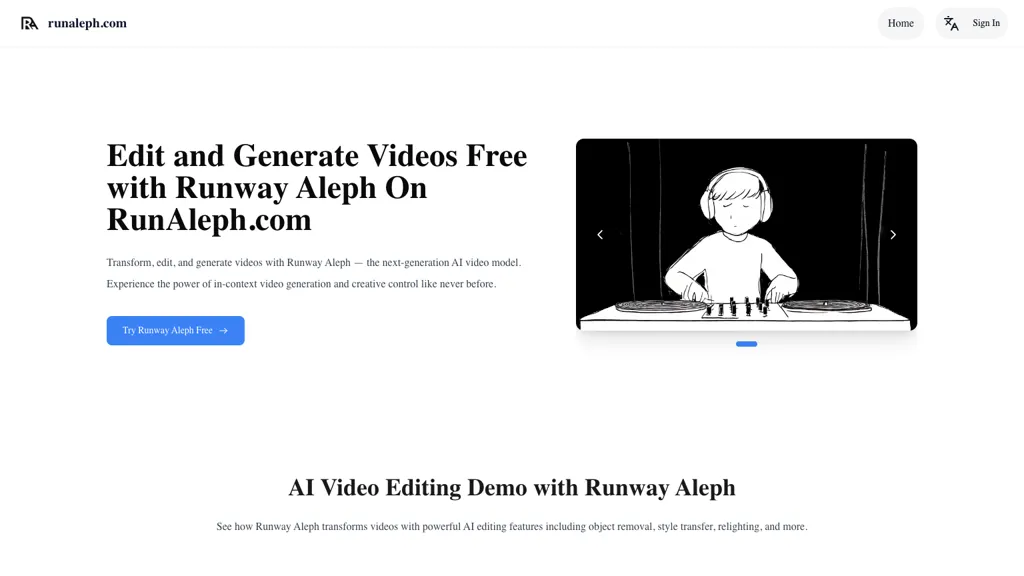
83.3% positive · 6 user reviews Free trialRunAleph.com is an AI-powered video editing tool that enables in-context edits like object manipulation, scene restyling, and angle generation using simple prompts. It requires no green screen or advanced skills, letting users modify videos effortlessly with Gen-4 technology.
We've ranked 29 RunAleph.com alternatives, including 21 with a free plan. Rankings are based on feature coverage and user feedbacks.
Top-rated alternatives include Imagine.art, videoeditor.video, and Runway Aleph AI-.
29 RunAleph.com Alternatives & Competitors, Ranked by User Reviews
Click Compare on any tool to compare it side-by-side with RunAleph.com.
#1
Imagine.art
ImagineArt unifies AI‑driven image, video, and audio creation and editing, enabling prompt‑based generation, upscale tools, drag‑and‑drop video workflows, 4K cinematic rendering, and real‑time team collaboration for streamlined media production for artists, designers, and creators.
#2
videoeditor.video
Runway Aleph is an in-browser, real-time AI video editor that performs multi-task edits via natural-language prompts—angle generation, object add/remove, background/green-screen extraction, and style/lighting adjustments—preserving scene lighting and perspective and exporting short-form MP4 clips.
#3
Runway Aleph AI-
Runway Aleph AI is an intuitive video editing tool that allows users to modify footage using text prompts. It features object removal, angle adjustments, and lighting changes, ensuring high-quality edits for filmmakers and content creators.
#4
TopView.ai
AI Video Agent converts text, product images or URLs, and reference clips into full‑scripted, brand‑aligned videos, automatically planning scenes, adding visual effects, and allowing prompt‑based refinement for fast marketing and social content creation.
#5
videoeditai.app
VideoEditAI.app is a multi-model AI video editor and generator that automates edits and asset creation—object removal/insertion, green-screen extraction with transparent export, style transfer, relighting, recoloring, character changes, new camera angles, motion transfer, and prompt optimization.
#6
AI Video Cut
AI Video Cut uses prompt‑based AI to transform long videos into short, platform‑optimized clips. It auto‑detects faces, crops frames, adds multilingual captions, and supports multiple aspect ratios for fast, high‑quality content creation.
- Personalized recommendations
- Custom collections
- Save favorites
Already a member? Sign in
#7
VideoGen.io
VideoGen is a browser‑based AI video platform that lets teams create studio‑quality videos in minutes using structured workflows, 200+ voices in 50+ languages, one‑click translation and captioning, and collaborative workspaces for fast, cost‑effective production.
#8
Videoleap
Videoleap is a cross‑platform editor with AI background removal, infinite‑zoom, text‑to‑video, audio cutting, subtitles, and built‑in filters. It offers templates for TikTok, Reels, Shorts, and ads, plus a drag‑and‑drop interface for quick professional videos on web or mobile.
#9
Video Editor AI
AI‑powered video editor trims, merges, and transforms footage with minimal effort. It offers background removal, automated image upscaling, and real‑time synthesis from text prompts, enabling quick video creation and batch processing via a Django web interface.
#10
Clipfly AI Video Generator
AI Video Generator by Clipfly seamlessly transforms text into engaging video frames. Easily add subtitles, stickers, music, and merge clips. Enjoy features like face swap and voiceover for professional video creation effortlessly.
#11
Wave.Video
Wave.video is an all-in-one AI video editing and creation platform that allows users to create, edit, and distribute videos, offering features such as online editing, live streaming, thumbnail maker, and customizable live streaming studios.
#12
GeminiGenAI
GeminiGen AI is a video generation tool that transforms text into high-quality videos quickly. Users can customize scenes and settings, facilitating easy collaboration and multi-format exports for effective sharing across various platforms.
#13
Photo AI Studio
AI Photo Studio delivers AI‑powered image and video creation, including generation, background removal, virtual try‑on, style libraries, advanced editing (skin, age, expression, eye color), outpainting, thumbnails, and direct social publishing via a web interface.
#14
Flow - Google
Veo Flow is an AI filmmaking tool designed for creatives, enabling seamless creation of cinematic clips and stories by combining user-provided assets with Google’s generative AI models, streamlining the filmmaking process.
#15
Lens AI
Lens AI v0.3.2 is a prompt-based video editing tool that simplifies the editing process by allowing users to trim, sync, and style videos efficiently, enabling content creators to focus on creativity rather than technical details.
#16
InVideo
Invideo AI transforms text into high-quality, cinematic videos with AI-generated visuals, voiceovers, and subtitles. It offers flexible workflow templates, editing options, and features like AI avatars and voice-cloning for personalized content creation.
#17
AI Designs
AI Designs automates image and video creation for brands and e‑commerce. It produces product listings, posters, and brand visuals with touch‑editing, style consistency, editable text layers, nine‑view multi‑angle shots, and cinematic models such as Hailuo 2.3, Seedance, and Sora 2.
#18
Runwayml
Runway offers Gen‑4.5 generative video and GWM‑1 world models for real‑time simulation, robotics, and interactive environments. Its Characters API creates autonomous video agents from a single image. Ideal for filmmakers, architects, game developers, and educators.
#19
MindVideo AI
MindVideo AI is an AI-powered online video generator that converts text and images into high-quality 4K videos with diverse effects and animation styles. It supports multiple AI engines and automatically deletes uploaded content post-generation for privacy.
#20
Edit Videos Online
The AI-enhanced Online Video Editor provides smooth, registration-free editing with advanced features like AI background removal and auto caption generation. It supports multiple formats, enables easy audio/image insertion, and requires no software download.
#21
ClipZap AI
Clipzap.ai is a free AI video workflow editor that enables users to clip, edit, and translate videos in multiple languages. It features face-swapping, video generation, and integration with audio/video products for streamlined content creation.
#22
Vmake.ai
Vmake automates UGC and viral video cloning, producing product, fitness, and real‑estate clips with AI editing tools—watermark removal, background swap, noise suppression, upscaling. It auto‑generates captions, hooks, thumbnails, supports batch processing, and offers a teleprompter for polished delivery.
#23
Animate AI
AnimateAI is a powerful AI video generator designed to create animated series effortlessly. It offers consistent character generation, AI-driven storyboard creation, and autopilot mode for producing high-quality videos like bedtime stories or motivational clips using simple text prompts.
#24
V03 AI
V03 AI is an advanced video generator using Google’s VEO 3 technology to create high-resolution 4K videos with physics-based motion, natural lighting, and synchronized audio. Users input text or image prompts for fast, professional-grade results with precise control over movements and camera paths.
#25
Topaz Video AI
Topaz Video AI is a powerful video enhancement tool that uses AI models to upscale, deinterlace, stabilize, and interpolate frames for high-quality results.
#26
Deevid AI
DeeVid AI is an advanced AI-powered video generator that transforms text, images, and videos into high-quality content. It offers text-to-video, image animation, and video enhancement features, making video creation accessible for content creators, marketers, and businesses.
#27
ImageToVideo AI
ImageToVideo AI converts JPG, PNG, or WebP images into MP4 videos. Users can crop, resize to social‑media ratios, choose speed/quality presets, apply 50+ templates, add AI music, and edit motion via a prompt editor—all watermark‑free.
DeepAI offers browser‑based AI tools for text‑to‑image, photo editing, background removal, super‑resolution, and video/musical generation, plus APIs for integration. It prioritizes user ownership, privacy, fast processing, and supports conservation research via object detection and habitat mapping.
#29
Genmo
Genmo is a creative copilot AI tool that assists users in editing images and videos, scriptwriting, generating movie edits, and designing app icons using general intelligence to collaborate with users and generate content across modalities.
Frequently Asked Questions
Why look for RunAleph.com alternatives?
Common reasons users switch from RunAleph.com:
- Cost: RunAleph.com is a Free trial tool — users often look for more affordable or free options.
- Feature gaps: teams needing specific capabilities like Edit videos may find a more focused alternative better suited to their workflow.
- Flexibility: exploring alternatives helps find tools that better match your team size, integrations, and budget.
What is the best alternative to RunAleph.com?
Based on 18 user reviews, Imagine.art (72.2% positive) ranks as the top RunAleph.com alternative. ImagineArt unifies AI‑driven image, video, and audio creation and editing, enabling prompt‑based generation, upscale tools, drag‑and‑drop video workfl It is available on a Freemium plan.
How do the top RunAleph.com alternatives compare?
| Tool | Pricing | Starting Price | User Rating |
|---|---|---|---|
| RunAleph.com this tool | Free trial | — | 83.3% (6) |
| Imagine.art | Freemium | — | 72.2% (18) |
| videoeditor.video | Free | $15 | — |
| Runway Aleph AI- | Freemium | $1.74/mo | — |
| TopView.ai | Freemium | — | 83.9% (31) |
| videoeditai.app | Freemium | $299/year | — |
Are there free RunAleph.com alternatives?
Yes, 21 free alternatives found in our list: Imagine.art, videoeditor.video, Runway Aleph AI-. and 18 more — use the pricing filter above to see them all.
What should I look for in a RunAleph.com alternative?
- Core capabilities: confirm the tool supports Edit videos, Generate camera angles, Remove objects.
- Pricing transparency: look for clear free plan, trial period, or tiered pricing — avoid tools that hide costs.
- User reviews: check both the satisfaction percentage and the number of reviews; a high score from few users is less reliable.
- Integrations: verify it connects with your existing stack before committing.
- Support and updates: active development and responsive support are strong signals of a maintained product.
Which RunAleph.com alternative has the highest user rating?
V03 AI has the highest satisfaction score among RunAleph.com alternatives, with 100% positive from 5 user reviews. It is available on a Freemium plan.
What are RunAleph.com alternatives used for?
- Edit videos
- Generate camera angles
- Remove objects
- Add objects
- Restyle scenes