
What is videoeditai.app?
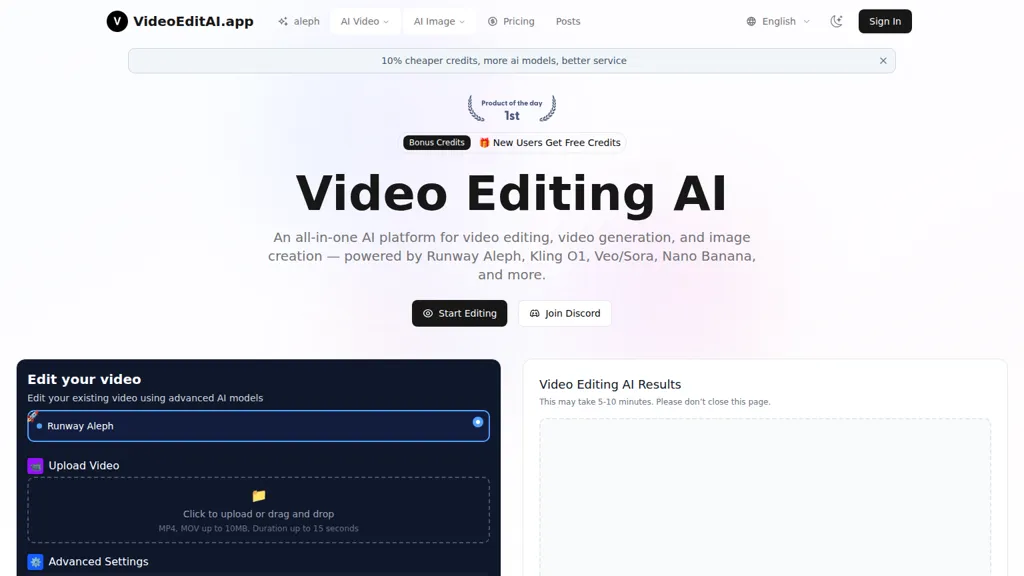
VideoEditAI.app is a multi-model AI video editor and generator for video editing, text-to-video generation, and image creation.
The platform routes tasks to models such as Runway Aleph, Kling O1, Veo/Sora, and Nano Banana to handle edits, sequence generation, and asset creation.
Features include object removal and insertion, green-screen extraction with transparent export, style transfer, relighting, recoloring, and character appearance changes.
Generate new camera angles and seamless next-shot continuations or apply motion from video to a still frame for refined camera control.
A built-in AI prompt generator optimizes prompts for each model to improve output consistency and reduce iteration time.
Supports common formats (MP4, MOV) and a workflow of upload, prompt/model selection, and export for faster edit cycles.
Use cases include content creators, filmmakers, VFX artists, and marketing teams seeking automated scene modification, multi-angle coverage, and rapid variant production.
videoeditai.app details
- Built for
- Individuals
videoeditai.app tech specs
- Works with
- OpenAI / Sora Google / Veo Google / Nano Banana Kling ByteDance / Seedance
- Integrations
- Discord
videoeditai.app pricing
FreemiumVerify on the official pricing page.
View plansvideoeditai.app's key features
-
Multi-model AI platform with access to Runway Aleph, Kling O1, Veo/Sora, Nano Banana and automatic task routing to the optimal model
-
Text-prompt driven video editing with support for reference images, masks, and configurable advanced settings
-
Generate new camera angles and next-shot sequence generation (novel view and continuation synthesis)
-
Object-level manipulation: add, remove, replace, recolor, and retexture objects or subjects in video
-
Style transfer, relighting, environment/time transformation, and green-screen extraction with transparent background export
videoeditai.app use cases
-
Produce professional product and e-commerce videos using VideoEditAI.app to remove backgrounds and unwanted objects, export transparent green-screen assets, insert new props or characters, and generate additional camera angles—speed up SKU shoots and create uniform marketing creatives without reshoots
-
Turn static photos and simple clips into viral social content by using VideoEditAI.app's AI text-to-video and motion-transfer to animate stills, apply cinematic style-transfer and relighting, optimize prompts for platform-specific formats, and automatically recolor for consistent brand aesthetics
-
Accelerate indie film and ad post-production with VideoEditAI.app to replace or relight characters, perform seamless object insertion/removal, create new camera angles from existing takes, and iterate looks via prompt optimization to deliver polished final cuts faster and at lower cost
videoeditai.app user reviews
Would you recommend videoeditai.app?
Who is videoeditai.app for?
-
Content creators
-
Video editors
-
Filmmakers
-
Social media managers
-
Marketers
videoeditai.app FAQ
Is videoeditai.app free?
Partly. videoeditai.app has a free plan with usage limits, and paid plans unlock the full feature set. Plans include Perfect for exploring ai video editing at $299/year, Best value for unlimited creativity at $599/year, Premium at $59.9/mo and Ultimate ai video editing power at $899/year.
What are the best alternatives to videoeditai.app?
The closest alternatives to videoeditai.app are Veo3, CapCut, Imagineapp, AIImageToVideo Pro and VideoAI. You can compare them side by side in the alternatives section further down this page.
What does videoeditai.app do with my data?
videoeditai.app states that customer content is not used to train its models. Its privacy policy states that personal data is not sold or shared for marketing purposes. Data may be shared with third-party service providers that help run the product.
Which AI models does videoeditai.app use?
videoeditai.app is built on OpenAI / Sora, Google / Veo, Google / Nano Banana, Kling and ByteDance / Seedance. Which models you can reach may depend on your plan.
What does videoeditai.app integrate with?
videoeditai.app connects with Discord.
Compliance, privacy and billing terms are as stated in each product's own published documentation and have not been independently verified by TopAI.tools.


