Best Oh-heck Alternatives in 2026
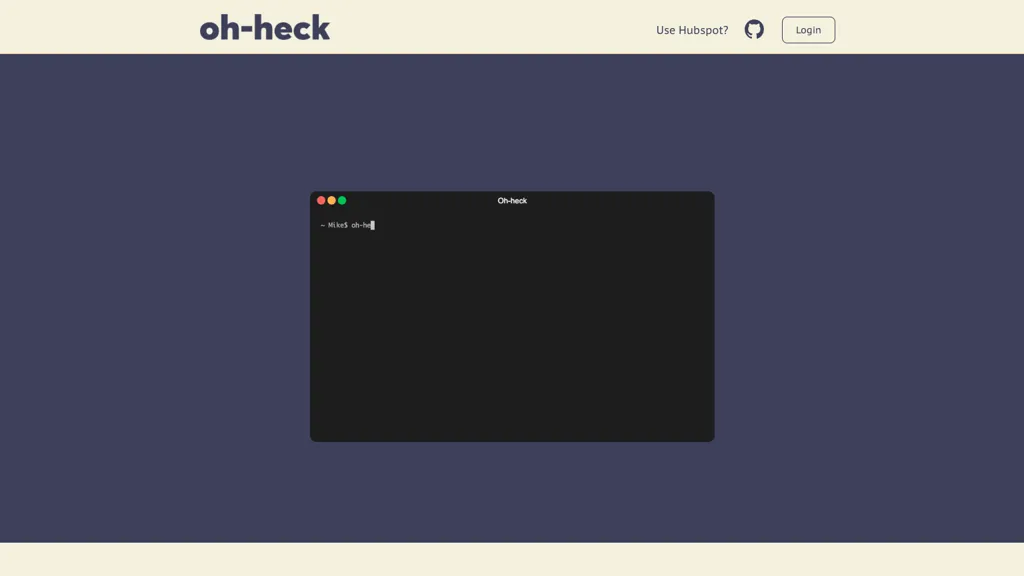
No user reviews yet Subscriptionoh-heck translates natural‑language questions into terminal commands via GPT‑3. Running on macOS for Intel and Apple Silicon, it accepts quoted queries, suggests commands, and copies them to the clipboard, streamlining shell usage.
We've ranked 20 Oh-heck alternatives, including 16 with a free plan. Rankings are based on feature coverage and user feedbacks.
20 Oh-heck Alternatives & Competitors, Ranked by User Reviews
Click Compare on any tool to compare it side-by-side with Oh-heck.
#1
gptcli
GPT CLI brings ChatGPT to the terminal, auto‑generating Git commit messages from diffs and translating natural‑language requests into shell commands. Plugins for translation, weather, Notion, etc. can be added via npm, fitting into dev and admin workflows.
#2
AI CLI
Get answers for CLI commands from GPT3 directly in the terminal using AI-powered CLI tool.
#3
How2
How2 is an AI‑powered command‑line helper that suggests Unix shell commands directly from a terminal. It recommends concise Bash/Zsh sequences, can generate scripts, includes a StackOverflow search flag, supports PowerShell, and runs safely without auto‑execution.
#4
MindMac
MindMac is a native macOS client that integrates ChatGPT, Azure OpenAI, Gemini, and Claude on the desktop. It offers inline prompts, a 150‑template library, customizable context modes, shortcuts, keychain storage, and 15 UI languages for developers, researchers, and teams.
#5
Command-G
Command‑G is an AI copilot for Xcode that delivers real‑time code completion via Codeium and ChatGPT context for on‑the‑fly problem solving, while respecting developer privacy and requiring macOS 12+, and seamless integration into the IDE.
#6
Helper.im
Ai Helper is a cross‑platform desktop client that brings ChatGPT, GPT‑4, and other AI engines to macOS, Windows, and Linux. It lets users chat on webpages, PDFs, or videos via shortcuts and generate content, code, or emails within native apps.
- Personalized recommendations
- Custom collections
- Save favorites
Already a member? Sign in
#7
chatGPT on your terminal
TerminalGPT is a command-line tool that utilizes an AI-powered conversational model for chatting and allows users to adjust temperature and engine to change output.
#8
MacGPT
MacGPT is a native macOS app that provides quick access to a chatbot powered by a language model and offers several utilities.
#9
HeyCLI
HeyCLI converts natural language into Linux shell commands, letting users type simple descriptions instead of memorizing syntax. A preview is available on GitHub for testing and feedback, with email updates for new releases.
#10
iChatWithGPT
iChatWithGPT is an AI assistant integrated into iMessage that uses GPT‑5.2, Claude 4.5, and Google Search for real‑time web research, news, weather, and game results. It offers text reminders, AI‑generated images, voice‑activated messaging across iPhone, Apple Watch, MacBook, and CarPlay.
#11
Talk to AI
Get the power of ChatGPT in your voice assistant on iPhone and Mac devices.
#12
HelloAI
HelloAI is an AI chatbot assistant available on the Mac App Store that utilizes advanced AI technology to provide prompt responses to user queries.
#13
ChatAIr
ChatAIr is a macOS client that connects to the OpenAI API, managing prompts and allowing multiple prompts in one dialogue box. Users can set model, temperature, and track conversation history turn by turn.
#14
Heynds
ChatGPT Mac is a macOS-native AI writing assistant that enhances productivity with voice-to-text capabilities, quick text editing, support for over 100 languages, and customizable commands, all while ensuring user privacy and easy accessibility through keyboard shortcuts.
#15
AI GPT o1 GPT
Top AI Ask Chatbot & Assistant is an iPhone app that leverages GPT-4 to assist with tasks like email drafting, math queries, content generation, grammar correction, and multilingual translation, enhancing productivity for students and professionals alike.
#16
OppenheimerGPT
OppenheimerGPT is a macOS menubar app offering an immersive experience amidst the AI Coldwar. It enables swift access to information through the Bard ChatGPT model directly from your menu bar.
#17
HECK.AI
HECK.AI is a free, no-registration platform offering instant access to AI-powered conversations for tasks like writing, translation, and coding. Powered by OpenAI, it provides unlimited, real-time interactions with advanced language processing for seamless, user-friendly experiences.
#18
ChatGPT APP
The official ChatGPT app for iOS provides instant answers, tailored advice, and creative ideas using OpenAI's latest advancements.
#19
GPTAnywhere
GPTAnywhere is a desktop client that lets users chat offline with GPT‑3.5‑turbo and GPT‑4, maintain conversation history, query local files (txt, pdf, docx, ppt, csv, json) via LangChain, and use split view, markdown, shortcuts, auto‑save, and terminal commands for multitasking.
#20
ShellMate
ShellMate is a command‑line tool that accepts prompts via stdin, arguments, or highlighted text, predicts needed shell commands from history, and inserts AI‑generated suggestions into the console with the `sm` shortcut, enabling users to recall forgotten commands without context switching.
Frequently Asked Questions
Why look for Oh-heck alternatives?
Common reasons users switch from Oh-heck:
- Cost: Oh-heck is a Subscription tool — users often look for more affordable or free options.
- Feature gaps: teams needing specific capabilities like Generate Commands may find a more focused alternative better suited to their workflow.
- Flexibility: exploring alternatives helps find tools that better match your team size, integrations, and budget.
What is the best alternative to Oh-heck?
gptcli ranks as the top Oh-heck alternative. GPT CLI brings ChatGPT to the terminal, auto‑generating Git commit messages from diffs and translating natural‑language requests into shell commands. It is available on a Freemium plan.
How do the top Oh-heck alternatives compare?
Are there free Oh-heck alternatives?
Yes, 16 free alternatives found in our list: gptcli, AI CLI, How2. and 13 more — use the pricing filter above to see them all.
What should I look for in a Oh-heck alternative?
- Core capabilities: confirm the tool supports Generate Commands, translate texts, Automate Terminals.
- Pricing transparency: look for clear free plan, trial period, or tiered pricing — avoid tools that hide costs.
- User reviews: check both the satisfaction percentage and the number of reviews; a high score from few users is less reliable.
- Integrations: verify it connects with your existing stack before committing.
- Support and updates: active development and responsive support are strong signals of a maintained product.
Which Oh-heck alternative has the highest user rating?
How2 has the highest satisfaction score among Oh-heck alternatives, with 100% positive from 1 user review. It is available on a Free plan.
What are Oh-heck alternatives used for?
- Generate Commands
- translate texts
- Automate Terminals