Best NoteGen Alternatives in 2026
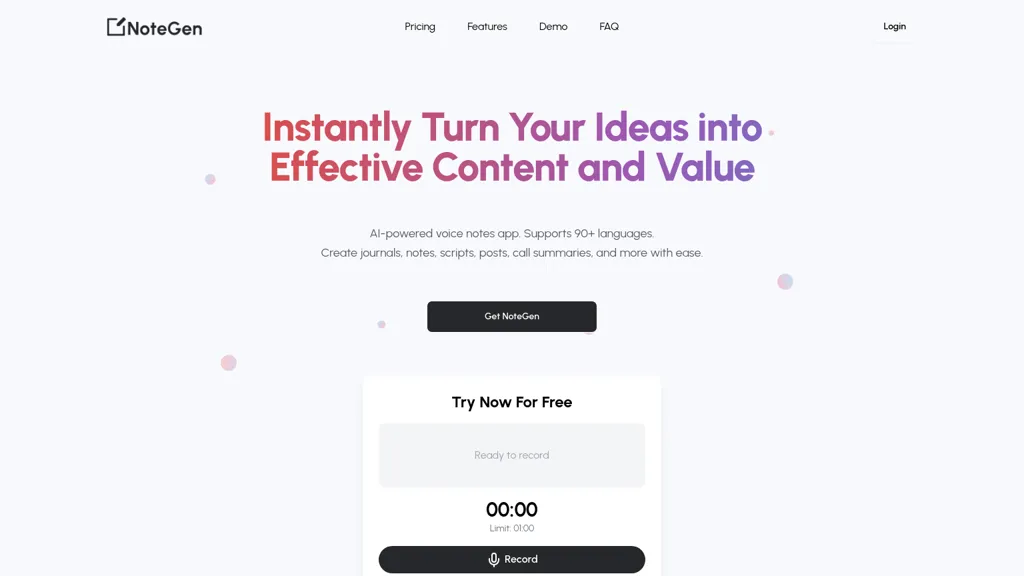
No user reviews yet Free trialNotegen is an AI-powered voice notes app that transcribes audio into structured content, supporting over 90 languages. It simplifies note-taking, enhances productivity, and allows easy management of notes for professionals, students, and content creators.
We've ranked 29 NoteGen alternatives, including 20 with a free plan. Rankings are based on feature coverage and user feedbacks.
Top-rated alternatives include Voicenotes, TalkNotes, and Goodnotes.
29 NoteGen Alternatives & Competitors, Ranked by User Reviews
Click Compare on any tool to compare it side-by-side with NoteGen.
#1
Voicenotes
Voicenotes lets users record audio on iPhone, Android, desktop, or web, automatically transcribing and summarizing content. It supports 100+ languages, integrates with video calls, and converts notes into blogs, emails, or tasks, keeping recordings encrypted and private.
#2
TalkNotes
TalkNotes records audio, accurately transcribes it, and formats the text into meeting notes, task lists, email drafts, blog posts, or flashcards. It supports 50+ languages, offers editing, exporting, Zapier integration, and workflow templates.
#3
Goodnotes
GoodNotes is a digital notebook that records voice, text, or handwriting and supports collaboration. AI transcribes audio, summarizes meetings, turns notes into searchable flashcards, and syncs audio to slides for students and teachers across iOS, macOS, Windows, Android, and Web.
#4
notis.ai
Notis is a voice-powered productivity tool that integrates with Notion, allowing users to transcribe, organize, and retrieve information on the go. It helps manage tasks, automate note-taking, track expenses, and streamline customer relationship management.
#5
MemosAI
Memos AI streamlines note-taking with advanced features like speech-to-text transcription, note summarization, and language translation. Enhance productivity and stay organized during fast-paced lectures or meetings with this efficient tool.
#6
SpeakNotes
SpeakNotes transcribes and summarizes audio and video into structured text, supporting over 50 languages and 15+ formats with 95%+ accuracy. It auto‑detects speakers, offers customizable summary styles, and integrates with Notion, Slack, and Obsidian for workflow automation.
- Personalized recommendations
- Custom collections
- Save favorites
Already a member? Sign in
#7
AudioNotesAI
Audio Note records speech and transcribes it in real time across 30+ languages. Unlimited notes, quick conversions, and AI‑powered rewriting improve clarity. Users upload audio or record live, with auto‑generated titles for efficient workflows.
#8
Dictanote
Dictanote is a voice‑to‑text note‑taking app that supports over 50 languages and 80 dialects, letting users add punctuation, smileys, and technical terms via speech. It syncs notes across Windows, Linux, macOS, Android, iPhone, encrypts data, retains no audio recordings.
#9
Speechnotes
Speechnotes is a web‑based speech‑to‑text tool for real‑time dictation and batch transcription in multiple languages. It offers speaker tagging, timestamps, subtitle export, and imports from Google Drive, YouTube, or local files. Export to text, markdown, PDF while preserving privacy.
#10
EasyNoteAI
EasyNoteAI converts audio, video, PDFs into structured notes, offering real‑time transcription, summaries, quizzes, flashcards, mind‑maps, and interactive questioning. Users upload lectures, YouTube links, or research papers; the platform generates summaries, key‑point lists, and supports multilingual translation for students, professionals, and researchers worldwide.
#11
Voicepen
VoicePen turns spoken audio into editable text on iPhone, iPad, Watch, and Mac. Record or upload up to two hours; transcriptions appear in 30 seconds, support 80+ languages, auto‑label speakers, offer 25 rewrite styles, summaries, and PDF/DOCX exports, syncing via iCloud.
#12
Notegpt
NoteGPT transcribes and summarizes lectures, meetings, and recordings in any language, offering PDF/PPT/book/video overviews, translation, and AI drafting tools. It also supports text‑to‑speech, voice cloning, infographics, slide generation, and multi‑model chat assistance.
#13
TakeNote
TakeNote AI accurately transcribes audio and video with automatic punctuation, delivers concise meeting summaries, and identifies speakers. It offers sentiment analysis, supports multiple languages, handles noisy backgrounds and strong accents, and operates securely in browsers like Chrome and Edge.
#14
Noty.ai
Noty.ai automatically transcribes, summarizes, and extracts action items from meetings. It generates editable to‑do lists, stores transcripts for review, and syncs outputs to workspaces, reducing follow‑up and improving accountability across teams.
#15
Mumble Note
Mumble Note is an iOS and Mac AI voice‑note app that records, transcribes, and summarizes audio into searchable text, tasks, and outlines. It supports 40+ languages, syncs with productivity tools, and encrypts data end‑to‑end.
#16
Shownotes
Shownotes transcribes MP3 audio into text and summarizes content within minutes. Supports batch uploads, direct links, and podcast ingestion. Users edit transcripts, search text, and share securely with role‑based access for teams.
#17
notevibes.com
Notevibes transforms text, PDFs, URLs, images, and audio into studio‑quality voiceovers, podcasts, and audiobooks using 550+ voices across 57 languages. It auto‑summarizes content, supports multi‑speaker dialogues, and delivers MP3/WAV downloads for commercial use.
#18
notigo.ai
Notigo is an AI meeting assistant that captures dialogue, generates structured notes, and provides actionable summaries in real-time, enhancing collaboration. Supporting 52 languages, it prioritizes data security and streamlines meeting processes for various professionals.
Notion AI is an integrated AI tool that automates tasks, generates summaries and offers writing assistance within the Notion drag-and-drop text editor. A free trial is available with an add-on subscription for unlimited usage.
#20
Notely
Notely AI transcribes audio and YouTube into searchable notes and summaries in 50+ languages, creates headings, bullet points and action items, lets you chat with transcripts for insights, exports PDFs/emails, syncs across devices, and offers end-to-end encryption.
#21
Happy Scribe
HappyScribe captures audio from Google Meet, Teams, and Zoom, providing AI transcription, instant meeting notes, summaries, and action items. It supports over 120 languages, offers human‑edited reviews, secure GDPR‑compliant cloud storage, collaboration, integrations, and usage analytics.
#22
VoicePen App
VoicePen is a voice-to-text application that transcribes speech into organized text, supports audio file imports, and offers editing features. With multi-language support and iCloud synchronization, it streamlines note-taking for students, professionals, and casual users.
#23
Podnotes
Podnotes transcribes podcasts and audio into text, auto‑generating chapters, summaries, timestamps, and speaker‑segregated transcripts. It converts them into social media posts, blog articles, and other formats across 19+ languages with a one‑click generator.
#24
VoxNote
Voxnote is an AI mobile app that automatically transcribes and summarizes phone calls, enabling users to easily access and share organized notes. It supports multiple languages and allows the use of business phone numbers for privacy.
#25
Reflect AI
Reflect Notes uses GPT‑4 and Whisper to transcribe speech, summarize meetings, outline articles, and stores notes as a graph with backlinks. It syncs cross‑platform, encrypts end‑to‑end, and integrates browsers, Kindle, Readwise, Google Calendar, Outlook, Zapier, and APIs for automation.
#26
OneAudio
OneAudio converts spoken recordings into concise written summaries using GPT‑4.1. Users upload or record up to 40 minutes, choose language, auto‑detect topics, export notes to productivity tools, and keep original audio files.
#27
EchoNote
EchoNote transcribes spoken words into structured notes or actionable to‑do lists. The AI quickly processes recordings, supporting custom prompts for diverse content types. Cross‑platform on Web, iOS, Android, it helps students, managers, and professionals track ideas and tasks efficiently.
#28
Voicetapp
Voicetapp is a cloud-based AI-powered software that provides real-time transcription in multiple languages with speaker identification and supports various input formats.
#29
AI-Powered Notes Taker
AI Notes offers AI-powered note-taking with automated summaries, key-concept extraction, grammar checks, smart tagging and organization, real-time sync and AES-256 encryption, plus Markdown, multilingual translation, and PDF/HTML export to streamline collaboration.
Frequently Asked Questions
Why look for NoteGen alternatives?
Common reasons users switch from NoteGen:
- Cost: NoteGen is a Free trial tool — users often look for more affordable or free options.
- Feature gaps: teams needing specific capabilities like Transcribe Audio may find a more focused alternative better suited to their workflow.
- Flexibility: exploring alternatives helps find tools that better match your team size, integrations, and budget.
What is the best alternative to NoteGen?
Based on 5 user reviews, Voicenotes (60% positive) ranks as the top NoteGen alternative. Voicenotes lets users record audio on iPhone, Android, desktop, or web, automatically transcribing and summarizing content. It supports 100+ languages It is available on a Freemium plan.
How do the top NoteGen alternatives compare?
| Tool | Pricing | Starting Price | User Rating |
|---|---|---|---|
| NoteGen this tool | Free trial | — | — |
| Voicenotes | Freemium | — | 60% (5) |
| TalkNotes | Paid | $59 | 66.7% (6) |
| Goodnotes | Freemium | $0.58/mo | 67.9% (28) |
| notis.ai | Freemium | — | — |
| MemosAI | Free | — | — |
Are there free NoteGen alternatives?
Yes, 20 free alternatives found in our list: Voicenotes, Goodnotes, notis.ai. and 17 more — use the pricing filter above to see them all.
What should I look for in a NoteGen alternative?
- Core capabilities: confirm the tool supports Transcribe Audio, Generate Text, Edit Transcriptions.
- Pricing transparency: look for clear free plan, trial period, or tiered pricing — avoid tools that hide costs.
- User reviews: check both the satisfaction percentage and the number of reviews; a high score from few users is less reliable.
- Integrations: verify it connects with your existing stack before committing.
- Support and updates: active development and responsive support are strong signals of a maintained product.
Which NoteGen alternative has the highest user rating?
AudioNotesAI has the highest satisfaction score among NoteGen alternatives, with 100% positive from 1 user review. It is available on a Freemium plan.
What are NoteGen alternatives used for?
- Transcribe Audio
- Generate Text
- Edit Transcriptions
- Organize Notes
- Analyze Audio