
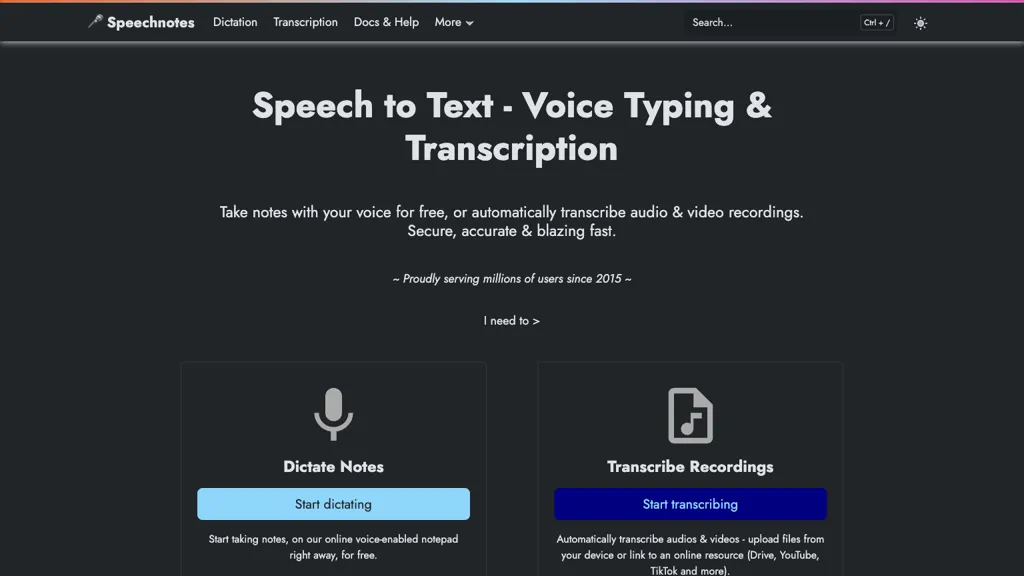
What is Speechnotes?
Speechnotes is a web‑based speech‑to‑text tool that offers real‑time dictation and batch transcription of audio and video files in multiple languages.
The platform supports voice commands for punctuation, automatic capitalization, and speaker diarization, providing timestamps and subtitle (.
srt) export for captions.
Users can import recordings from Google Drive, YouTube, or local files and export notes to text, markdown, or PDF formats, making it useful for students, journalists, medical professionals, authors, and podcasters.
An API with webhooks and Zapier integration enables automated workflows for CRM, email, and document services.
Speechnotes is available as a Chrome extension for voice typing across web forms and as native Android and iOS apps for mobile note taking.
The service emphasizes privacy, audio data is processed locally or by trusted engines (Google, Microsoft) without human intervention or long‑term storage.
Speechnotes pricing
FreemiumVerify on the official pricing page.
View plansSpeechnotes's key features
-
Real-time voice dictation online
-
Audio and video transcription
-
Speaker diarization timestamps
-
Export .srt captions
-
REST API with webhooks
-
Chrome extension voice typing
Speechnotes use cases
-
Automatically generate timestamped, speaker‑tagged meeting minutes in Markdown during live conferences, enabling instant sharing and collaboration
-
Batch‑process a library of recorded podcasts or interviews from YouTube or local files, export precise SRT subtitles, and produce AI‑summarized episode overviews while keeping all data private
-
Import foreign‑language lectures, receive accurate multi‑language transcription with speaker diarization, and export PDF study notes for language learners
Speechnotes user reviews
Based on 19 reviews, 68% of users recommend Speechnotes, rated highly for quality results.
Liked for
Disliked for
Would you recommend Speechnotes?
Speechnotes playbooks
1Step-by-step guides to get the most out of Speechnotes
Who is Speechnotes for?
-
Audio content producers
-
Digital journalists
-
Transcription analysts
-
Speech recognition analysts
-
Academic researchers
Speechnotes FAQ
Is Speechnotes free?
Partly. Speechnotes has a free plan with usage limits, and paid plans unlock the full feature set. Plans include Transcription at $0.1/minute and Dictation - premium at $1.9/mo.
Is Speechnotes safe to use?
Speechnotes carries the TopAI.tools verified mark, which we award after a manual review of pricing transparency, published terms, public following and working functionality. It has a substantial audience that is independently measured month to month.
Is Speechnotes good?
Speechnotes has a 68% recommendation rate from 19 reviewers on TopAI.tools. Reviewers rate it highest on quality of results and ease of use.
What are the best alternatives to Speechnotes?
The closest alternatives to Speechnotes are TurboScribe, TranscribetoText.AI, Scribewave AI, AccurateScribe.ai and Speechify. You can compare them side by side in the alternatives section further down this page.
Does Speechnotes have an API?
Yes. Speechnotes offers an API, so you can call it from your own applications instead of using the interface directly.
Is there a mobile app for Speechnotes?
Yes. Speechnotes has a mobile app alongside its web version.


