Best Lumeo Alternatives in 2026
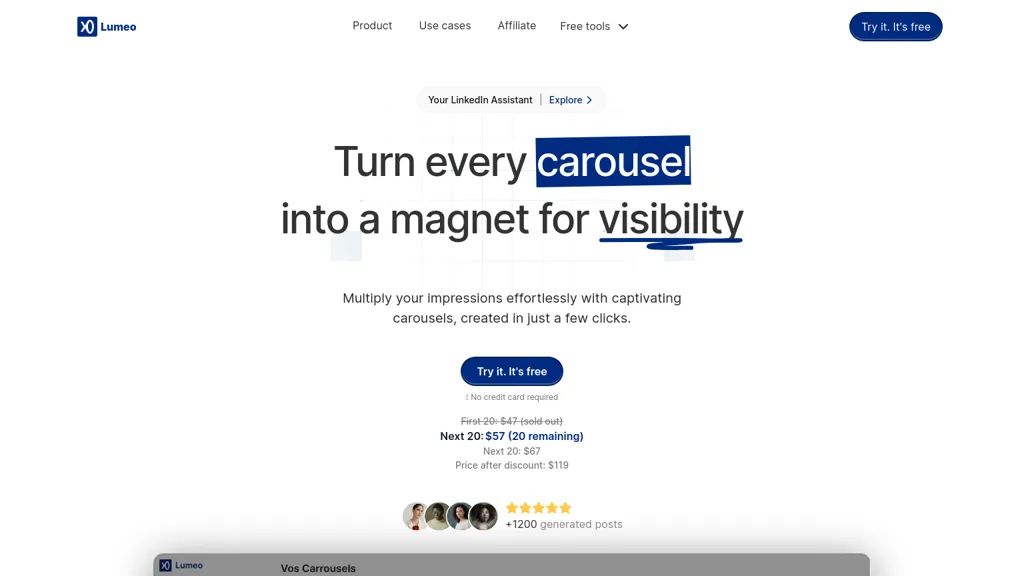
No user reviews yet SubscriptionLumeo auto‑generates multi‑slide carousels from LinkedIn, Instagram, TikTok, tweets, YouTube videos, or articles with a single click. It formats and styles content, lets users create brand kits, adjust layouts, and export slides as PDF or PNG.
We've ranked 29 Lumeo alternatives, including 20 with a free plan. Rankings are based on feature coverage and user feedbacks.
Top-rated alternatives include Super Carousels, Carousel, and Imaiger.
29 Lumeo Alternatives & Competitors, Ranked by User Reviews
Click Compare on any tool to compare it side-by-side with Lumeo.
#1
Super Carousels
SuperCarousels automates carousel creation across LinkedIn, Instagram, and TikTok, generating brand‑consistent layouts in seconds. It auto‑adjusts dimensions, applies templates, suggests copy, and publishes directly via social media APIs, streamlining production.
#2
Carousel
Taplio helps users craft and optimize LinkedIn content by generating AI‑written posts, building carousel PDFs from tweets or URLs, and analyzing engagement metrics. It suggests best posting times, tracks influencer performance, and offers repurposing tools.
#3
Imaiger
An AI platform that helps YouTube, TikTok, and Instagram creators generate, customize, and test slideshow videos. It analyses viral formats, produces multiple hooks, overlay text, and branded images, and offers template editing, A/B testing, analytics, and export options.
#4
PostNitro
PostNitro converts topics, URLs, or threads into multi‑slide carousel posts for Instagram, LinkedIn, TikTok, and Threads. It offers 100+ customizable templates, multi‑language support, team collaboration, and Zapier integration for automated publishing.
#5
PresentationsAI
Presentations.AI automatically turns text prompts into fully formatted slide decks, including charts, infographics, timelines, and roadmaps. It applies consistent branding, exports to PowerPoint, supports multilingual collaboration, and offers engagement analytics for content refinement.
#6
Contentdrips
Contentdrips turns ideas, blog posts, videos, and URLs into LinkedIn and Instagram carousels, posts, and graphics. It writes copy, designs layouts, applies a brand kit, offers bulk generation, calendar planning, team collaboration, and direct scheduling.
- Personalized recommendations
- Custom collections
- Save favorites
Already a member? Sign in
#7
Dottypost
Dottypost automatically creates LinkedIn posts and carousel slides from topics, blogs or YouTube content, offers a library of 10,000+ pre‑written posts, enables one‑click scheduling across multiple accounts, and supports real‑time team collaboration.
#8
SliderAI
Slider AI quickly converts prompts, videos, websites, or uploads into fully formatted slide decks, supporting multiple languages and AI‑generated images. Export to PowerPoint, Google Slides, or PDF with no watermarks. Ideal for marketers, consultants, educators, and teams.
#9
SlidesAI
SlidesAI generates slide decks directly in Google Slides and PowerPoint from text or prompts, auto‑selecting layouts, headings, bullet points, and images. It supports 100+ languages, 150 templates, and an AI image generator for quick, polished presentations.
#10
MagicSlides App
MagicSlides AI converts prompts, PDFs, YouTube links, and other documents into ready‑to‑present slide decks in seconds. Supporting 136 languages, it exports to Google Slides or PowerPoint, lets users edit or duplicate slides, and offers AI‑guided design and template suggestions.
#11
Flowpost.io
Flowpost is an AI tool that helps users create LinkedIn carousels and posts quickly by selecting topics, tones, and formats. It offers customizable settings, one-click translation, and scheduling, streamlining content generation for effective networking.
#12
SlideAI
SlideAI auto‑generates complete PowerPoint decks from a topic and desired slide count, drafting headings, bullet points, and image suggestions. It applies themes automatically, supports editing, slide reordering, and custom graphics, saving professionals and students minutes of design work.
#13
SlidesPilot
SlidesPilot converts PDFs, Word docs, URLs, and text into editable PowerPoint decks with AI‑generated summaries, charts, tables, diagrams, and royalty‑free images. Users can edit layouts via a block editor and export to PPTX, Google Slides, PDF, PNG, or JPG.
Slidesgo's AI Presentation Maker is a free tool that generates presentations with customizable slides and design styles, offering different tones and resources. Presentations can be downloaded in PDF format.
#15
AiPPT
AiPPT turns PDFs, Word, text, or URLs into polished slide decks with 200k+ templates, AI‑generated outlines, and one‑click conversion. It supports Google Drive import, image insertion, multi‑format export, and collaborative editing.
#16
SlideSpeak
SlideSpeak transforms PDFs, Word, Excel, and web content into PowerPoint slides in seconds, offering AI editing, infographics, charts, AI images, narrated videos, branding, translation, and an API for custom integration.
#17
Instant AI for Google Slides
Instant auto‑creates outlines, slide content, and layout suggestions inside Google Slides from a brief topic prompt. Users can edit text, visuals, brand colors, and choose from 100+ templates, speeding slide creation and ensuring consistency.
#18
Slidecast
Slidecast AI auto‑generates slide decks from a topic, adding text, design, and AI voiceovers. Users drag‑and‑drop elements, customize templates, and share via email, URL, or QR code. It tracks view metrics and syncs analytics with Salesforce and HubSpot.
#19
ReelFarm
ReelFarm automates TikTok video creation, scheduling, and publishing at scale, converting scripts into slides, matching images for faceless or UGC posts, supporting unlimited accounts and team members, with bulk repurposing for Instagram, LinkedIn, and Shorts.
#20
SlidesGPT
SlidesGPT converts blog posts, PDFs, or custom prompts into polished slide decks in seconds. It auto‑formats slides, generates visuals, and exports to PowerPoint, Google Slides, or PDF. Developers can integrate bulk creation through an API.
#21
There is a logo for that
Stockimg AI produces logos, illustrations, photos, and social‑media assets from text prompts and builds short video clips with audio and subtitles. Users edit, schedule, and publish across multiple platforms, streamlining content creation for agencies, marketers, and creators.
Taplio is an AI platform for LinkedIn marketing that creates posts, carousels, headlines, and summaries. It schedules content, manages multiple accounts, offers analytics, a Chrome extension for real‑time stats, and employee advocacy tools to grow personal brands and generate leads.
#23
Autoppt
AutoPPT is an AI-powered tool that instantly creates professional, visually appealing PowerPoint presentations from a topic or uploaded documents. It supports 100+ languages, requires no design skills, and delivers responsive, audience-engaging slideshows in seconds.
#24
Beautiful.ai
Beautiful.ai is an AI‑powered presentation tool that streamlines slide creation from prompts or documents. It auto‑formats layouts, offers customizable templates, dynamic charts, and collaboration features, integrating with PowerPoint, Dropbox, Slack, Salesforce, and more.
#25
AI Presentation Maker
AI Presentation Maker is an online tool that uses generative AI to create professional presentations in three simple steps: input topic, define audience, and outline goals. It offers customizable themes, templates, and stock images, with the ability to refine presentations in PowerPoint or Google Slides.
#26
galilai.com.br
GalilAI auto‑generates brand‑aligned text, images, and captions for Instagram, Facebook, and other platforms. Users edit visuals via drag‑and‑drop, then schedule or publish. It tailors content for professionals, learning each profile for consistent voice.
#27
Powerpresent AI
PowerPresent AI creates full slide decks from prompts, uploads, or web links, automatically adding titles, structured content, and visuals. Users choose editable AI templates, export to PPTX, and can present live, streamlining investor pitches, training, and marketing decks.
#28
BestContent AI
BestContent AI is an all‑in‑one content OS that automates social media post creation, caption and hashtag generation, scheduling, and analytics across major networks, while offering LLM‑powered drafting, image generation, SEO‑structured long‑form articles, and a link‑in‑bio builder.
#29
AI Social Post Generator
SocialBee automates social media content creation, scheduling, and publishing across major platforms. It offers AI‑generated captions, image suggestions, optimal posting times, hashtags, and emoji recommendations, while providing team collaboration, analytics, and PDF reporting.
Frequently Asked Questions
Why look for Lumeo alternatives?
Common reasons users switch from Lumeo:
- Cost: Lumeo is a Subscription tool — users often look for more affordable or free options.
- Feature gaps: teams needing specific capabilities like Generate Presentations may find a more focused alternative better suited to their workflow.
- Flexibility: exploring alternatives helps find tools that better match your team size, integrations, and budget.
What is the best alternative to Lumeo?
Super Carousels ranks as the top Lumeo alternative. SuperCarousels automates carousel creation across LinkedIn, Instagram, and TikTok, generating brand‑consistent layouts in seconds. It auto‑adjusts dim It is available on a Freemium plan.
How do the top Lumeo alternatives compare?
| Tool | Pricing | Starting Price | User Rating |
|---|---|---|---|
| Lumeo this tool | Subscription | — | — |
| Super Carousels | Freemium | — | — |
| Carousel | Free | — | 71.4% (28) |
| Imaiger | Subscription | $29/mo | 50% (2) |
| PostNitro | Freemium | $15/mo | 100% (1) |
| PresentationsAI | Freemium | — | 66.7% (30) |
Are there free Lumeo alternatives?
Yes, 20 free alternatives found in our list: Super Carousels, Carousel, PostNitro. and 17 more — use the pricing filter above to see them all.
What should I look for in a Lumeo alternative?
- Core capabilities: confirm the tool supports Generate Presentations, Extract Text, Build Brand Kits.
- Pricing transparency: look for clear free plan, trial period, or tiered pricing — avoid tools that hide costs.
- User reviews: check both the satisfaction percentage and the number of reviews; a high score from few users is less reliable.
- Integrations: verify it connects with your existing stack before committing.
- Support and updates: active development and responsive support are strong signals of a maintained product.
Which Lumeo alternative has the highest user rating?
PostNitro has the highest satisfaction score among Lumeo alternatives, with 100% positive from 1 user review. It is available on a Freemium plan starting from $15/mo.
What are Lumeo alternatives used for?
- Generate Presentations
- Extract Text
- Build Brand Kits
- Design Images
- Generate Carousels