
Top 29 Lens AI Alternatives in 2026
No user reviews yet FreemiumLens AI v0.3.2 is a prompt-based video editing tool that simplifies the editing process by allowing users to trim, sync, and style videos efficiently, enabling content creators to focus on creativity rather than technical details.
We've ranked 29 Lens AI alternatives, including 18 with a free plan. Rankings are based on feature coverage and user feedbacks.
Top-rated alternatives include CapCut, AIImageToVideo Pro, and ClipZap AI.
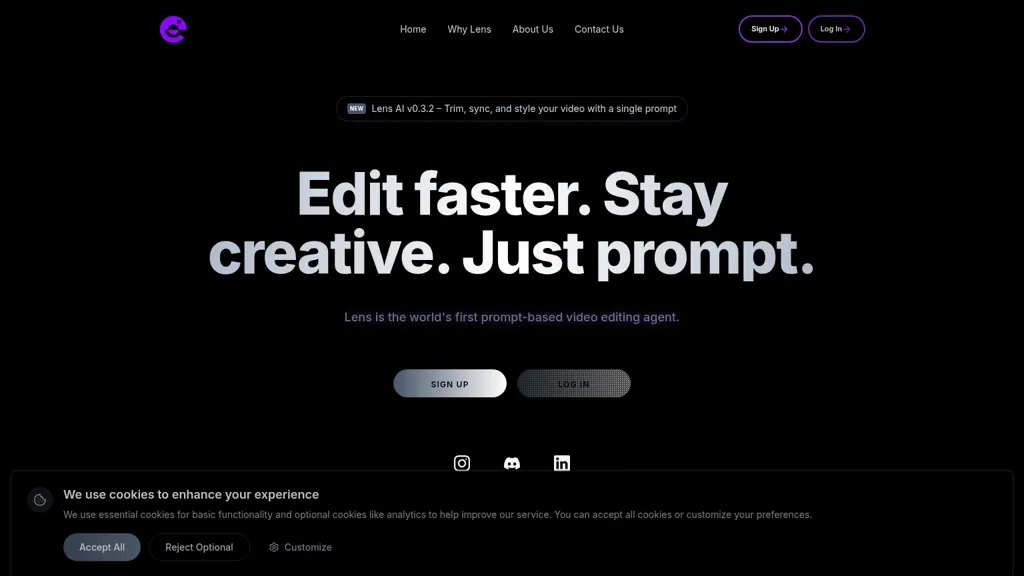
29 Lens AI Alternatives & Competitors, Ranked by User Reviews
Click Compare on any tool to compare it side-by-side with Lens AI.

CapCut is an AI-powered video editor & design tool with social media templates, background removal, upscaling, color correction, portrait generation, text-to-speech, voice changers, and team collaboration support - accessible online and for Mac download.
 #2
AIImageToVideo Pro
#2
AIImageToVideo Pro
AIImageToVideo Pro is an AI tool that transforms static images and text prompts into short videos using models like Veo and Kling, offering control over motion, duration, and resolution. It features editing for text overlays and captions, with export options for creating watermark-free content for social media and marketing.
 #3
ClipZap AI
#3
ClipZap AI
Clipzap.ai is a free AI video workflow editor that enables users to clip, edit, and translate videos in multiple languages. It features face-swapping, video generation, and integration with audio/video products for streamlined content creation.
 #4
Vizard
#4
Vizard
Vizard.ai automatically transcribes footage, spots highlights, and creates TikTok, Reels, and Shorts‑ready clips with one click. It provides text trimming, timeline precision, vertical resizing, multilingual captions, brand templates, collaborative workspaces, and API integration.
 #5
Edit on the Spot
#5
Edit on the Spot
Streamline your video editing process with Edit Spot AI tool. Automate trimming, branding, and enhance content creatively in minutes. Connect recordings or web conferencing platforms for instant editing. Coming soon: multi-segment social media clips.
 #6
Movavi
#6
Movavi
Movavi Video Editor is a desktop app for Mac and Windows that lets users trim, crop, color‑grade footage and add titles, overlays, and filters. AI features automate subtitles, noise suppression, and motion tracking. It includes a screen recorder for tutorials.
- Catch deals before they expire
- Unlock tools matched to you
- Show off your AI stacks
Already a member? Sign in
 #7
V03 AI
#7
V03 AI
V03 AI is an advanced video generator using Google’s VEO 3 technology to create high-resolution 4K videos with physics-based motion, natural lighting, and synchronized audio. Users input text or image prompts for fast, professional-grade results with precise control over movements and camera paths.
 #8
2Short.Ai
#8
2Short.Ai
2short.ai automatically extracts the most engaging segments from long videos to create 1080p YouTube Shorts, using facial‑tracking, one‑click animated subtitles, and flexible aspect ratios. It supports multiple languages, direct Drive/URL imports, and brand presets for consistent visuals.
 #9
VCut
#9
VCut
vcut.lol is an AI-powered video editing tool that streamlines production by automating error correction and enhancement. It quickly extracts key moments, enabling creators to focus on content while reducing time spent on editing tasks.
 #10
AICut
#10
AICut
aicut.pro automates short‑form video creation for YouTube Shorts, TikTok, and Instagram Reels. It offers ready‑made viral templates, prompt cloning, AI voice‑overs, background swaps, image generation, auto‑posting, and a community forum for support.
 #11
AI Photo Editor
#11
AI Photo Editor
AI Photo Editor lets users upload up to ten images or generate new ones from text prompts, instantly editing or converting images into short videos. All processing runs client‑side, supporting face completion and consistent character edits for design and work.
 #12
TopView.ai
#12
TopView.ai
AI Video Agent converts text, product images or URLs, and reference clips into full‑scripted, brand‑aligned videos, automatically planning scenes, adding visual effects, and allowing prompt‑based refinement for fast marketing and social content creation.
 #13
Aivideo
#13
Aivideo
AIVideo.com automates video production, creating music videos, lyric visuals, looping clips, and converting audio or images into video. It offers text‑to‑image/video, background removal, matchcut editing, and visual effects, enabling quick, professional media creation.
 #14
Opus Clip
#14
Opus Clip
OpusClip is an AI-powered video tool that transforms long videos into shareable short clips with one click. It uses AI to identify compelling moments, generate captions, and optimize for social media.
 #15
ChatCut
#15
ChatCut
ChatCut is a browser and ChatGPT-plugin video editor that uses transcript-based editing to remove fillers, trim and reorder talking-head footage, assemble coherent cuts, generate motion graphics, B-roll, captions (100+ languages) and AI music, and export timelines.
 #16
AIVlog
#16
AIVlog
Aivlog is an AI-driven video editing tool that automates highlight selection, subtitle generation, and offers effects, music, and templates, streamlining vlog creation for users to easily share polished life moments on social media.
 #17
Videoleap
#17
Videoleap
Videoleap is a cross‑platform editor with AI background removal, infinite‑zoom, text‑to‑video, audio cutting, subtitles, and built‑in filters. It offers templates for TikTok, Reels, Shorts, and ads, plus a drag‑and‑drop interface for quick professional videos on web or mobile.
 #18
Autocut.com
#18
Autocut.com
AutoCut AI is a Premiere Pro and DaVinci Resolve extension that automates routine editing—removing silences, auto‑captions, speaker‑driven angle cuts, context zooms, key moment extraction, stock integration, duplicate discard, profanity filtering, chapter markers, and social‑media resizing.
 #19
Wondershare Filmora
#19
Wondershare Filmora
Wondershare Filmora is a cross‑platform video editor featuring AI tools like Video Extender, Image‑to‑Video, Text‑to‑Video, AI Music Generator, and AI Object Remover. It offers a timeline, dual‑timeline editing, motion‑path tools, AI‑assisted asset matching, GPU acceleration, and export presets for platforms.
 #20
Vmake.ai
#20
Vmake.ai
Vmake automates UGC and viral video cloning, producing product, fitness, and real‑estate clips with AI editing tools—watermark removal, background swap, noise suppression, upscaling. It auto‑generates captions, hooks, thumbnails, supports batch processing, and offers a teleprompter for polished delivery.
 #21
Clipfly
#21
Clipfly
Clipfly turns text prompts into videos, animates images, and adds lifelike touches to photos. With an AI storyboard, one‑click enhancer, background removal, subtitles, and audio integration, it streamlines branded content, social clips, and personal memories.
 #22
Video Prompt AI
#22
Video Prompt AI
VideoPrompt AI revolutionizes video creation by combining AI-generated visuals and speech-driven content. It simplifies storytelling, turning concepts into captivating videos for enhanced audience engagement.
 #23
SNAPVID
#23
SNAPVID
SNAPVID.AI automates cutting long videos into 30‑second clips, removes filler pauses, adds multi‑language subtitles, offers 4K output, AI‑generated B‑roll, audio cleanup, and batch processing with a credit‑based monthly reset for creators.
 #24
Video Studio AI
#24
Video Studio AI
Video Studio AI turns text prompts or uploaded photos into short, realistic animated videos with natural facial expressions, head movement, and blinking. Output is ready within minutes in 4K or stylized Disney‑like formats, using a three‑step web workflow.
 #25
Minvo 2.0
#25
Minvo 2.0
Minvo automates video editing and social media scheduling, converting long videos into short clips, images, and subtitles. Features include AI clip extraction, B‑roll insertion, multi‑language translation, animated captions, branding templates, and cross‑platform posting with performance analytics.
 #26
FlexClip
#26
FlexClip
FlexClip is an online video editor with templates, resources, and powerful tools to create and edit videos for various purposes, as well as integration with royalty-free stock media providers and easy social media sharing.
 #27
Snapcut.ai
#27
Snapcut.ai
Snapcut.ai is an AI-driven video editing tool that transforms long videos into engaging short clips. It identifies key moments, reframes for various platforms, and adds animated captions, streamlining the editing process for social media content creators.
 #28
Video Editor AI
#28
Video Editor AI
AI‑powered video editor trims, merges, and transforms footage with minimal effort. It offers background removal, automated image upscaling, and real‑time synthesis from text prompts, enabling quick video creation and batch processing via a Django web interface.
 #29
VideoMaker.me
#29
VideoMaker.me
Google Veo 3 generates 8‑second, full‑HD cinematic clips from text prompts with lip‑synced dialogue and ambient audio. It animates still images, adds motion, lighting, perspective shifts, and over 60 visual effects for quick online video prototyping.
Frequently Asked Questions
Why look for Lens AI alternatives?
Common reasons users switch from Lens AI:
- Feature gaps: teams needing specific capabilities like Edit videos may find a more focused alternative better suited to their workflow.
- Flexibility: exploring alternatives helps find tools that better match your team size, integrations, and budget.
What is the best alternative to Lens AI?
Based on 27 user reviews, CapCut (77.8% positive) ranks as the top Lens AI alternative. CapCut is an AI-powered video editor & design tool with social media templates, background removal, upscaling, color correction, portrait generation, It is available on a Free trial plan.
How do the top Lens AI alternatives compare?
| Tool | Pricing | Starting Price | User Rating |
|---|---|---|---|
| Lens AI this tool | Freemium | — | — |
| CapCut | Free trial | — | 77.8% (27) |
| AIImageToVideo Pro | Freemium | $9.99/mo | 50% (6) |
| ClipZap AI | Free trial | — | — |
| Vizard | Freemium | — | 82.6% (23) |
| Edit on the Spot | Freemium | — | — |
Are there free Lens AI alternatives?
Yes, 18 free alternatives found in our list: CapCut, AIImageToVideo Pro, ClipZap AI. and 15 more — use the pricing filter above to see them all.
What should I look for in a Lens AI alternative?
- Core capabilities: confirm the tool supports Edit videos, Sync videos, Trim videos.
- Pricing transparency: look for clear free plan, trial period, or tiered pricing — avoid tools that hide costs.
- User reviews: check both the satisfaction percentage and the number of reviews; a high score from few users is less reliable.
- Integrations: verify it connects with your existing stack before committing.
- Support and updates: active development and responsive support are strong signals of a maintained product.
Which Lens AI alternative has the highest user rating?
V03 AI has the highest satisfaction score among Lens AI alternatives, with 100% positive from 5 user reviews. It is available on a Freemium plan.
What are Lens AI alternatives used for?
- Edit videos
- Sync videos
- Trim videos
- Style videos
- Automate editing