Top 29 LearniAI Alternatives in 2026
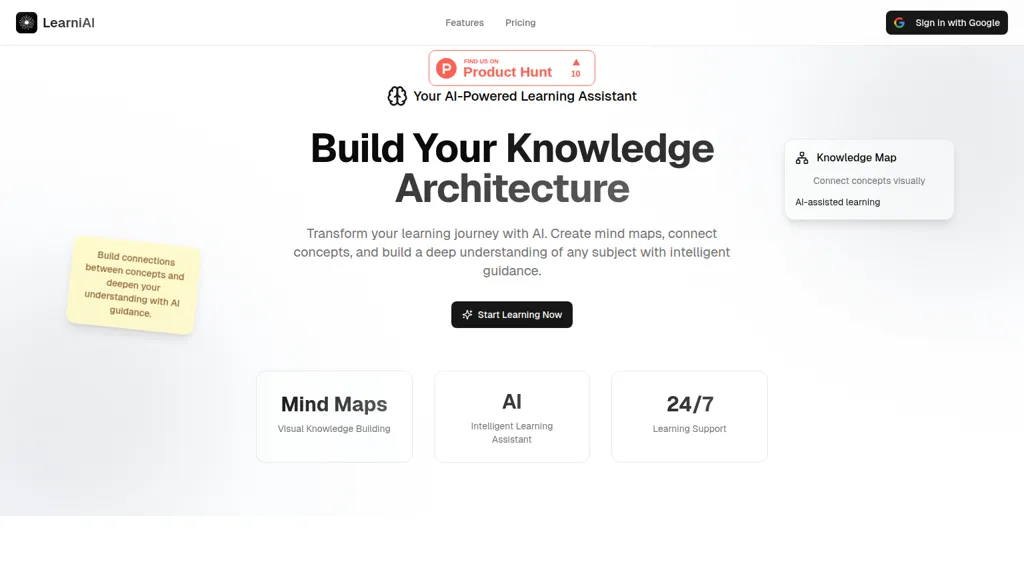
No user reviews yet SubscriptionLearniAI generates editable interactive mind maps and visual knowledge graphs from text and AI outputs, guiding study, lesson planning, research, and skill development with step-by-step explanations, a three-stage learning workflow, Feynman validation, and cross-device storage.
We've ranked 29 LearniAI alternatives, including 22 with a free plan. Rankings are based on feature coverage and user feedbacks.
Top-rated alternatives include ConceptMap AI, Napkin.ai, and MyMap.AI.
29 LearniAI Alternatives & Competitors, Ranked by User Reviews
Click Compare on any tool to compare it side-by-side with LearniAI.
#1
ConceptMap AI
Concept Map AI is a free mind mapping tool that enables users to create visual concept maps quickly through AI interaction. It supports educational purposes, project planning, brainstorming, and process mapping, enhancing clarity, collaboration, and operational efficiency.
#2
Napkin.ai
Napkin AI automatically converts pasted or uploaded text into diagrams, charts, flowcharts, and mind maps. Users can customize icons, styles, connectors, and colors, then export to PPT, PNG, PDF or SVG. It supports 60+ languages and real‑time collaboration.
#3
MyMap.AI
MyMap turns text prompts into mind maps, flowcharts, SWOT, timelines, and database schemas on an infinite canvas. It auto‑generates and places nodes with real‑time AI context awareness, letting users drag, connect, and reorganize for brainstorming and planning.
#4
FunBlocks AI
FunBlocks AI converts topics, notes, PDFs, and videos into visual mind maps using models like First Principles and SWOT. Users can export maps to AI‑generated docs, slides, or Markdown, and switch between GPT, Claude, Gemini, and DeepSeek within one workflow.
#5
Wisemap.ai
WiseMap uses ChatGPT to expand keyword‑driven mind maps, adding nodes and refining structures via natural language. It offers AI‑generated backgrounds, unlimited edits, export options, and collaborative sharing with credit tracking for teams and educators.
#6
AmyMind
AmyMind turns text, PDFs, Word, Markdown, and YouTube captions into AI‑generated mind maps. It offers new branch creation, detailed exploration, refinement suggestions, rich node formatting, outline view, shortcuts, custom themes, and export to PPT, PDF, PNG, DOC, plus pitch mode.
- Catch deals before they expire
- Unlock tools matched to you
- Show off your AI stacks
Already a member? Sign in
#7
GitMind
GitMind is an AI workspace that transforms text, audio, video, PDFs, images, and web pages into mind maps, summaries, and visual diagrams. It offers transcript, OCR, and diagram generation, a content‑specific chatbot, and cross‑platform collaboration while safeguarding data.
#8
Study Fetch
StudyFetch converts uploaded course materials into a structured learning system, generating personalized study schedules, milestone plans, quizzes, flashcards, and interactive game challenges. It offers AI tutoring, live lecture capture, and supports educators and institutions.
#9
Mind Grasp
Mindgrasp converts PDFs, documents, audio, video, and URLs into organized study assets. It auto‑creates notes, summaries, flashcards, and quizzes, and offers a 24/7 AI tutor and real‑time progress tracking across devices for students and professionals.
#10
AI graph maker
Free AI Graph Maker enables users to create interactive charts and graphs, including bar, pie, and line charts. It supports Gantt charts, flowcharts, and mind maps, facilitating effective data visualization for various sectors like education and finance.
#11
Xmind
Xmind generates AI-powered mind maps and summaries from Markdown, DOC, OPML and TextBundle files, converts documents into SOPs, and provides real-time collaboration, cross-platform apps, integrations, and enterprise controls for team planning, documentation, and process design.
#12
shutu.cn
TreeMind uses AI to convert prompts, images, or documents into structured mind maps and other diagram types. It supports unlimited nodes, real‑time collaboration, multiple export formats, and cross‑platform sync for students, educators, and teams.
#13
edraw ai
Edraw.ai is an AI-driven platform for visual collaboration, offering a variety of diagram types and real-time editing. It enhances productivity by facilitating teamwork, streamlining workflows, and improving visual documentation across diverse industries.
#14
YouMind
Youmind is an AI creation studio for personalized learning and idea management, allowing users to capture and organize inspiration from various formats, integrate insights, and create editable documents to enhance clarity and cohesion in their work.
#15
Nodeland
Nodeland is an AI-powered mind map generator that transforms notes into interactive visual maps, enhancing organization and retention. It features an AI-assisted editor, cross-device access, and detailed guidance for effective exploration of concepts and ideas.
#16
ChartAI
ChartAI auto‑creates diverse visualizations—mind maps, flowcharts, timelines, Gantt charts, ER diagrams, etc.—by converting data into polished diagrams. It offers templates, quick start, and dataset generation, aiding analysts, researchers, educators, and managers.
#17
AI Diagram Generator
dg diagram-generator converts text prompts into structured diagrams — flowcharts, UML, ER, network, Gantt and infographics — offers quick drafts, 4K renders, editable Mermaid export, style templates, and Pro web grounding with layout-aware rendering.
#18
InstantMind
InstantMind is an AI tool for creating mind maps and summaries from over 30 file formats. It features intelligent Q&A for context-based insights, customizable instructions, multiple export options, and secure cloud storage for easy access.
#19
To Teach
AI lesson planner generates curriculum‑aligned plans, quizzes, flashcards, mind maps, and more in seconds, with 800+ pre‑made exercises and customizable imports. H5P‑ready output integrates into Moodle, Canvas, and other LMS, supporting multiple levels and gamification.
#20
MyMind
Cross‑platform personal knowledge manager consolidating notes, bookmarks, articles, images, and quotes into one private space. Auto‑classifies content, generates AI summaries, and enables search by color, keyword, brand, or date. Real‑time sync across iOS, Android, macOS, Chrome, Edge, and Safari.
#21
Study Point AI
Study Point AI delivers instant, step‑by‑step math solutions, AI‑assisted writing feedback, and tutoring across math, science, programming, and history. It includes graph plotting, an interactive periodic table, 3‑D solar explorer, custom quizzes, mind‑maps, progress analytics, and adaptive learning.
#22
Youlearn
AI tutor that transforms PDFs, videos, slides, and recordings into study notes, quizzes, podcasts, and personalized exams, providing key takeaways, answer breakdowns, progress tracking, and interactive chat support for learners and educators.
#23
iWeaver AI
iWeaver lets users upload documents, videos, audio, and images to extract key concepts, generate summaries, and build mind maps. It supports structured Q&A, data extraction, and visual mapping for research, analysis, and legal review. Modular agents enable API integrations for workflows.
#24
AI Mind Mapper
AI Mind Mapper turns selectable‑text PDFs into structured mind maps, summarizing content into hierarchical nodes. It serves academic, business, and personal documents, providing quick visual overviews while keeping all data private.
#25
MindmapAI
MindmapAI turns PDFs, YouTube videos, and web pages into structured visual maps, automatically extracting key concepts and summaries. Users can collaborate, add notes, icons, tags, and export maps to PDF, PNG, or JPEG for presentations.
#26
Infograph.app
AI Infographic Generator converts text and data into customizable graphics like infographics and flowcharts. With over 500 templates and multi-language support, it enables editing and downloading in multiple formats, all while supporting 4K resolution.
#27
getMindmap
getMindmap converts dense text from articles, papers, and textbooks into AI-generated mind maps, flowcharts, and concise summaries by extracting headings, key terms, and relationships, enabling structured notes, faster review, and exportable diagrams for study and research workflows.
#28
Algor education
Algor Education turns notes, PDFs, audio, video, and images into AI‑generated interactive study tools—concept and mind maps, flashcards, quizzes, and structured notes. It highlights key points, visualizes content, and streamlines exam preparation, curriculum design, and independent learning.
#29
Piktochart
Piktochart is an AI‑powered visual creation platform that turns text into infographics, charts, and videos within seconds. It offers templates, a brand kit, collaborative editing, interactive graphics, and export options for print and digital use.
Frequently Asked Questions
Why look for LearniAI alternatives?
Common reasons users switch from LearniAI:
- Cost: LearniAI is a Subscription tool — users often look for more affordable or free options.
- Feature gaps: teams needing specific capabilities like Generate mind maps may find a more focused alternative better suited to their workflow.
- Flexibility: exploring alternatives helps find tools that better match your team size, integrations, and budget.
What is the best alternative to LearniAI?
ConceptMap AI ranks as the top LearniAI alternative. Concept Map AI is a free mind mapping tool that enables users to create visual concept maps quickly through AI interaction. It supports educational pu It is available on a Free trial plan.
How do the top LearniAI alternatives compare?
| Tool | Pricing | Starting Price | User Rating |
|---|---|---|---|
| LearniAI this tool | Subscription | — | — |
| ConceptMap AI | Free trial | — | — |
| Napkin.ai | Freemium | — | 69.2% (13) |
| MyMap.AI | Freemium | $12/mo | 70.8% (24) |
| FunBlocks AI | Freemium | — | 100% (1) |
| Wisemap.ai | Paid | $5/mo | — |
Are there free LearniAI alternatives?
Yes, 22 free alternatives found in our list: ConceptMap AI, Napkin.ai, MyMap.AI. and 19 more — use the pricing filter above to see them all.
What should I look for in a LearniAI alternative?
- Core capabilities: confirm the tool supports Generate mind maps, Create knowledge graphs, Edit maps.
- Pricing transparency: look for clear free plan, trial period, or tiered pricing — avoid tools that hide costs.
- User reviews: check both the satisfaction percentage and the number of reviews; a high score from few users is less reliable.
- Integrations: verify it connects with your existing stack before committing.
- Support and updates: active development and responsive support are strong signals of a maintained product.
Which LearniAI alternative has the highest user rating?
FunBlocks AI has the highest satisfaction score among LearniAI alternatives, with 100% positive from 1 user review. It is available on a Freemium plan.
What are LearniAI alternatives used for?
- Generate mind maps
- Create knowledge graphs
- Edit maps
- Visualize concepts
- Analyze relationships